

Turn raw product photos into consistent, studio-quality images, descriptions and pricing.
Create a product photography style once, then apply it to every product in your catalogue. Each product is styled individually from its own source photo. The same catalogue also writes its own descriptions and can reason about what each product should cost.
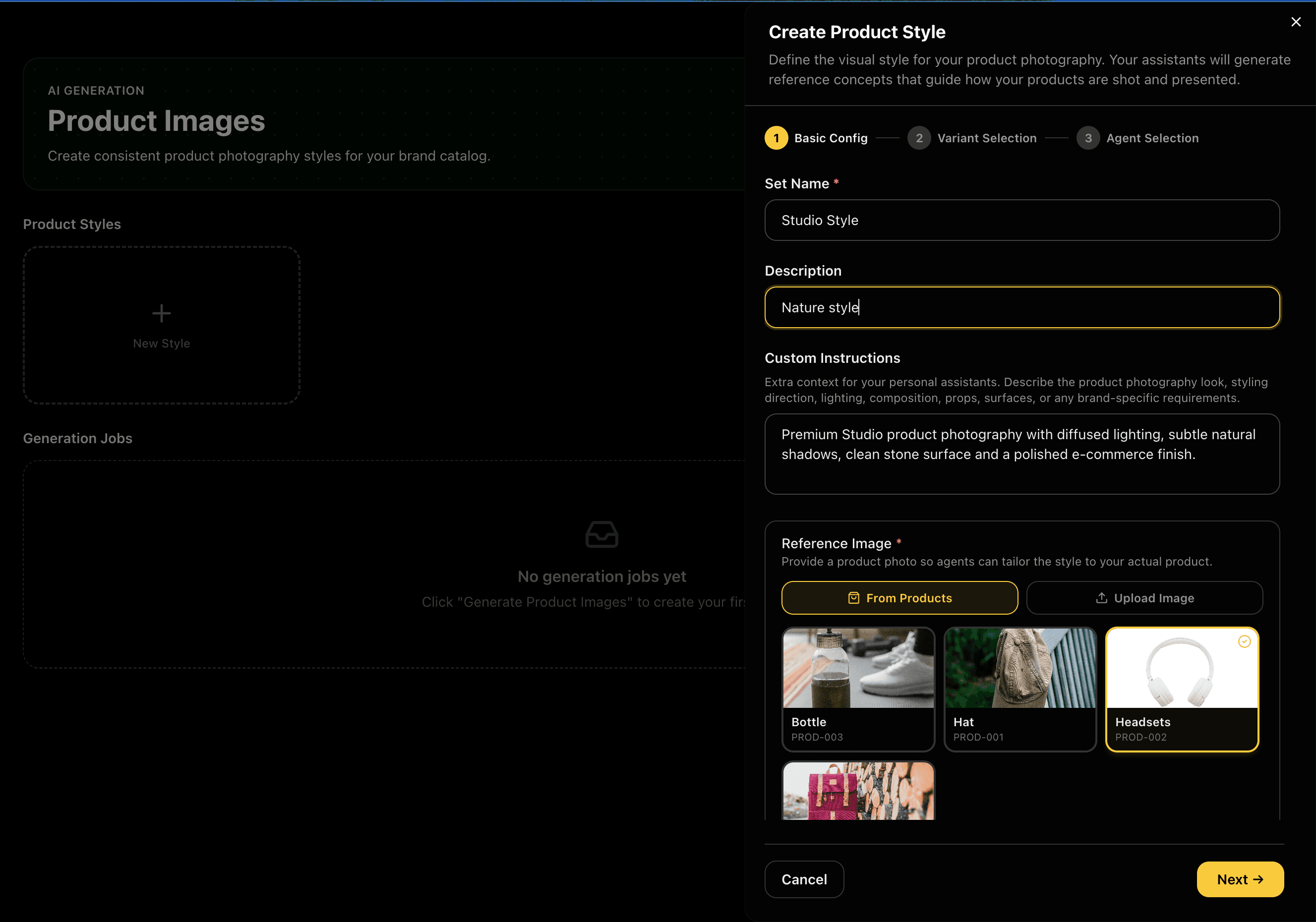
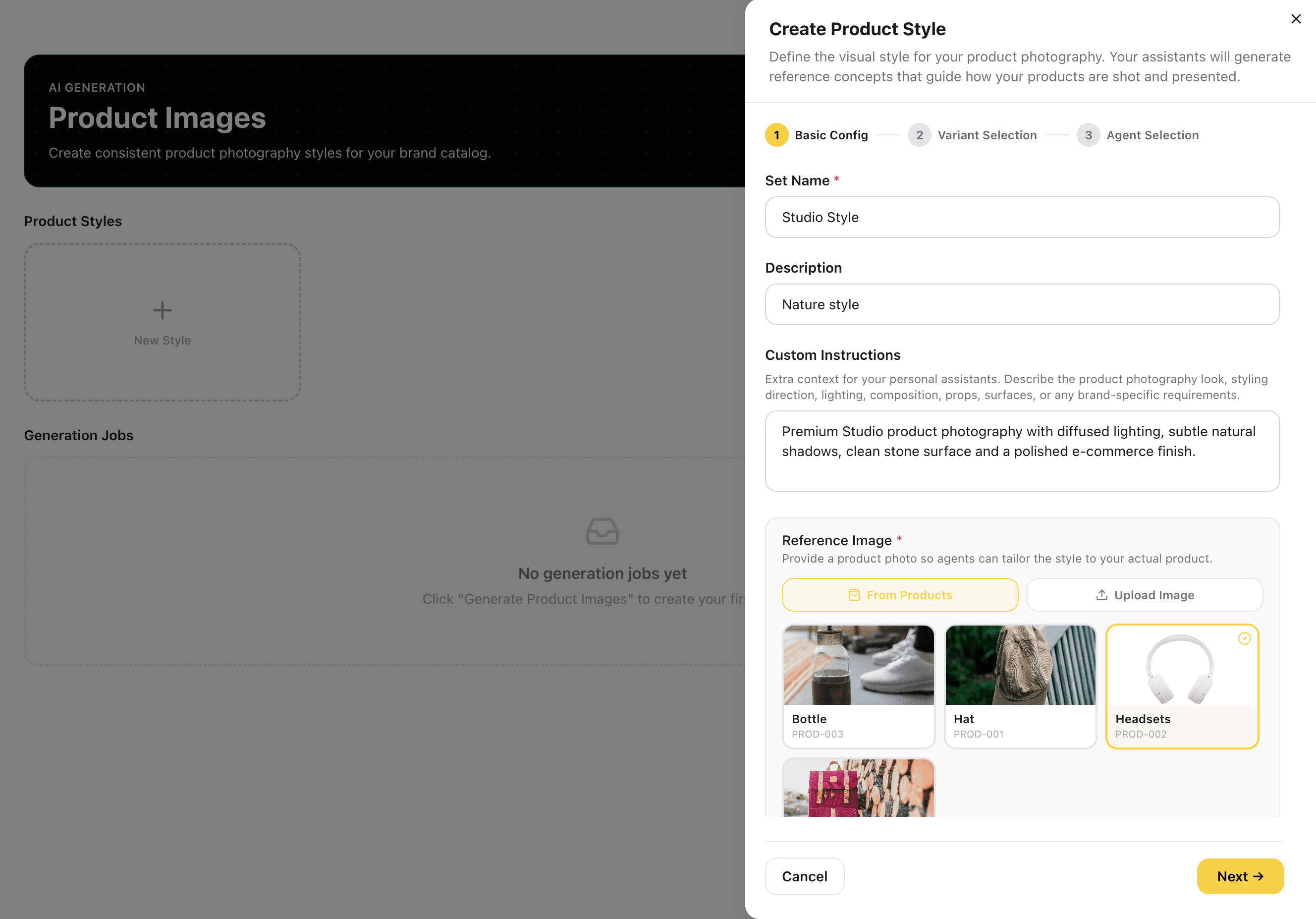
Create Your Product Style
Open Create Product Style and configure your photography brief in three steps: name the style, write custom photography instructions, lighting, composition, props, surfaces, finish, and choose a reference image directly from your product catalogue. In the Agent Selection step, choose which Assistant designers will generate concepts and set how many concepts each one produces.
Pulling the reference from an actual product means every agent's concept is grounded in the real object's shape, finish, and proportion, not a guess.
Captures
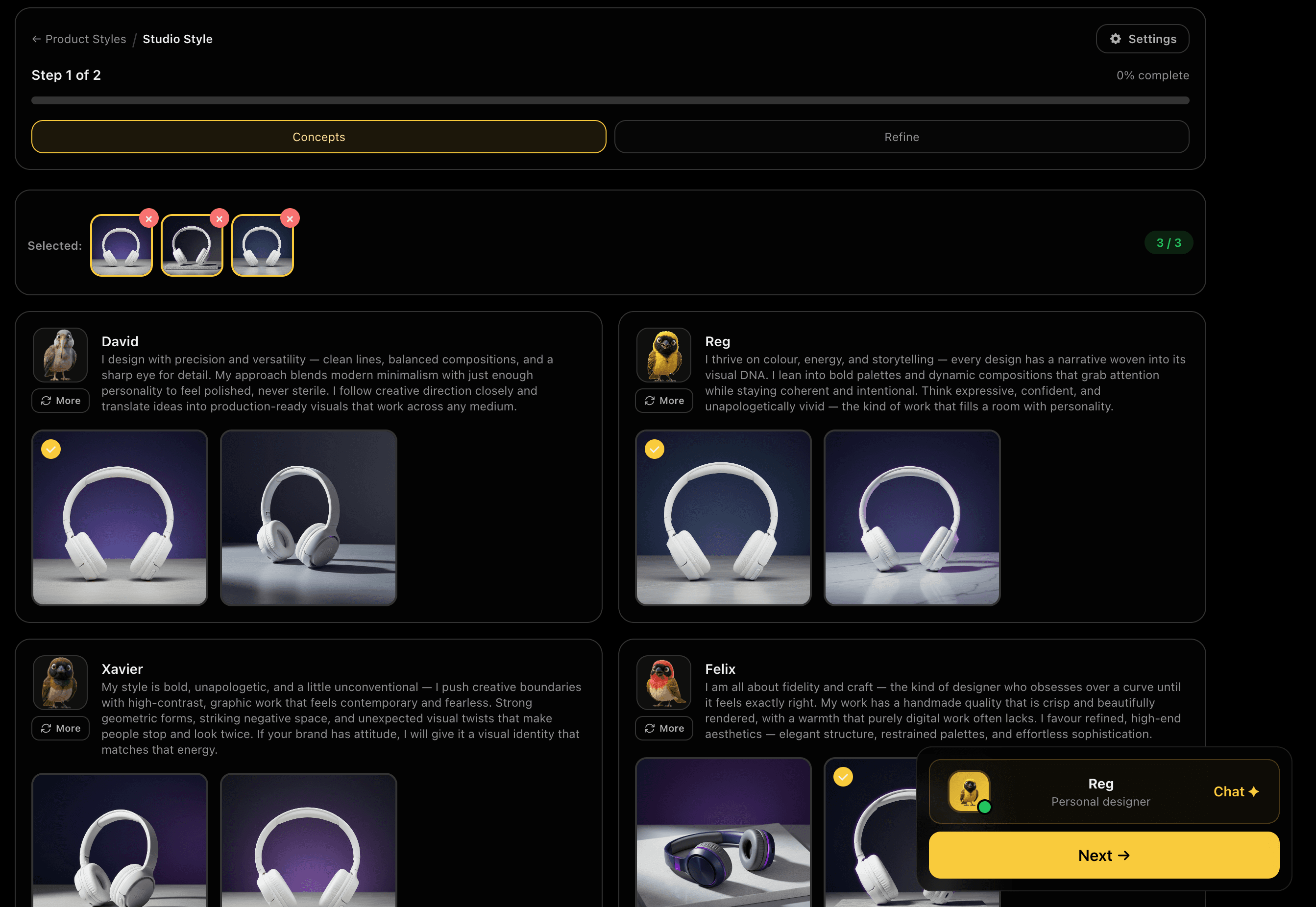
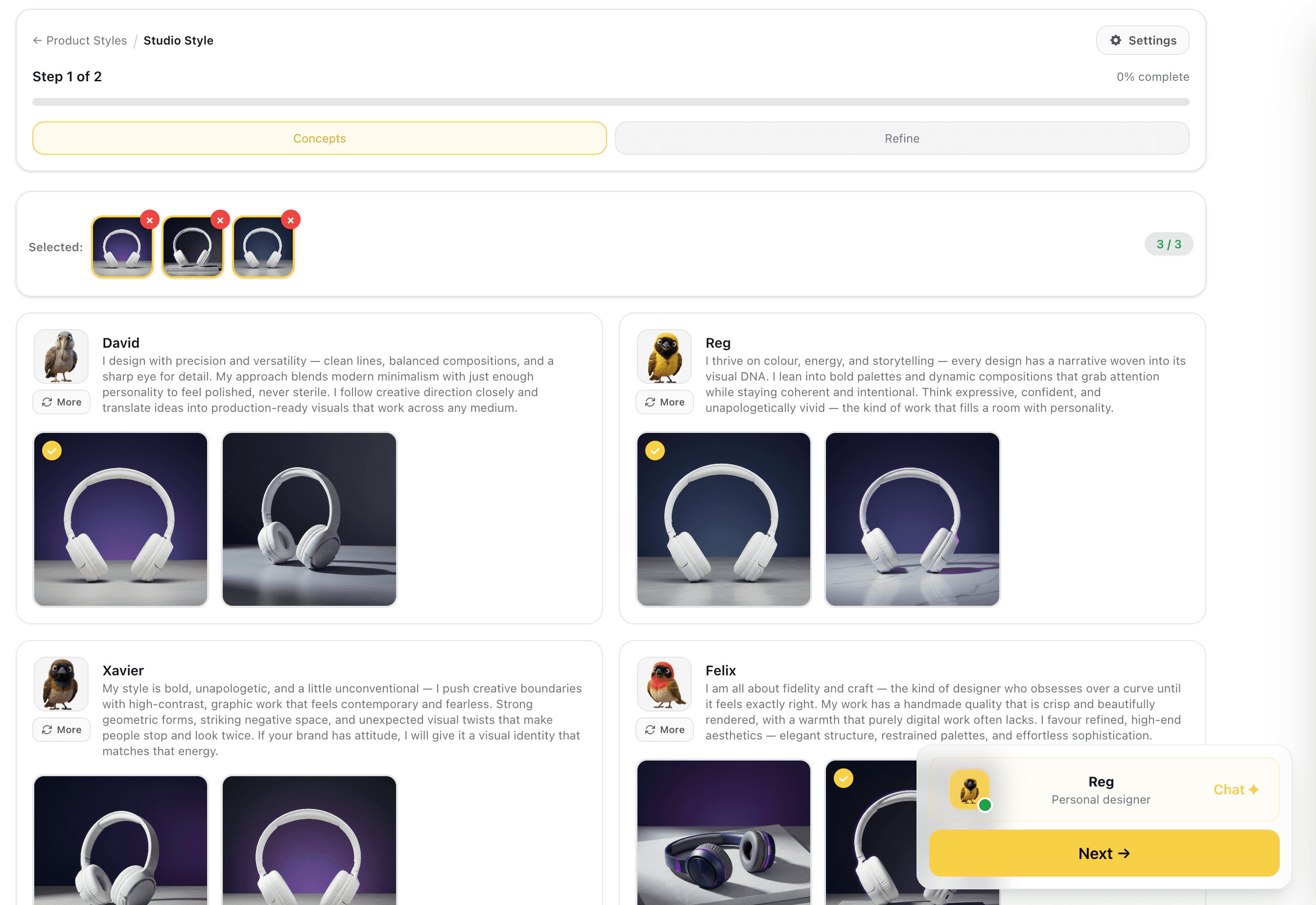
Assistant Agents Generate Style Concepts
Your selected Assistant design agents each interpret your photography brief and generate their own product style concepts in real time. Each agent brings a different approach to lighting direction, surface material, background depth, and product placement. Review all results side by side and select up to 3 concepts to carry into refinement.
Multiple agent interpretations give you real creative range, different lighting temperatures, surface textures, and compositions, before committing to a direction.
Captures
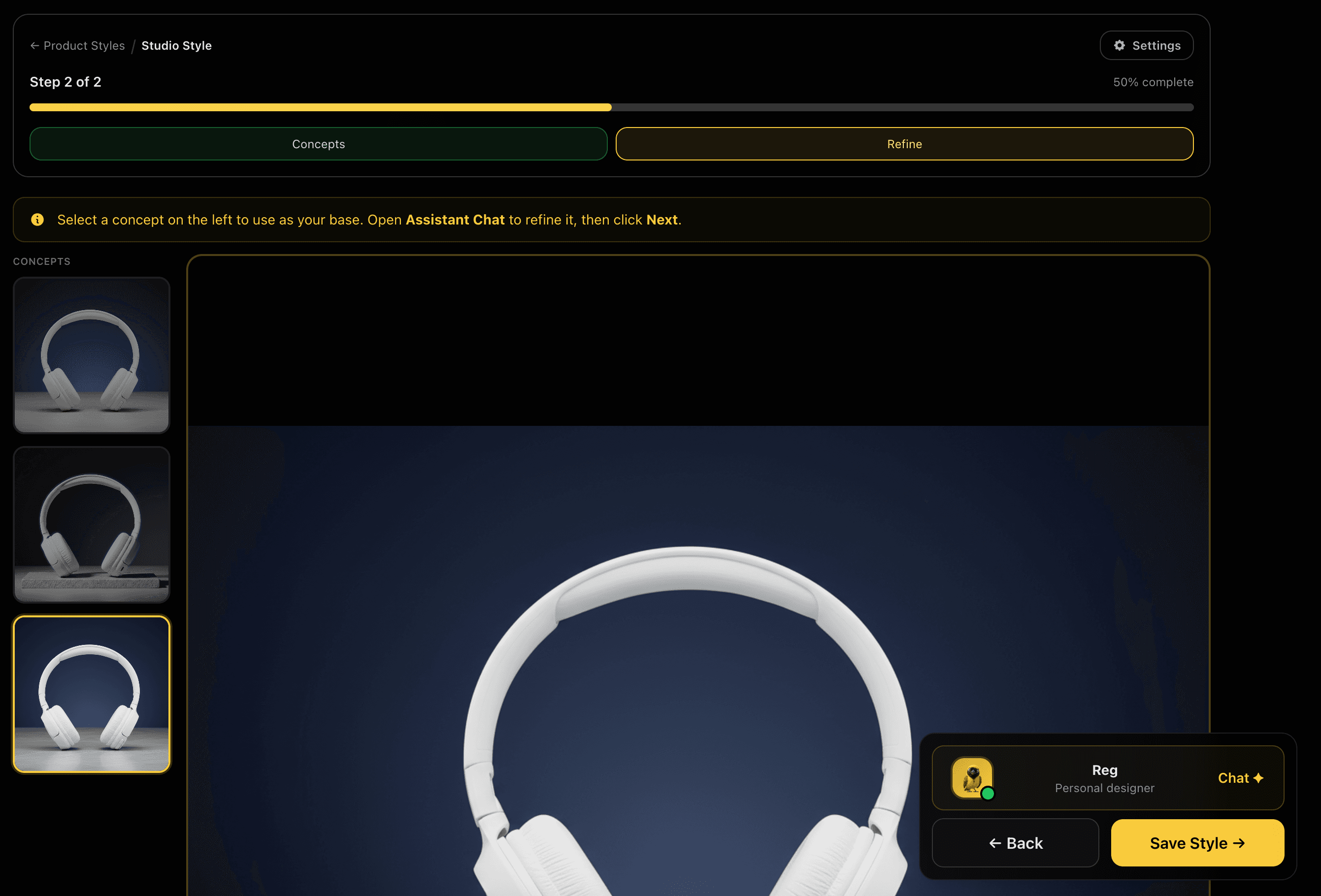
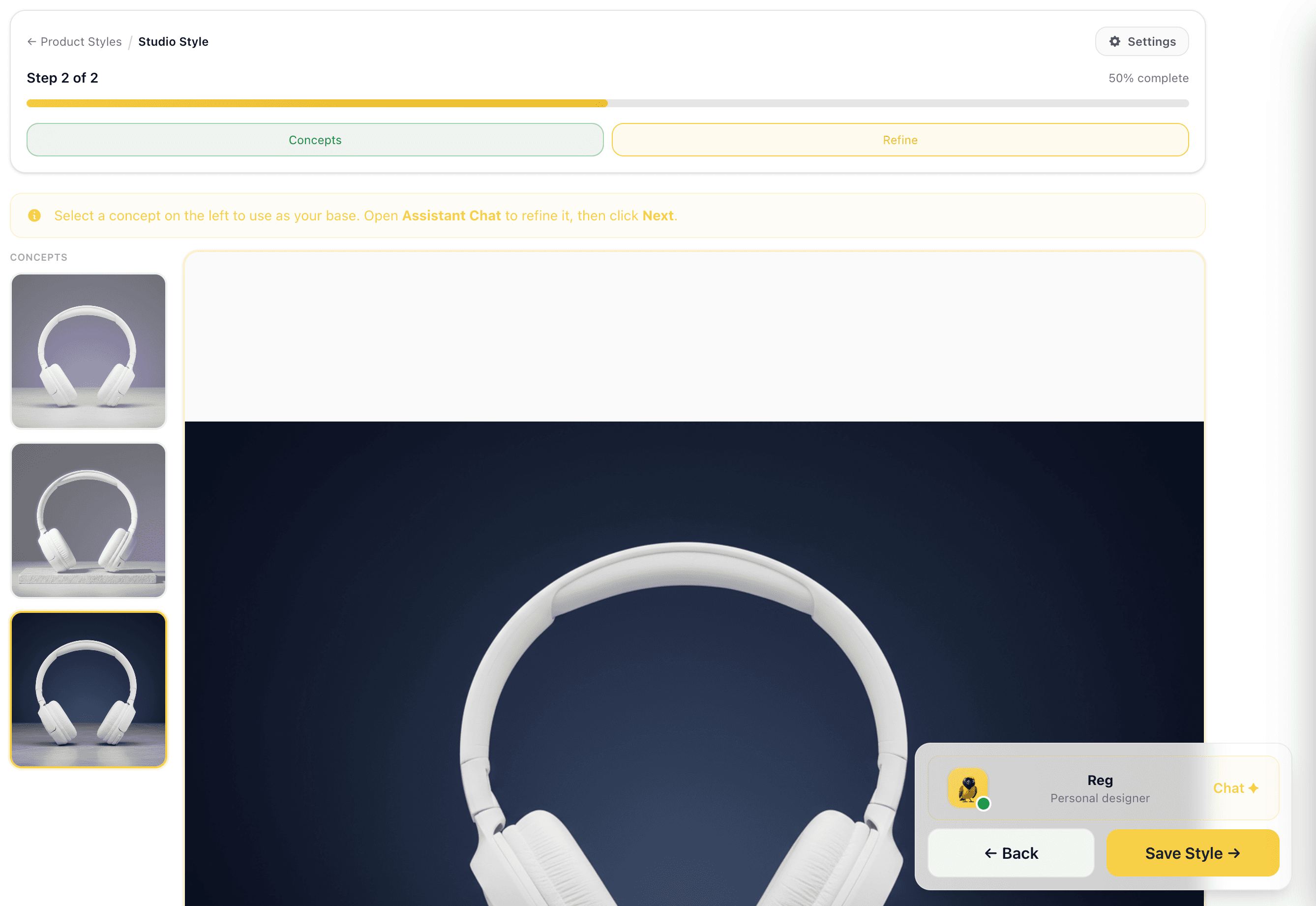
Pick Your Base and Refine
Choose one concept as your style base and assess it at full size, how the product sits, how the lighting falls, and whether the surface suits your brand. Open the Assistant chat to adjust before saving: change the background material, shift the lighting temperature, add or remove props, tighten the composition. When the concept matches your brief exactly, save the style.
Refining before saving means every product in the catalogue generates from a tested, approved visual standard, not a first draft.
Captures
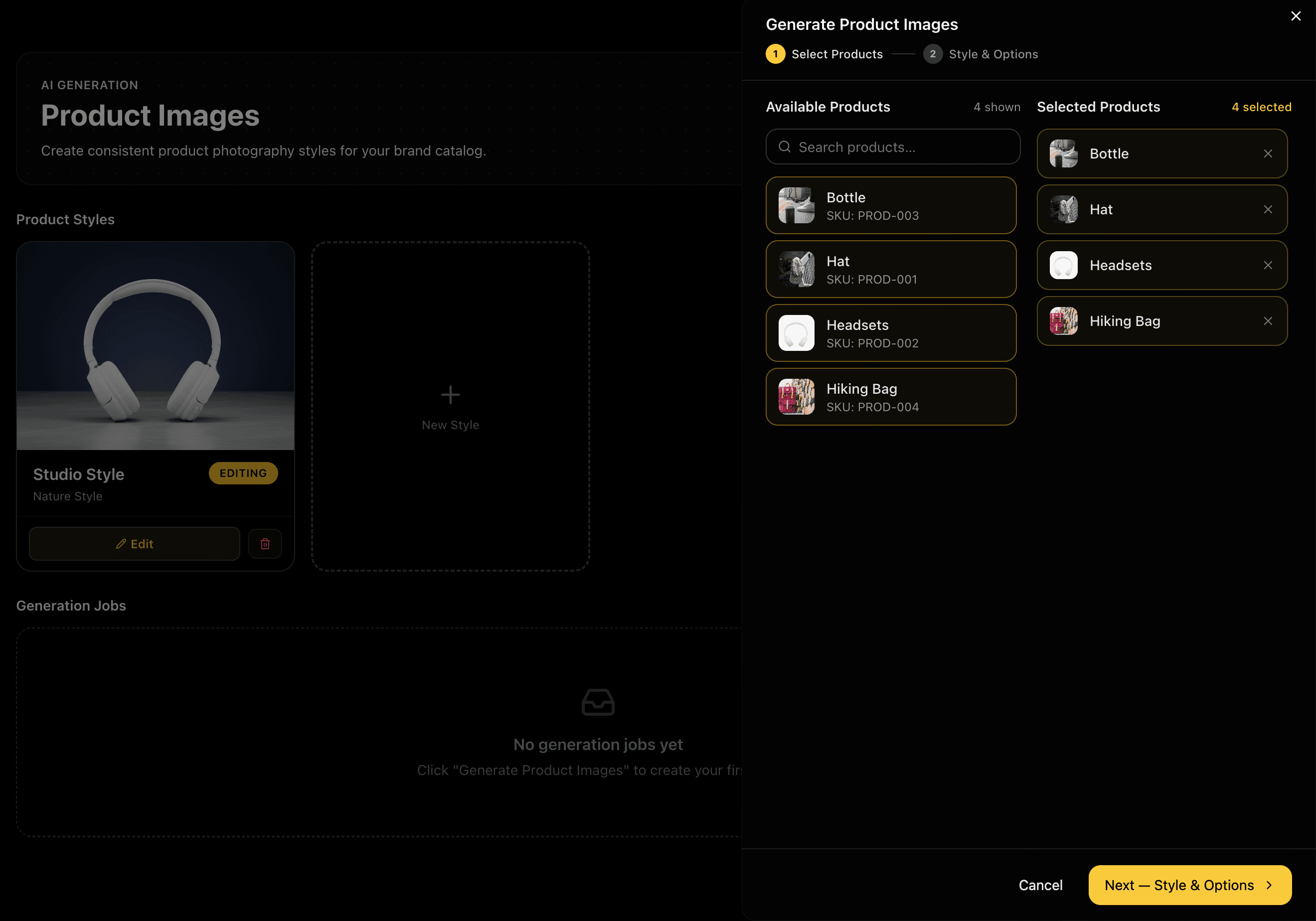
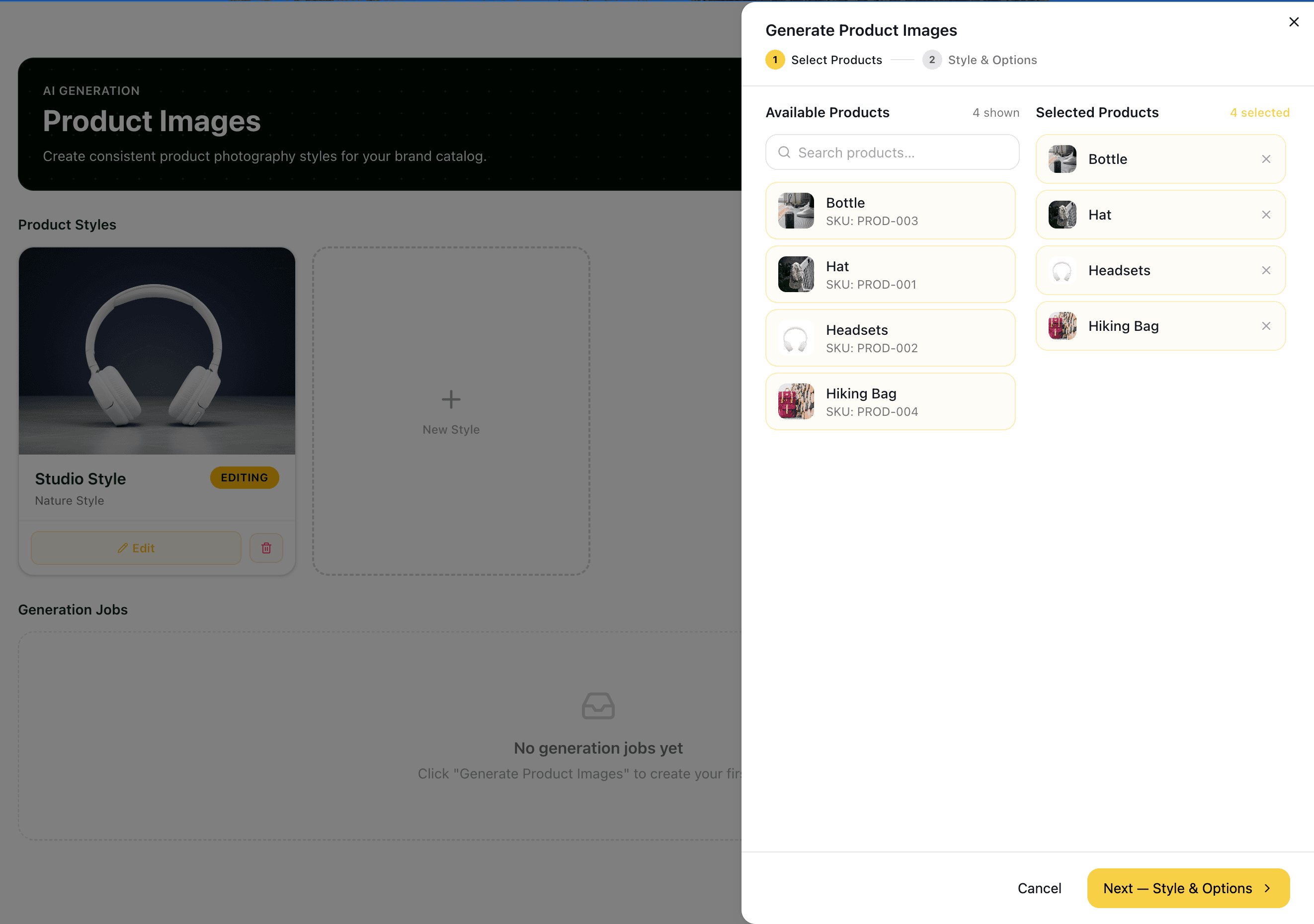
Select Products to Generate
Open Generate Product Images and select which products to include in this run. Products are listed with their SKUs, group tags, and source photos. Search by name, filter by group, or select all. The approved style is applied to every selected product automatically, no per-product configuration needed.
Batch selection means you can process your entire catalogue, or a focused group, in a single run without repeating the style configuration per item.
Captures
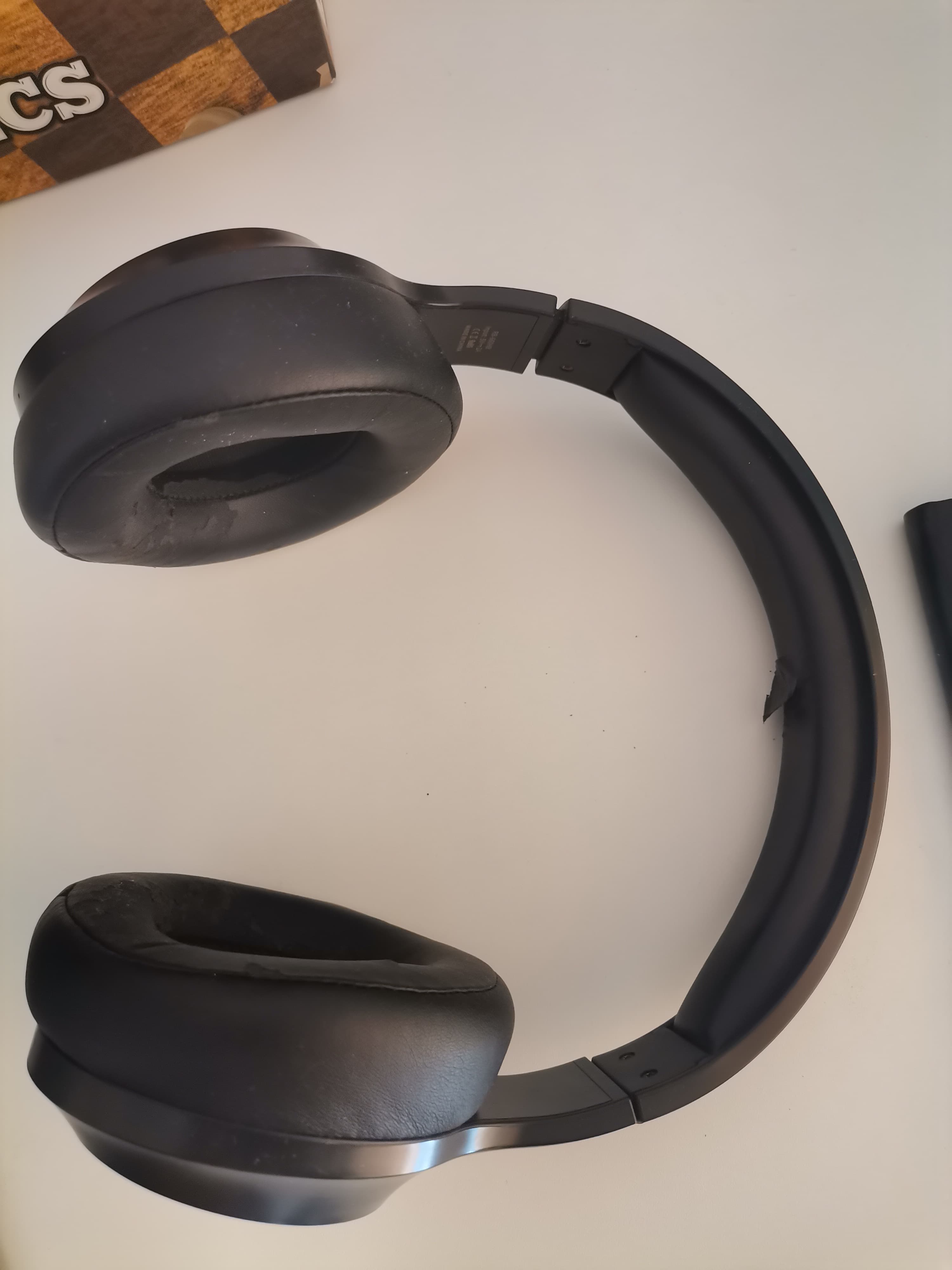

Raw Photo to Studio Image
Each product is generated from its own source photo, any angle, any setting, and transformed into a consistent studio image styled to your approved brief. The same lighting, surface, and composition treatment is applied across every product in the run.
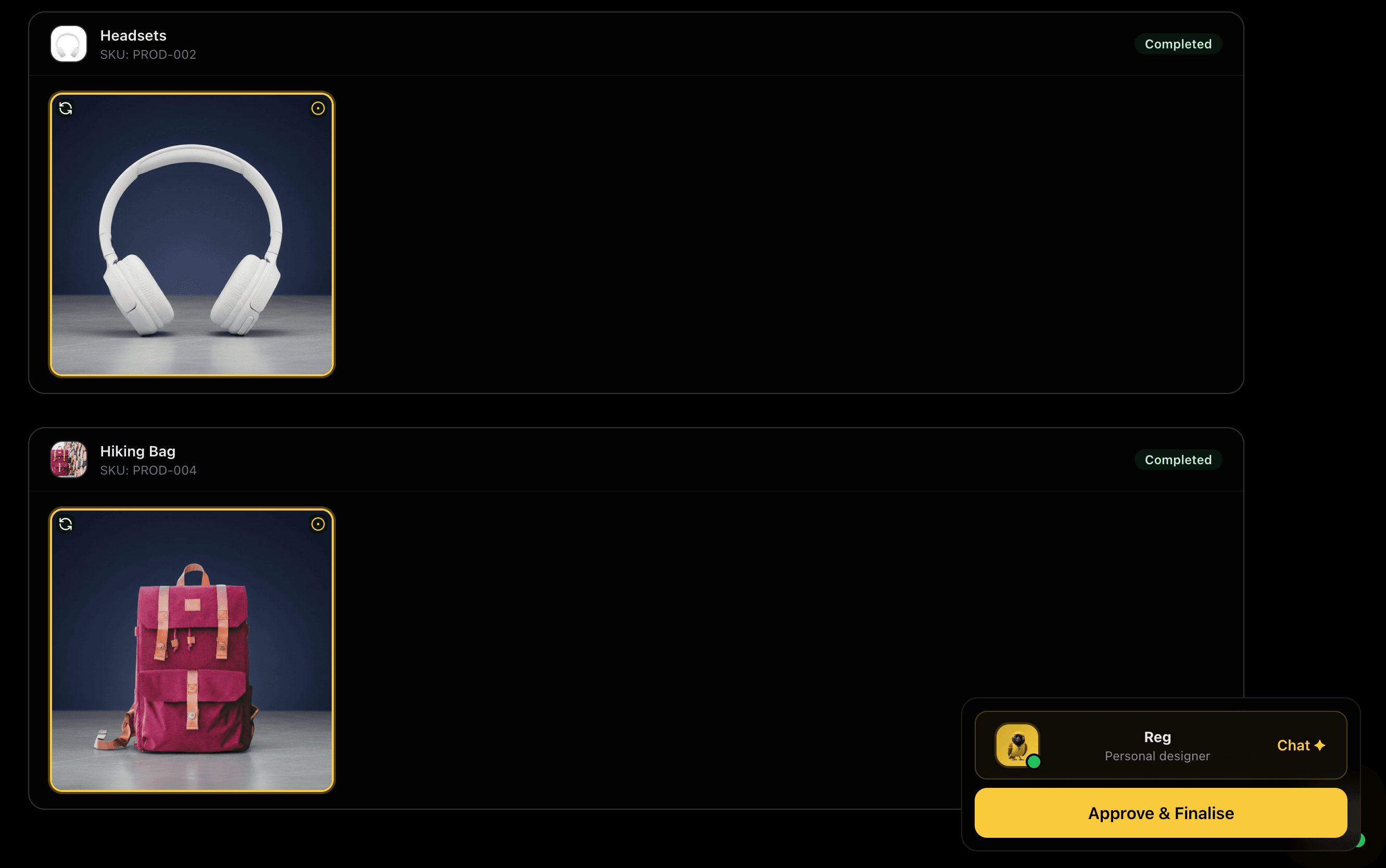
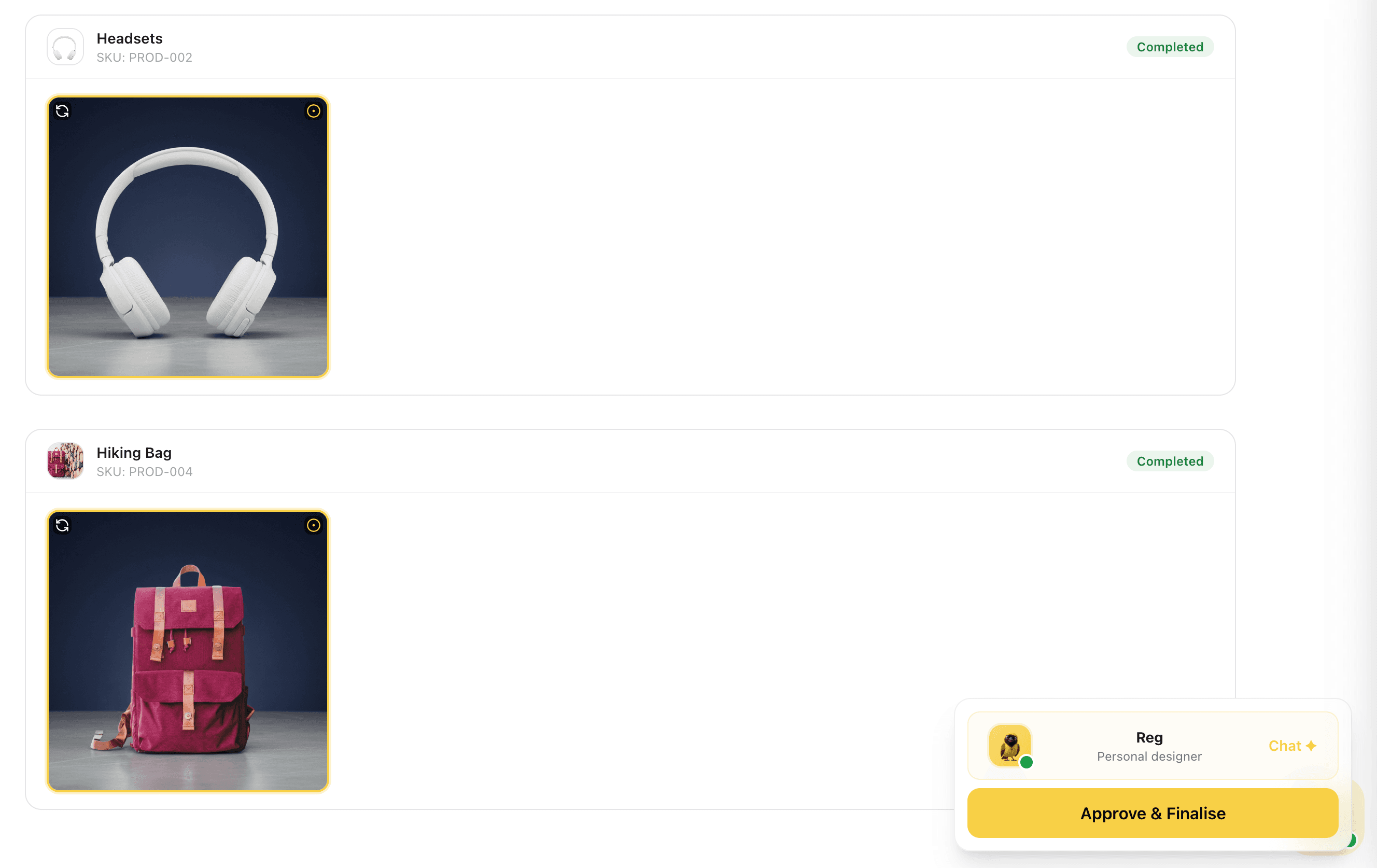
Results Per Product
Generated images appear per product with a Completed status and a Saved badge, each image is applied to the product immediately after generation. Review results right after the run. If any product missed the mark, regenerate it individually without rerunning the full batch only before saving.
Per-product results with instant save means your catalogue updates as the run completes, no separate export or upload step required.
Captures
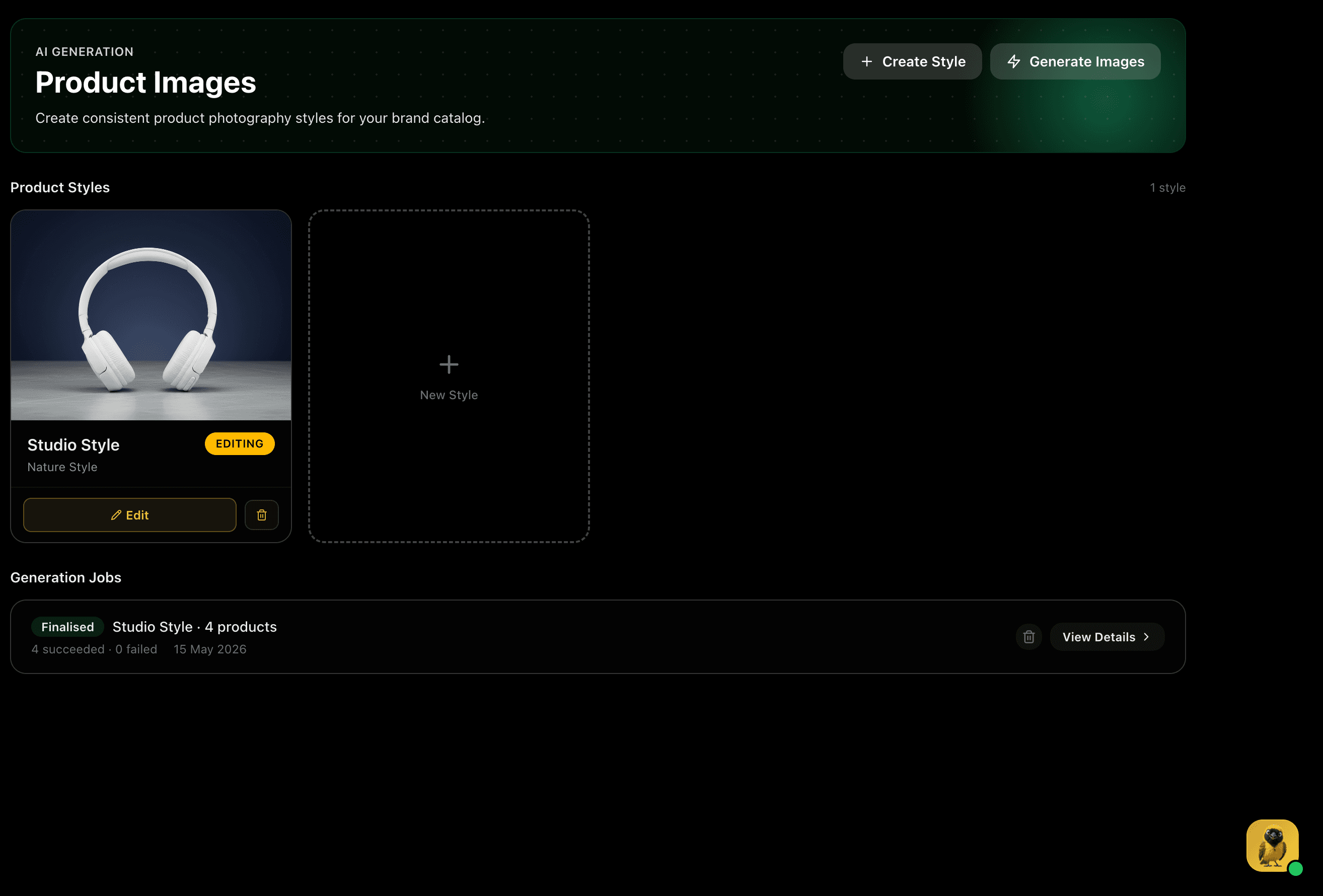
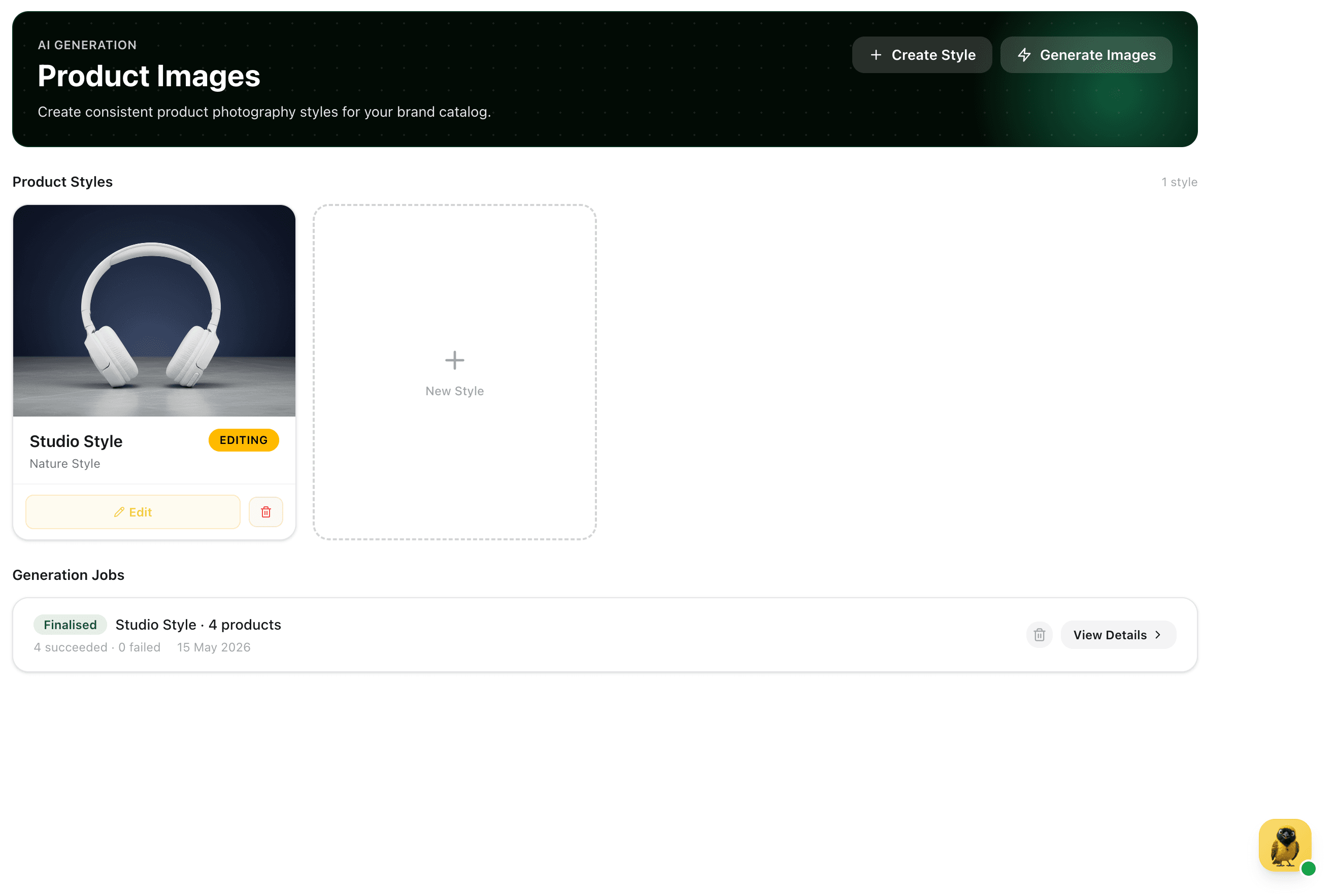
Product Images Hub
The Product Images hub shows your finalised style and the complete job history: which style was used, how many products were processed, and success and failure counts per run. Start a new batch at any time by selecting more products, the approved style is always ready.
Style and job history in one place means you can track what's been generated, reuse approved styles, and keep the catalogue current without starting from scratch.
Captures
Descriptions in Your House Style
Select the products you want and generate descriptions. They are written from each product's active images, so the copy can refer to the colour, material, shape and finish it can actually see rather than restating the title. A description style defines the length, structure, tone and what to always or never include, once, and every description written afterwards follows it.
Descriptions are only as good as the photos. Several clear angles give the model plenty to describe; one small thumbnail does not.
Captures
Price Analysis With Its Reasoning
Price analysis suggests what to charge for a product and shows its reasoning rather than just producing a number. It reads the product's active images and is stored against the product, so you can regenerate it whenever the pricing or the photography changes. Viewers can read a price analysis even though they cannot edit the product.
A number you can argue with is more useful than a number you have to trust.
Captures
Products Catalogue Updated
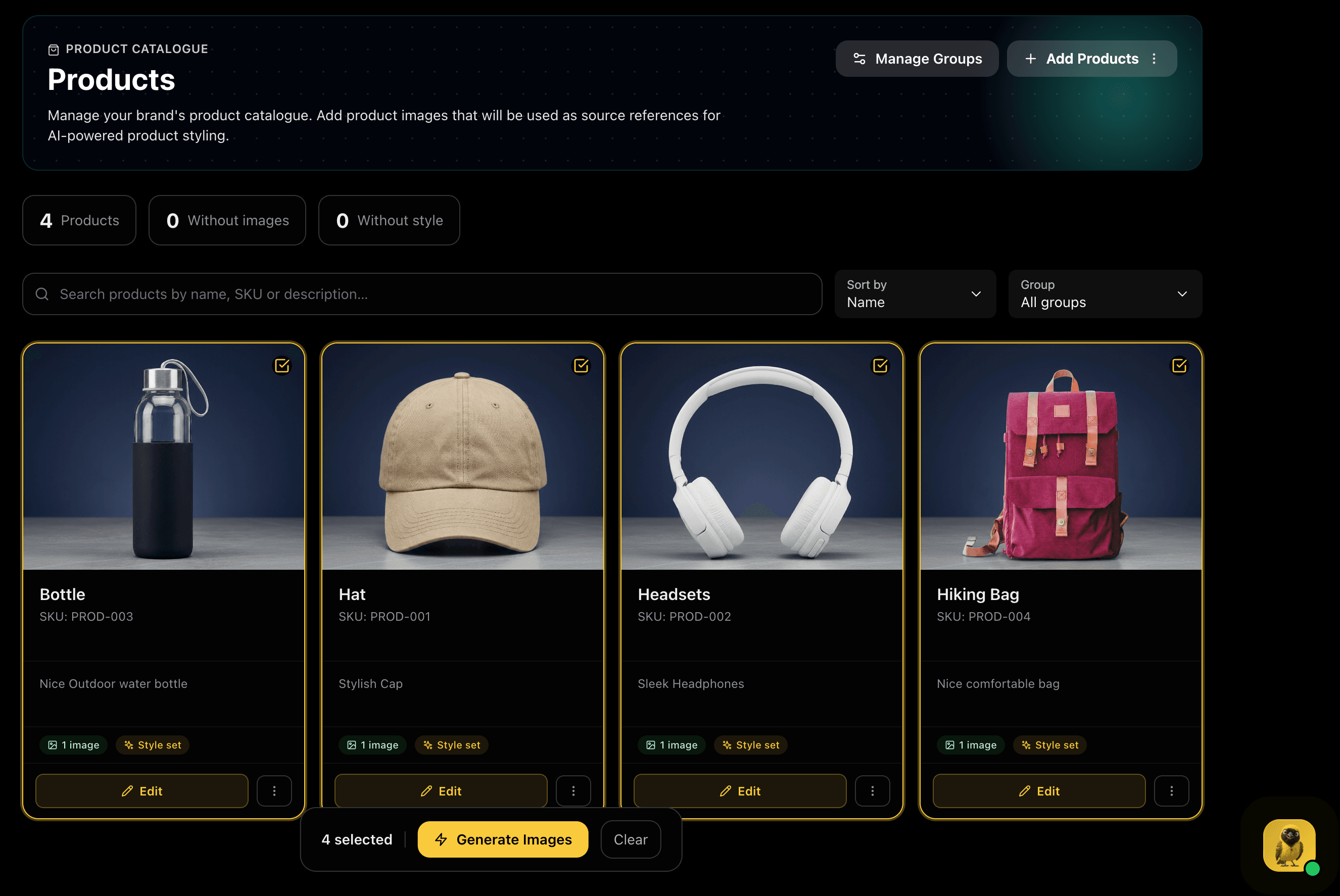
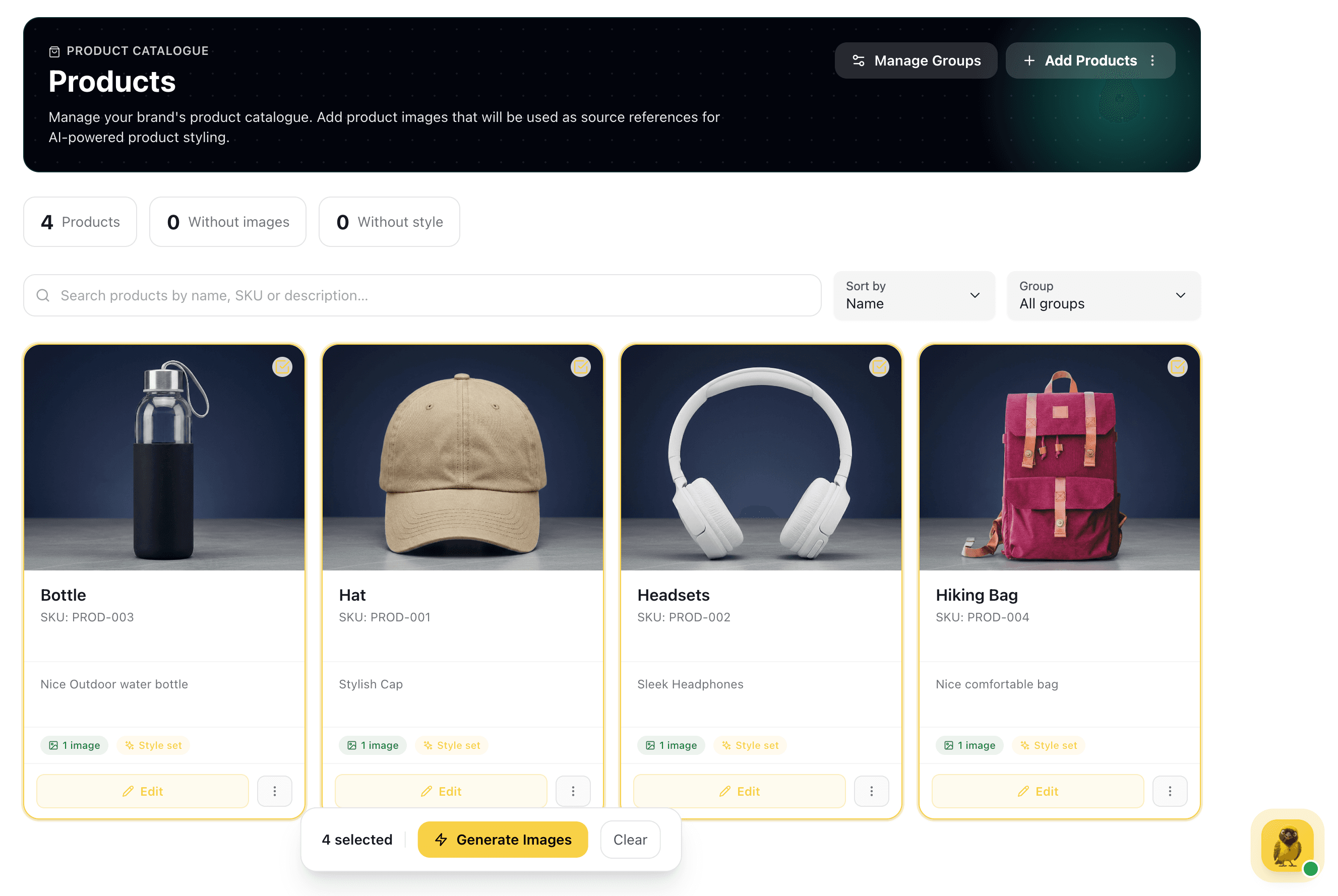
The Products page now shows every generated studio image as the primary product thumbnail. Each card displays the image count and a Style set badge confirming the product has an approved style applied.