BrandWeave
BrandWeave
Back home
Log in
Get Started
Theme
Log in
Feature Tour
BrandWeave

Pages

HomeFeatures TourPersona Journeys

Use Cases

Founder JourneySmall Business JourneyEnterprise Journey

Explore

PricingCompareFAQ

© 2026 BrandWeave. All rights reserved.

Ide8 Technologies
A proud product of Ide8 Technologies (Pty) Ltd
Privacy PolicyTerms of ServiceRefund Policy
Brand Onboarding

Set your brand foundation first so every output stays aligned.

Brand Onboarding walks you through six focused steps, from positioning and audience to visual style and review, so every downstream tool works from the same approved baseline.
Welcome & SetupWelcome & Setup
WELCOME·Step 1

Welcome & Setup

Welcome & Setup

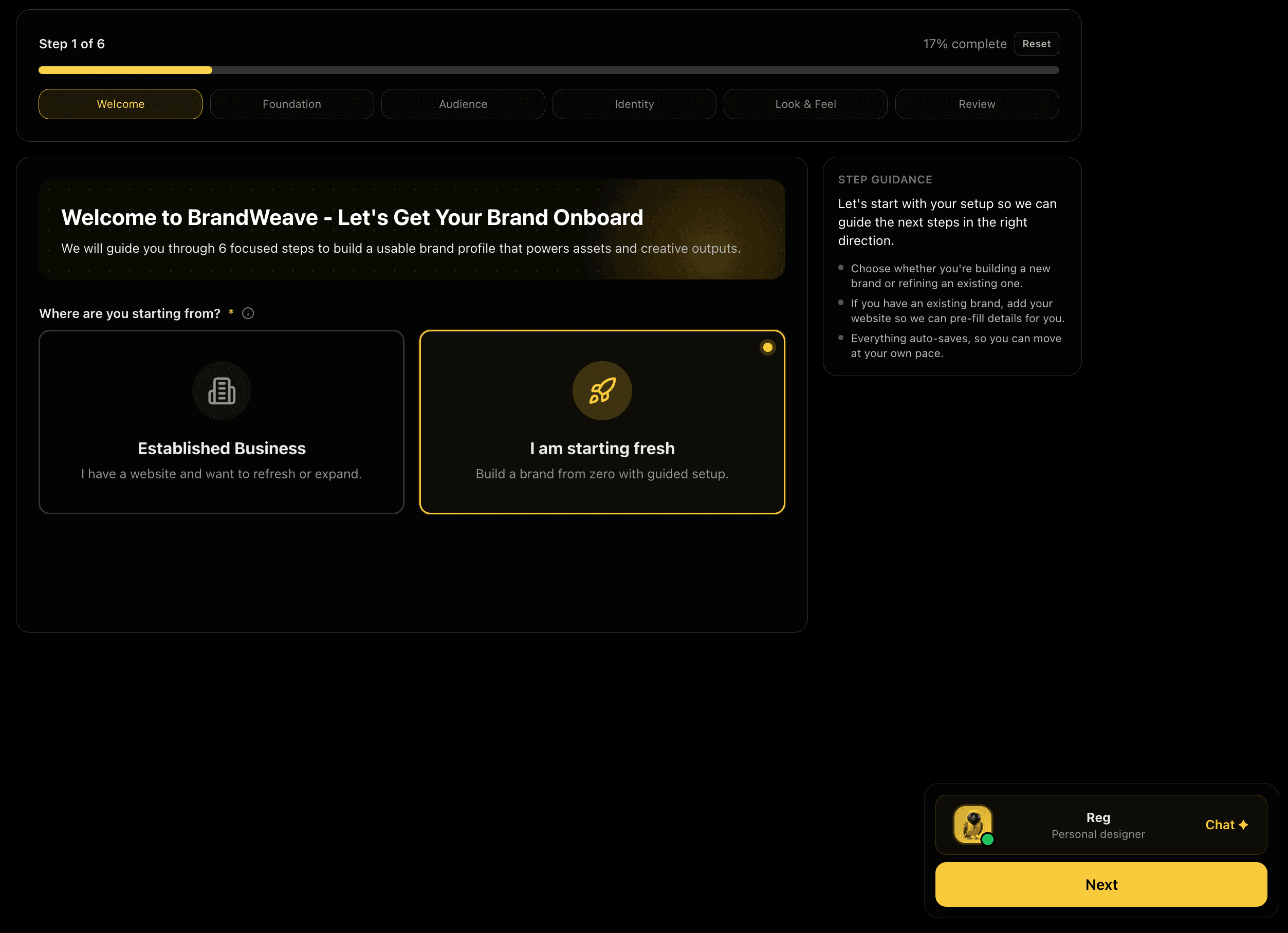
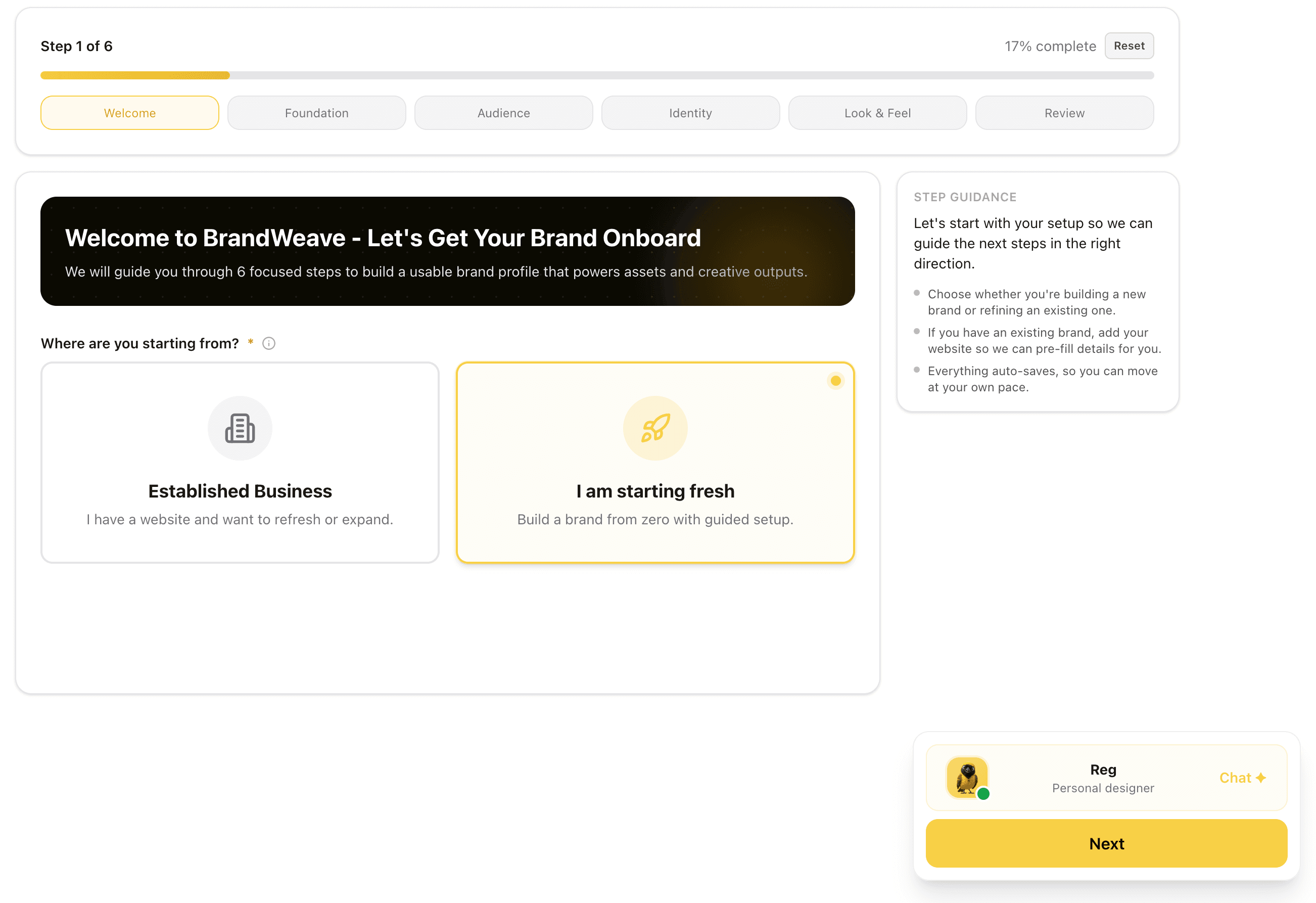
Choose whether you're building from zero or refreshing an existing brand. Enter your website URL and BrandWeave analyses it to pre-fill your details automatically, so you spend less time typing and more time creating.

Feature Preview

Welcome & Setup

01
WELCOME·Step 1

Welcome & Setup

Choose whether you're building from zero or refreshing an existing brand. Enter your website URL and BrandWeave analyses it to pre-fill your details automatically, so you spend less time typing and more time creating.

We use this to calibrate every Assistant suggestion from the very first interaction.

Captures
Starting pointWebsite analysisAuto-fill
Brand FoundationBrand Foundation
FOUNDATION·Step 2

Brand Foundation

Brand Foundation

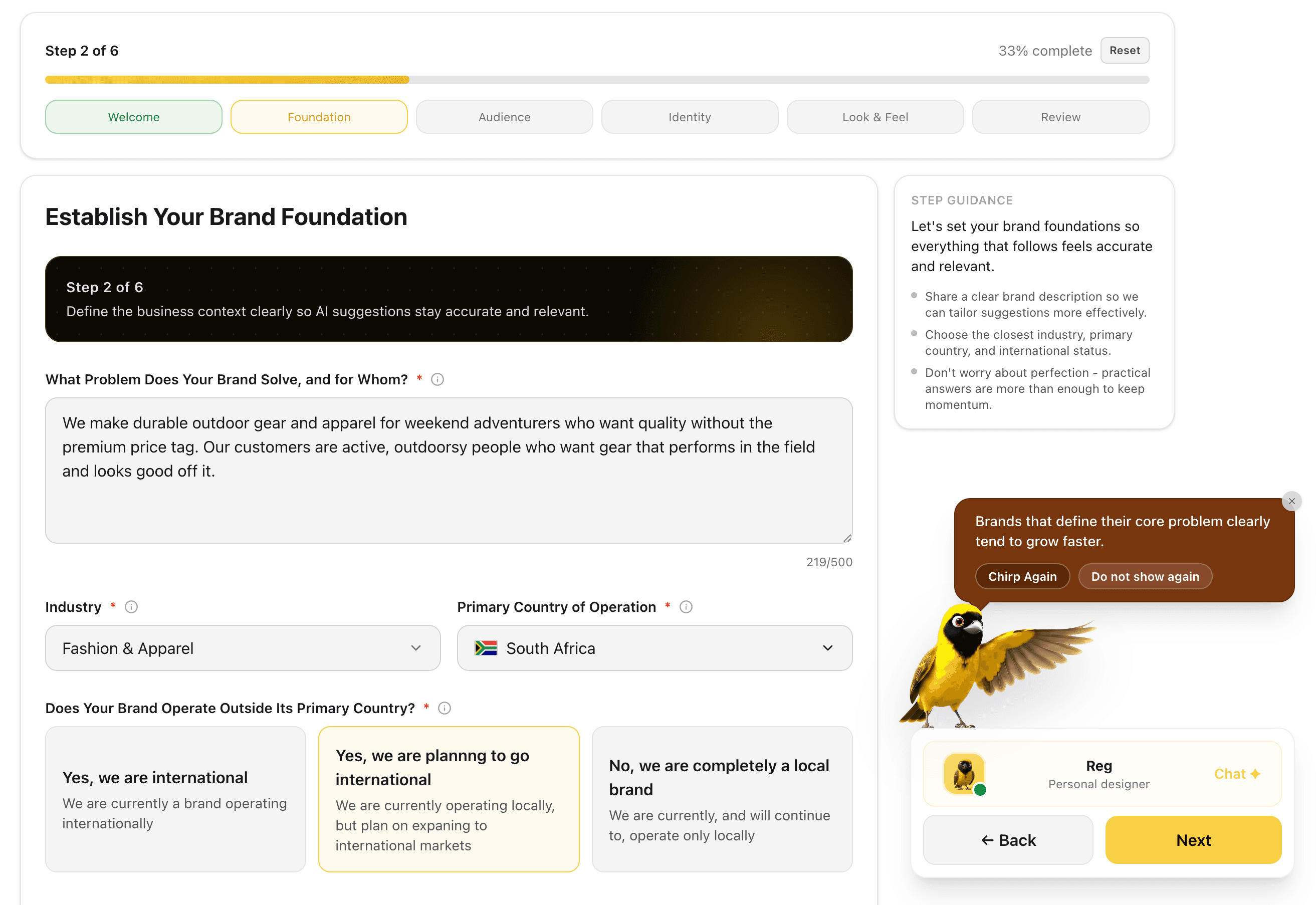
Describe what your brand does and for whom. Select your industry, primary country of operation, and international scope, giving every downstream Assistant tool the context it needs to stay accurate and relevant.

Feature Preview

Brand Foundation

02
FOUNDATION·Step 2

Brand Foundation

Describe what your brand does and for whom. Select your industry, primary country of operation, and international scope, giving every downstream Assistant tool the context it needs to stay accurate and relevant.

We use this so every downstream output: copy, tone, and positioning, stays on target.

Captures
Business descriptionIndustryCountryInternational scope
Target AudienceTarget Audience
AUDIENCE·Step 3

Target Audience

Target Audience

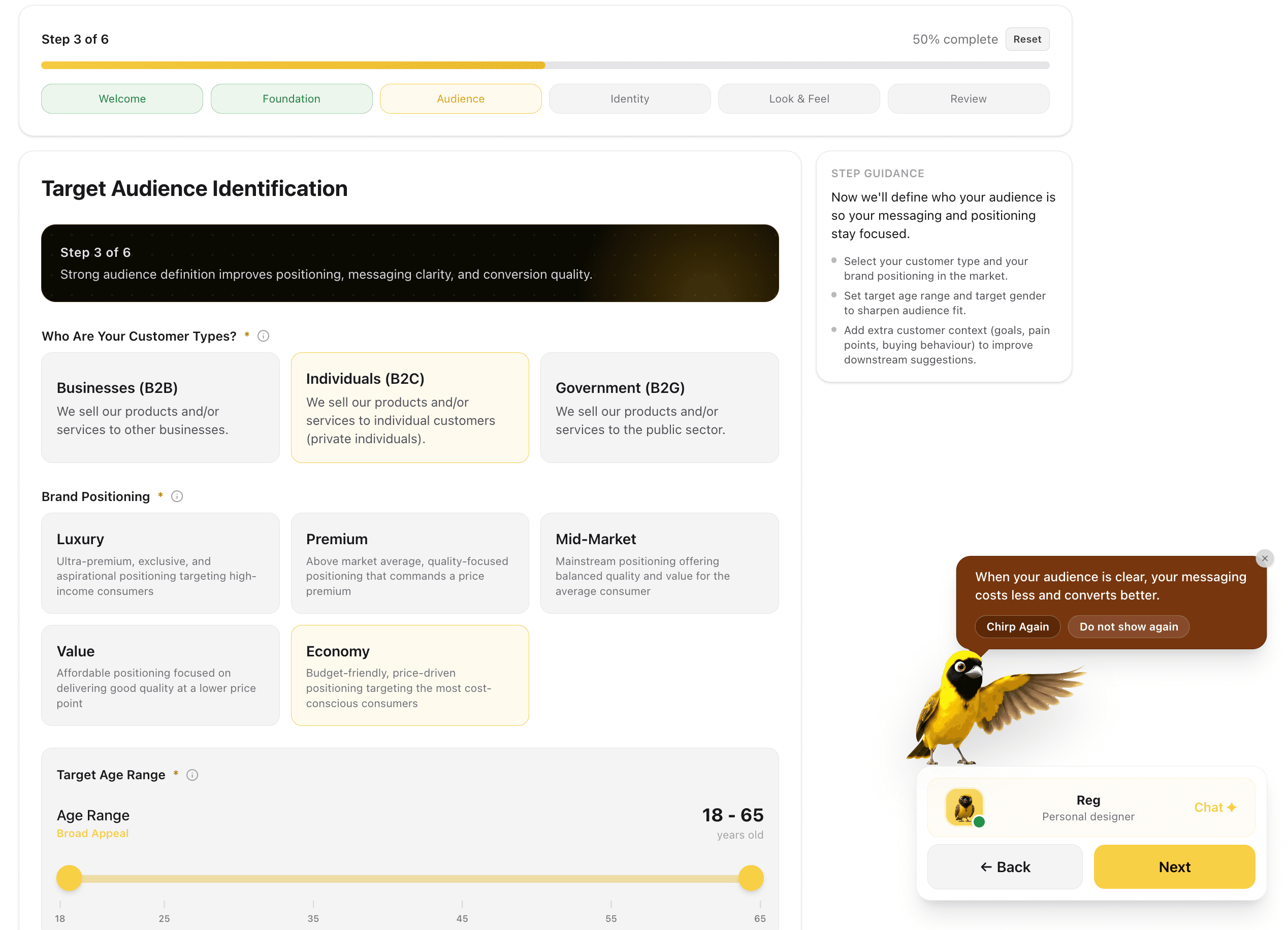
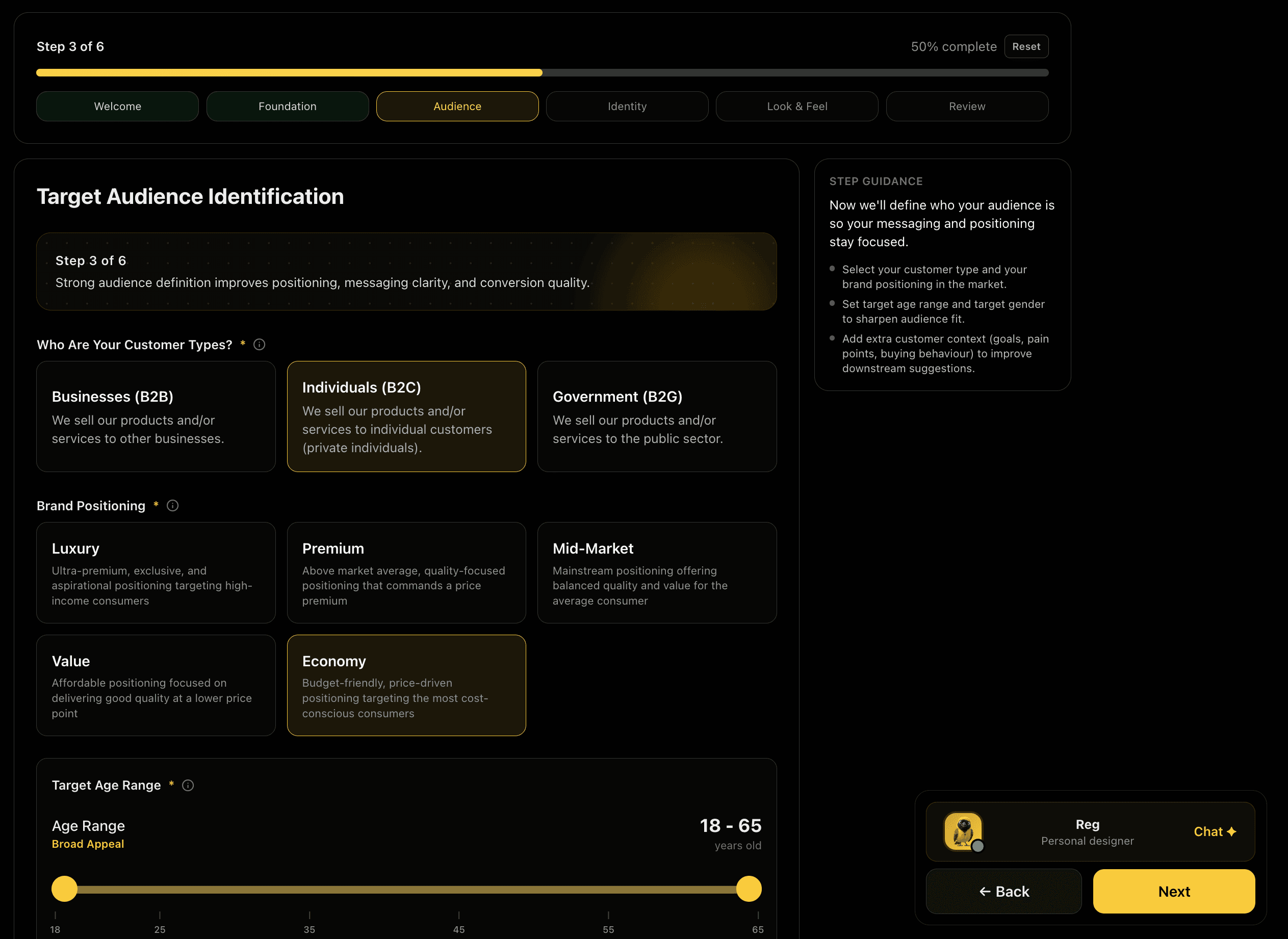
Define exactly who you're selling to. Choose customer types (B2B, B2C, or Government), the targetted gender, and set your market positioning from Luxury to Economy, and dial in the age range that best matches your audience.

Feature Preview

Target Audience

03
AUDIENCE·Step 3

Target Audience

Define exactly who you're selling to. Choose customer types (B2B, B2C, or Government), the targetted gender, and set your market positioning from Luxury to Economy, and dial in the age range that best matches your audience.

We filter every creative decision through the lens of your actual buyer.

Captures
Customer typeMarket positioningAge range
Brand IdentityBrand Identity
IDENTITY·Step 4

Brand Identity

Brand Identity

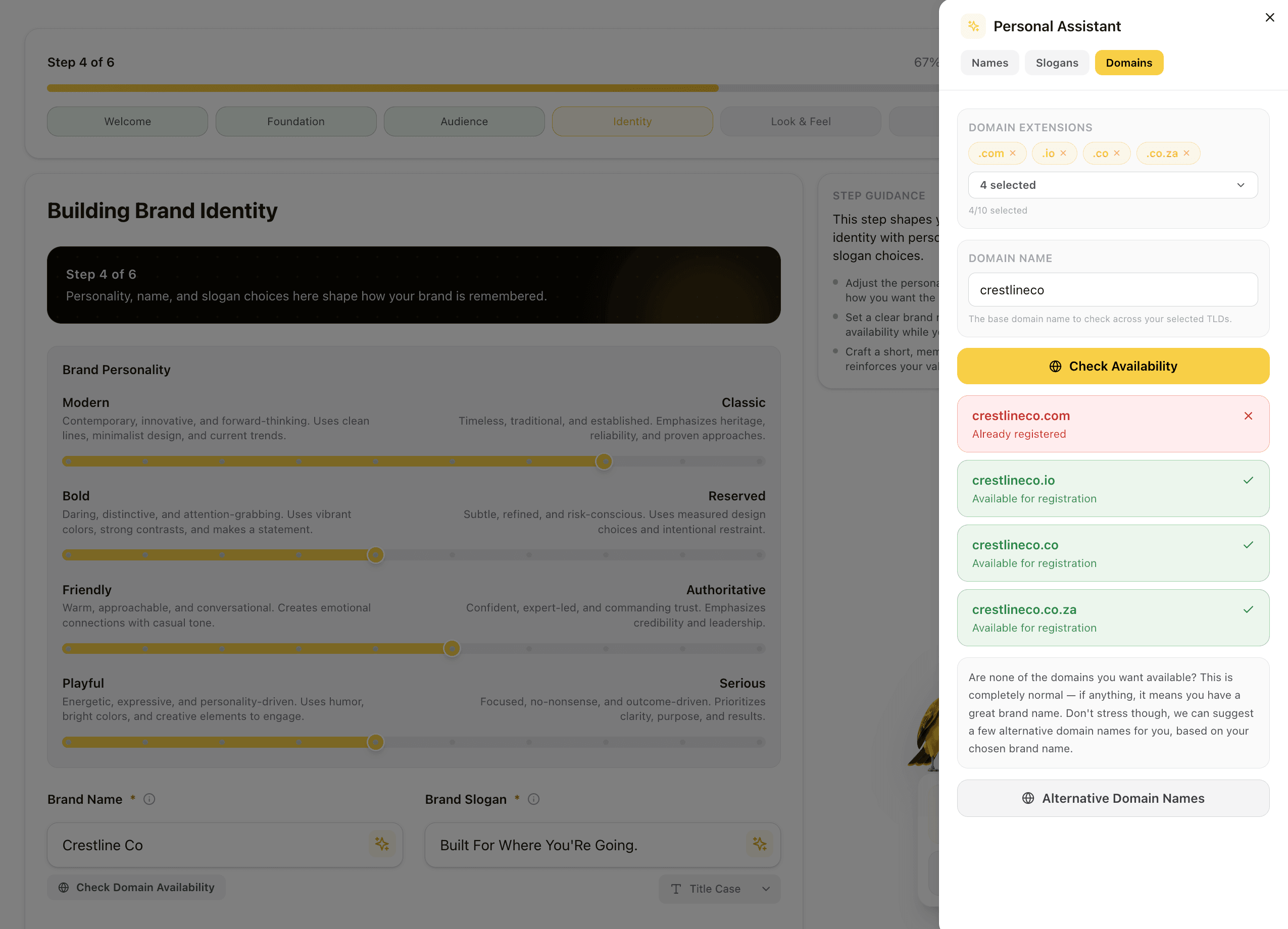
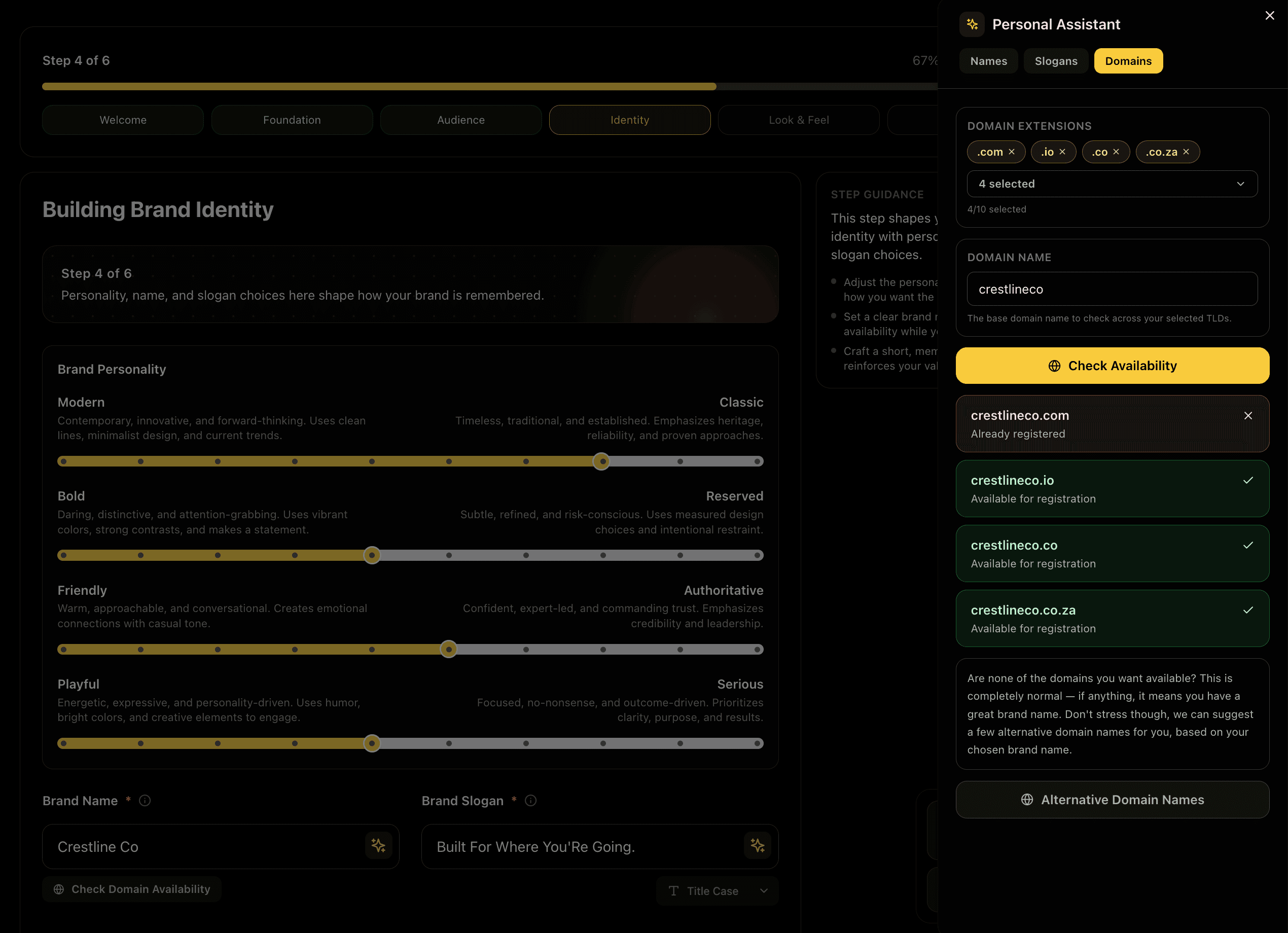
Tune six personality dimensions that shape how your brand feels, from Modern to Classic and Bold to Reserved. Set your brand name, craft a memorable slogan, and check domain availability across multiple TLDs in real time.

Feature Preview

Brand Identity

04
IDENTITY·Step 4

Brand Identity

Tune six personality dimensions that shape how your brand feels, from Modern to Classic and Bold to Reserved. Set your brand name, craft a memorable slogan, and check domain availability across multiple TLDs in real time.

This gives your brand a consistent voice and a defensible name in your market.

Captures
Personality profileBrand nameSloganDomain availability
Visual StyleVisual Style
VISUAL·Step 5

Visual Style

Visual Style

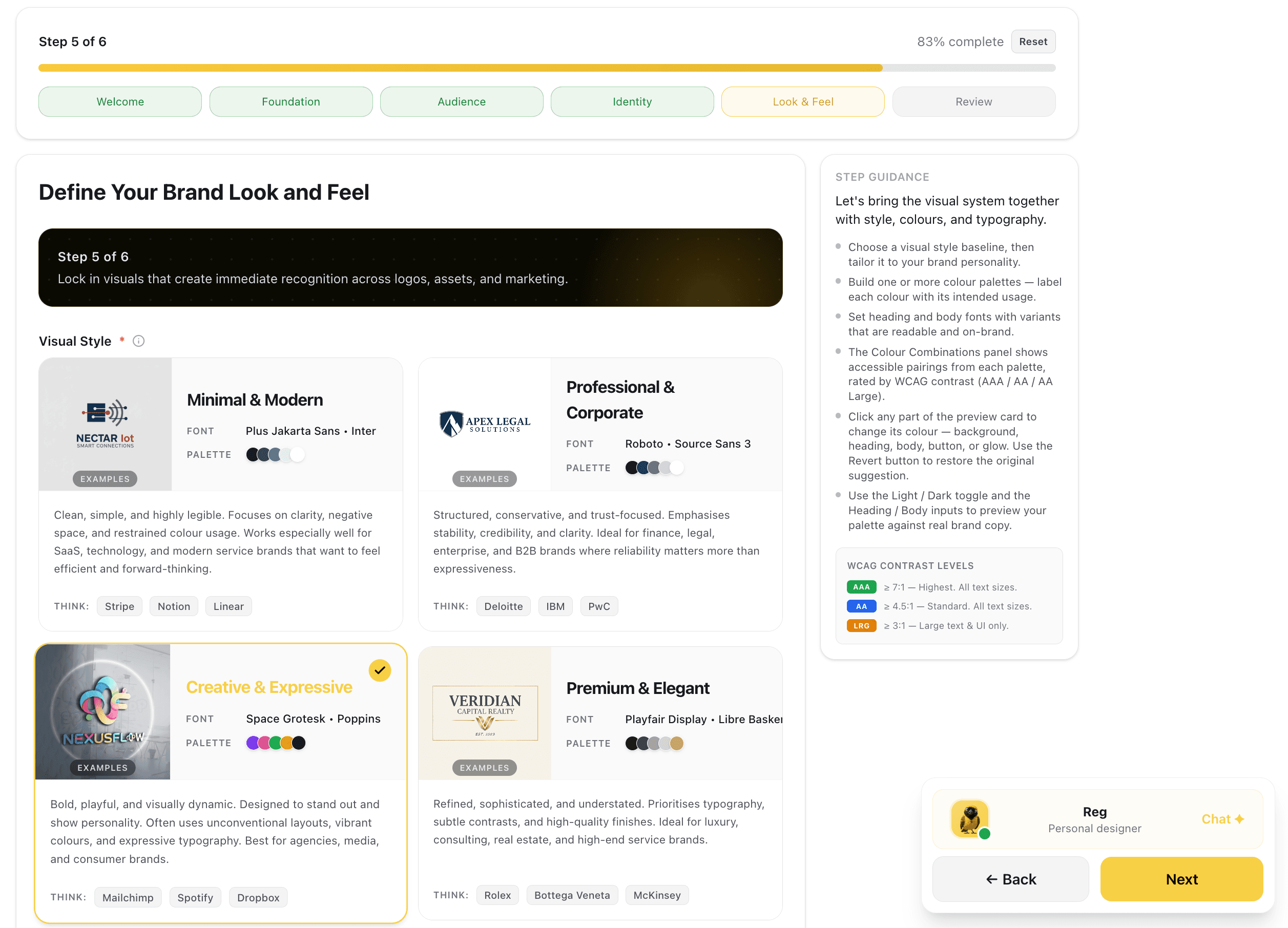
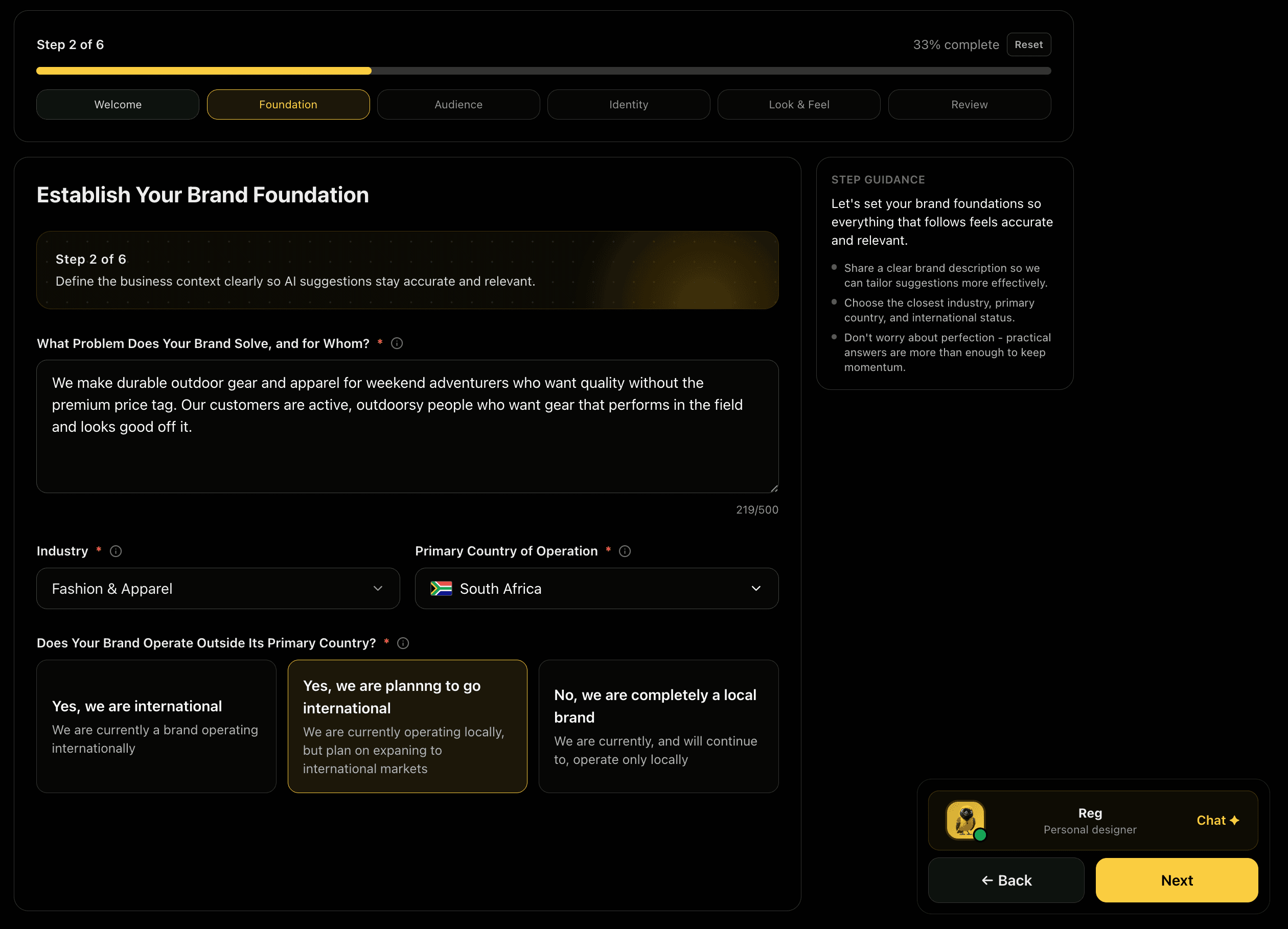
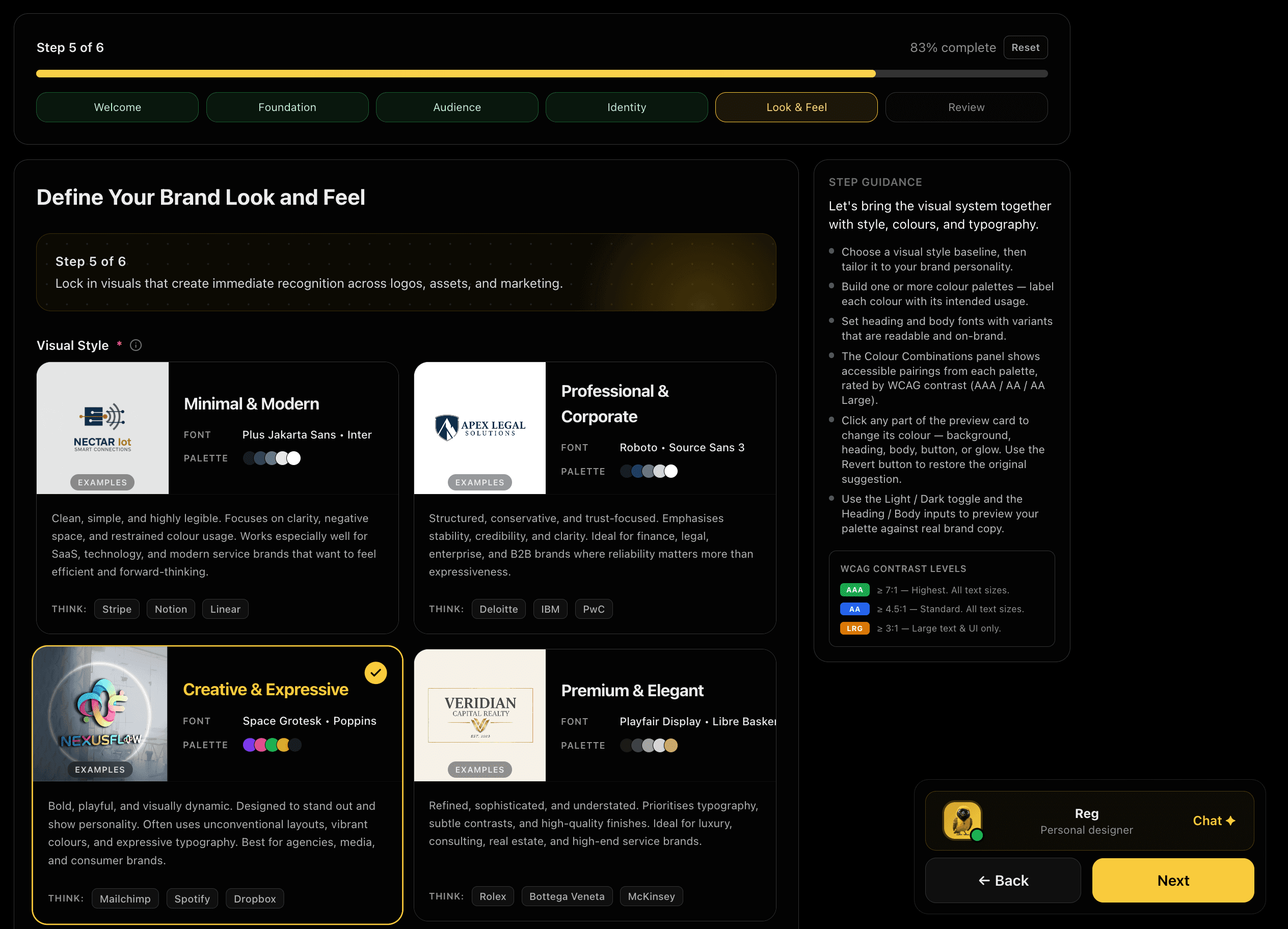
Pick the visual baseline that fits your market and message. Each option (Minimal & Modern, Professional & Corporate, Creative & Expressive, or Premium & Elegant) comes with real brand examples so you can visualise the direction before committing.

Feature Preview

Visual Style

05
VISUAL·Step 5

Visual Style

Pick the visual baseline that fits your market and message. Each option (Minimal & Modern, Professional & Corporate, Creative & Expressive, or Premium & Elegant) comes with real brand examples so you can visualise the direction before committing.

This anchors every generated asset to a coherent visual direction. No drift across tools.

Captures
Style baselineVisual directionBrand examples
Colors & TypographyColors & Typography
VISUAL·Step 6

Colors & Typography

Colors & Typography

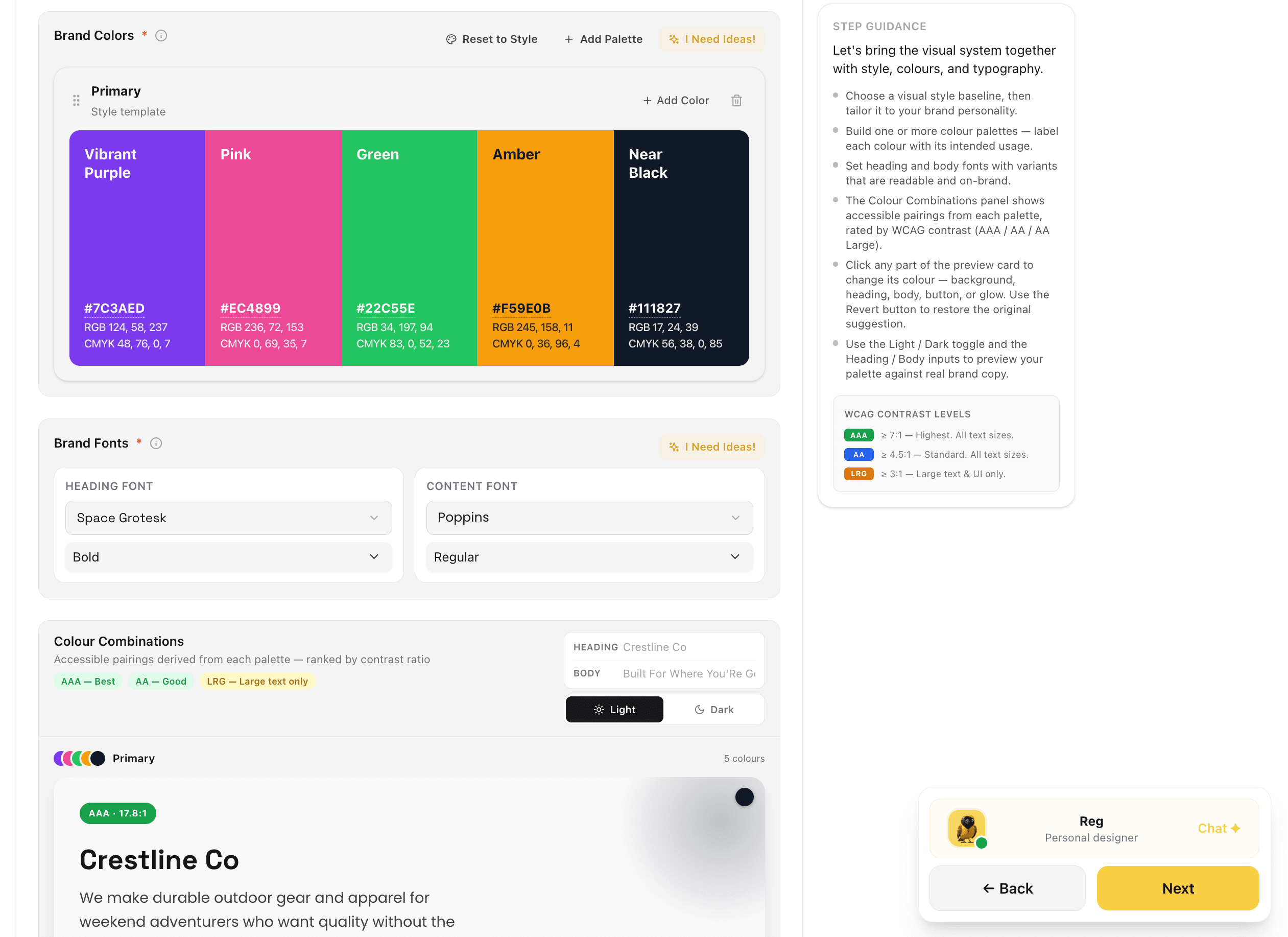
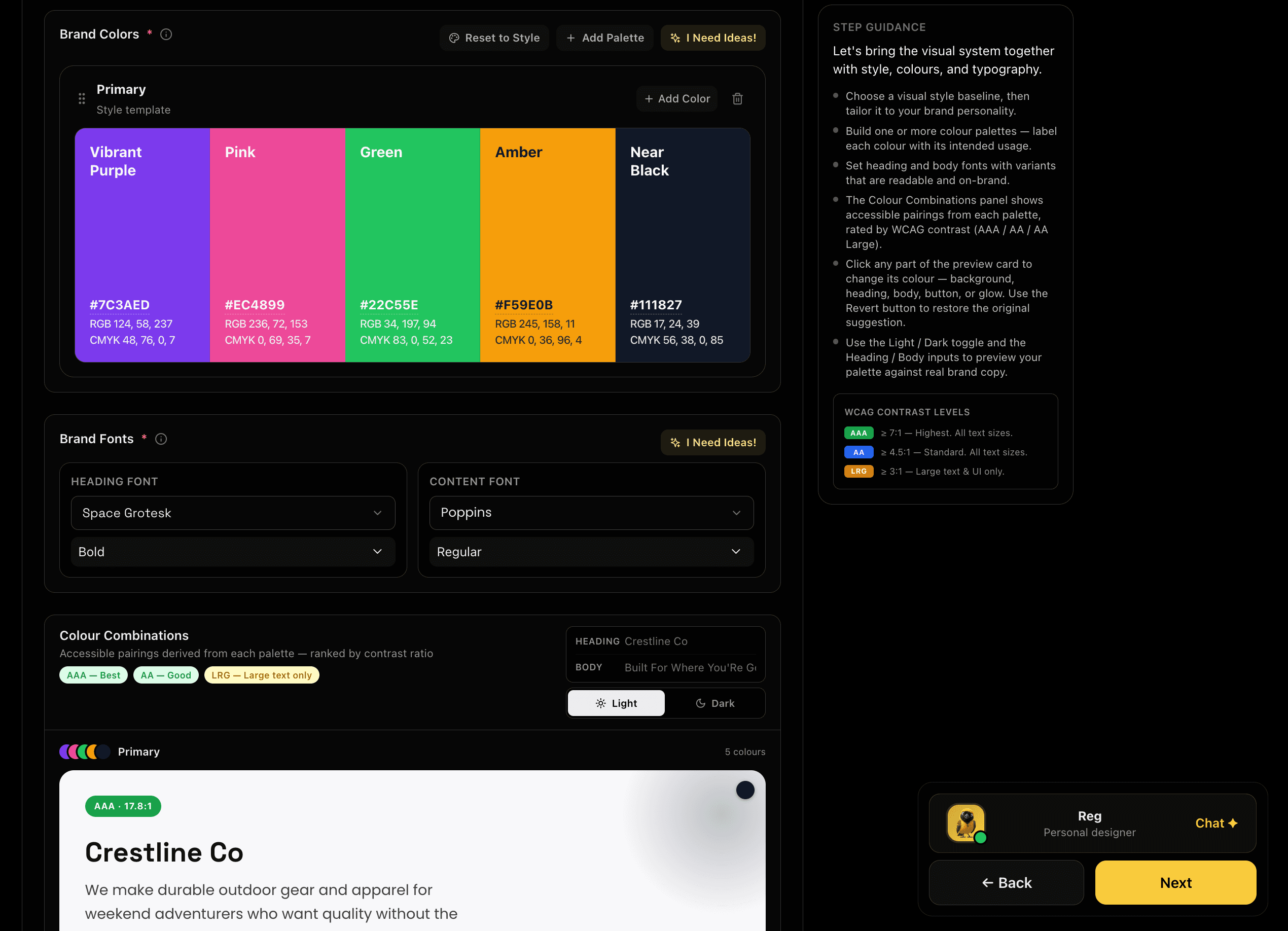
Build your full visual system. Create labelled colour palettes with accessible contrast checking built in, select heading and body font pairings, and preview everything in a live brand card that updates as you go.

Feature Preview

Colors & Typography

06
VISUAL·Step 6

Colors & Typography

Build your full visual system. Create labelled colour palettes with accessible contrast checking built in, select heading and body font pairings, and preview everything in a live brand card that updates as you go.

Every asset ships with the right colours and type. No guesswork, no fixing after the fact.

Captures
Colour palettesHeading fontBody fontContrast check
Strategic ReviewStrategic Review
REVIEW·Step 7

Strategic Review

Strategic Review

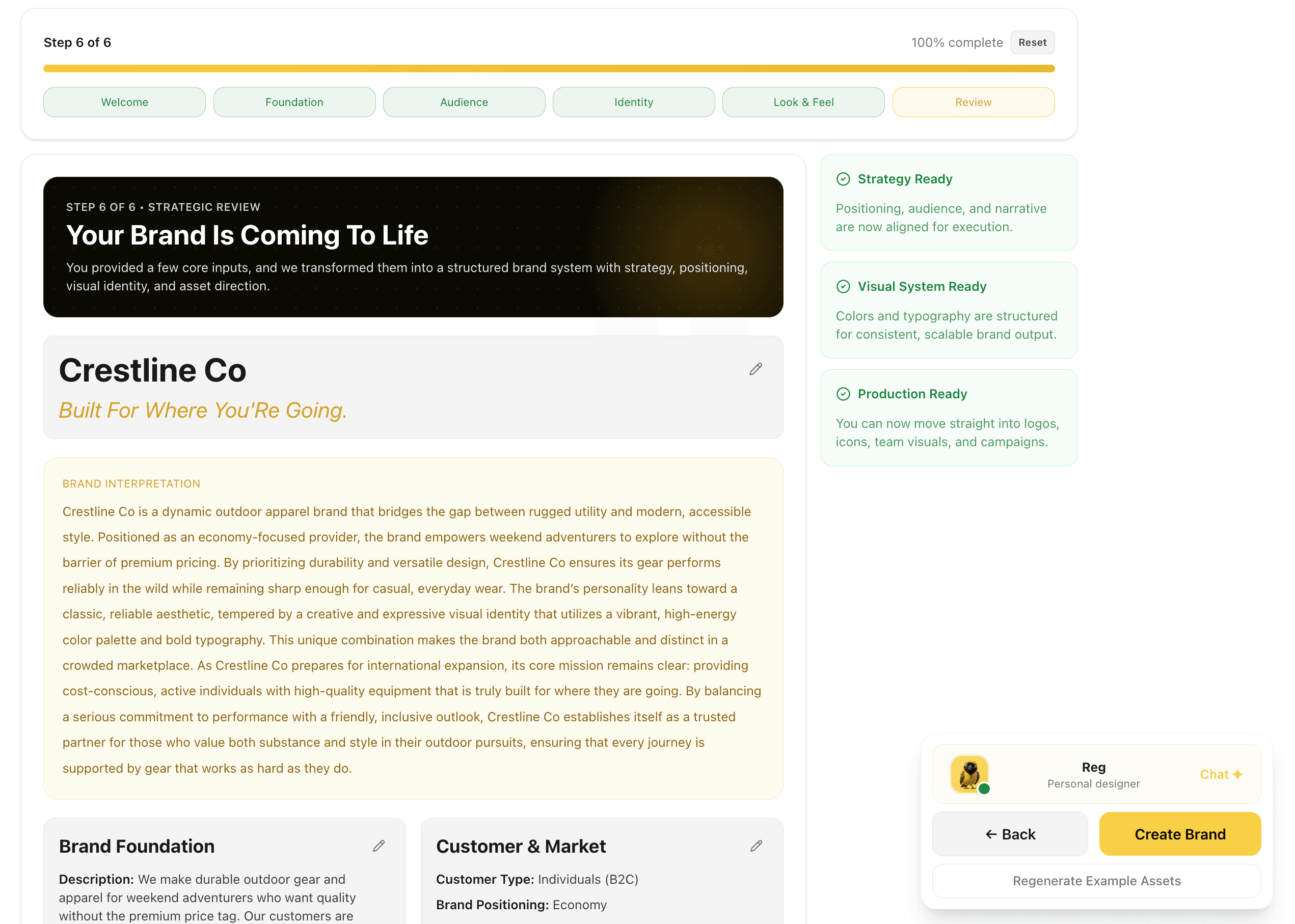
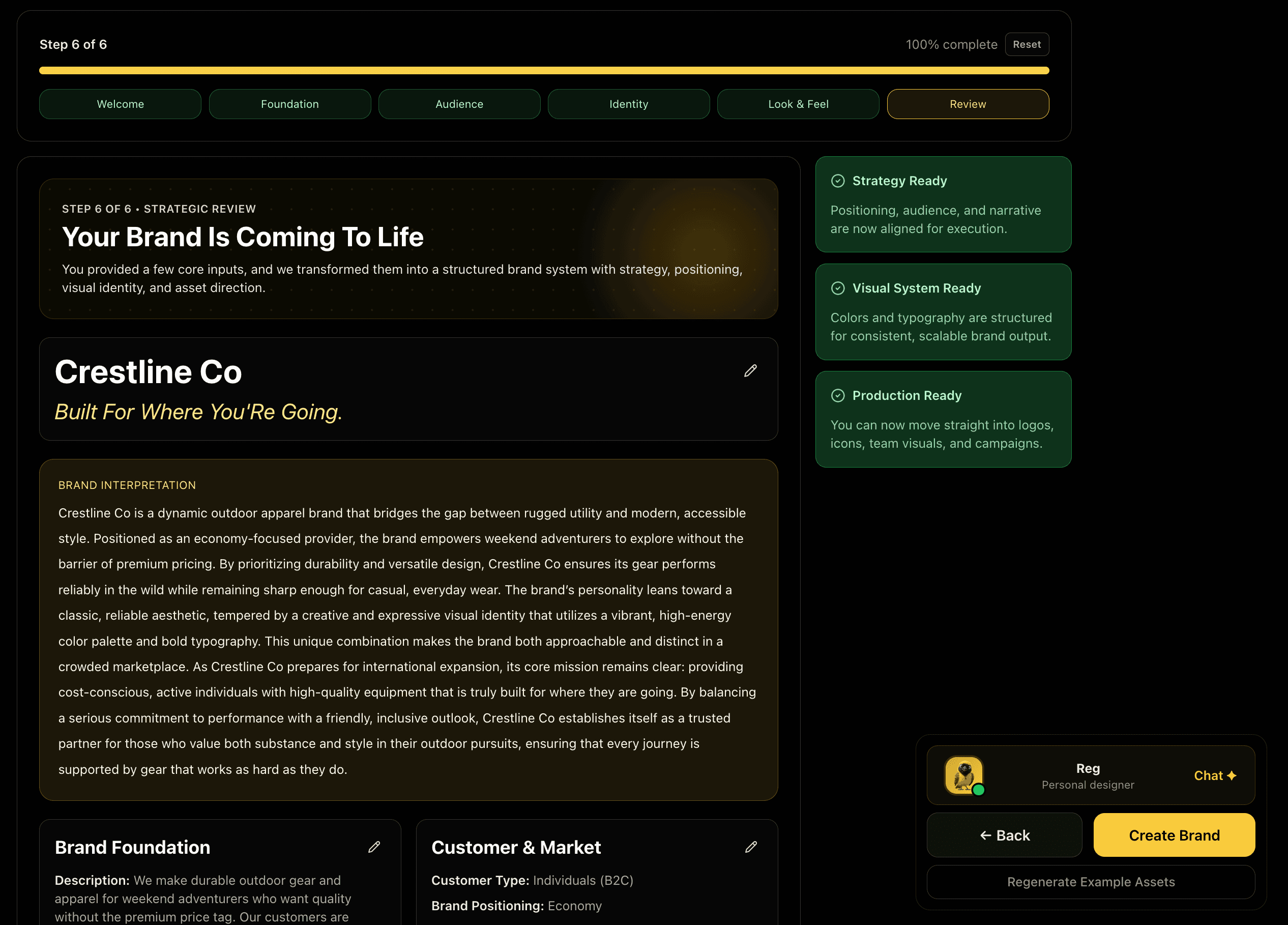
Before anything is generated, BrandWeave assembles a complete brand interpretation: strategy, market positioning, visual identity, and creative direction, and presents it for your sign-off. Strategy ready. Visual system ready. Production ready.

Feature Preview

Strategic Review

07
REVIEW·Step 7

Strategic Review

Before anything is generated, BrandWeave assembles a complete brand interpretation: strategy, market positioning, visual identity, and creative direction, and presents it for your sign-off. Strategy ready. Visual system ready. Production ready.

We confirm your brand is production-ready before a single asset is generated.

Captures

Brand interpretationMarket positionVisual systemAsset direction
COMPLETE·Step 8 of 8

Brand Created

Your foundation is set and every tool now knows your brand. Jump straight into logo generation, product imagery, or team headshots, all working from the same approved brand profile you just built.

From here, every BrandWeave tool works from this foundation: logos, visuals, and campaigns included.

Profile lockedLogosMockupsHeadshotsCampaigns