

The most-seen piece of brand collateral you own, generated per person.
Every person on your team sends dozens of emails a day, and each one carries a small advert for how organised your brand is. BrandWeave generates a signature per team member and gives you a link they can use to install it themselves.
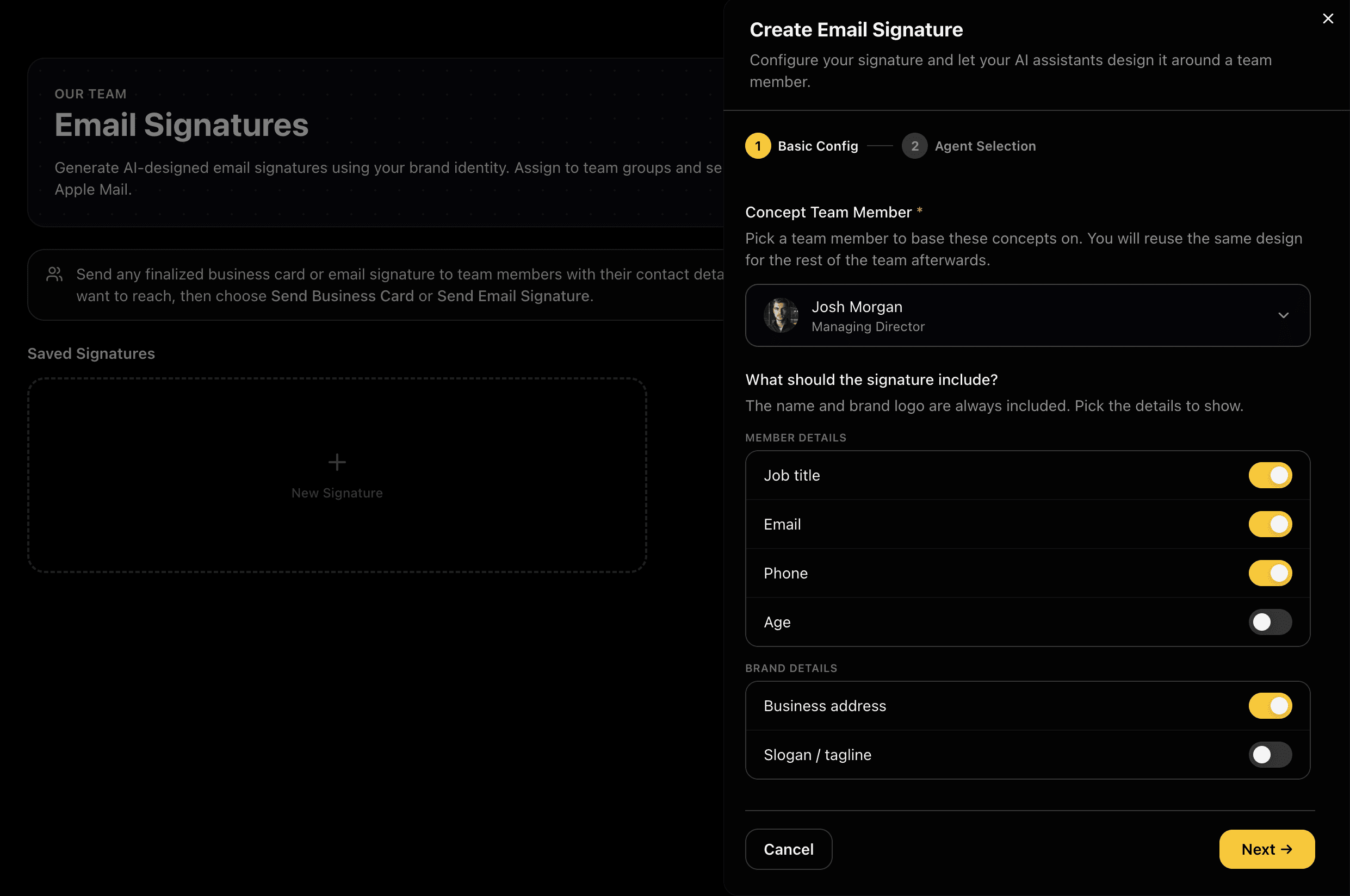
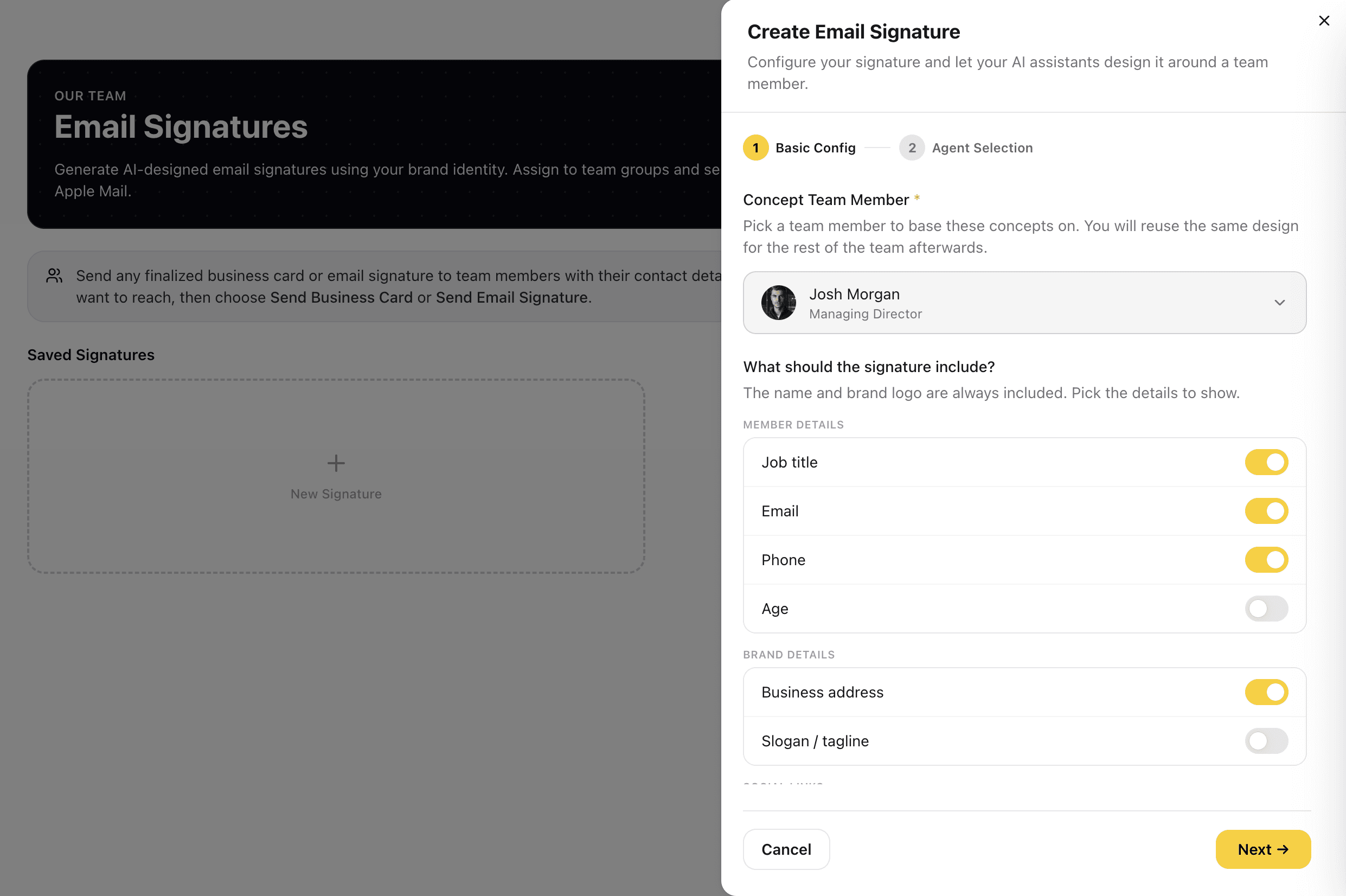
Pick a Member, Then Pick the Details
Choose one team member to base the concepts on: their name, title and contact details fill the signature from their team record, and you reuse the same design for everyone else afterwards. Then choose what appears. The name and brand logo are always included, and everything else is a toggle: job title, email, phone, business address, slogan and social links. Only the details you switch on are designed in.
The design is built around the details you actually want, and a detail is corrected once under The Team rather than in every signature.
Captures
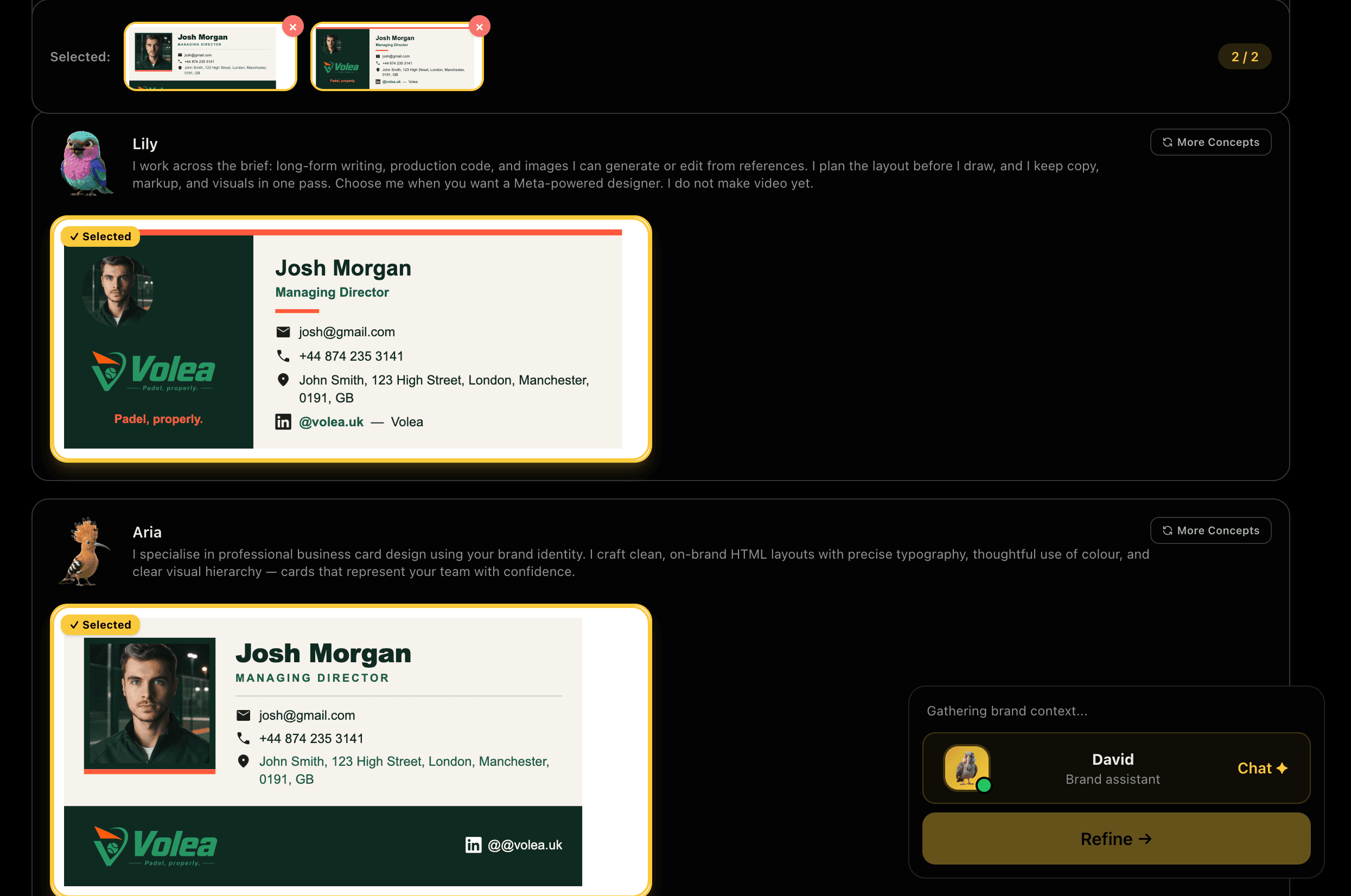
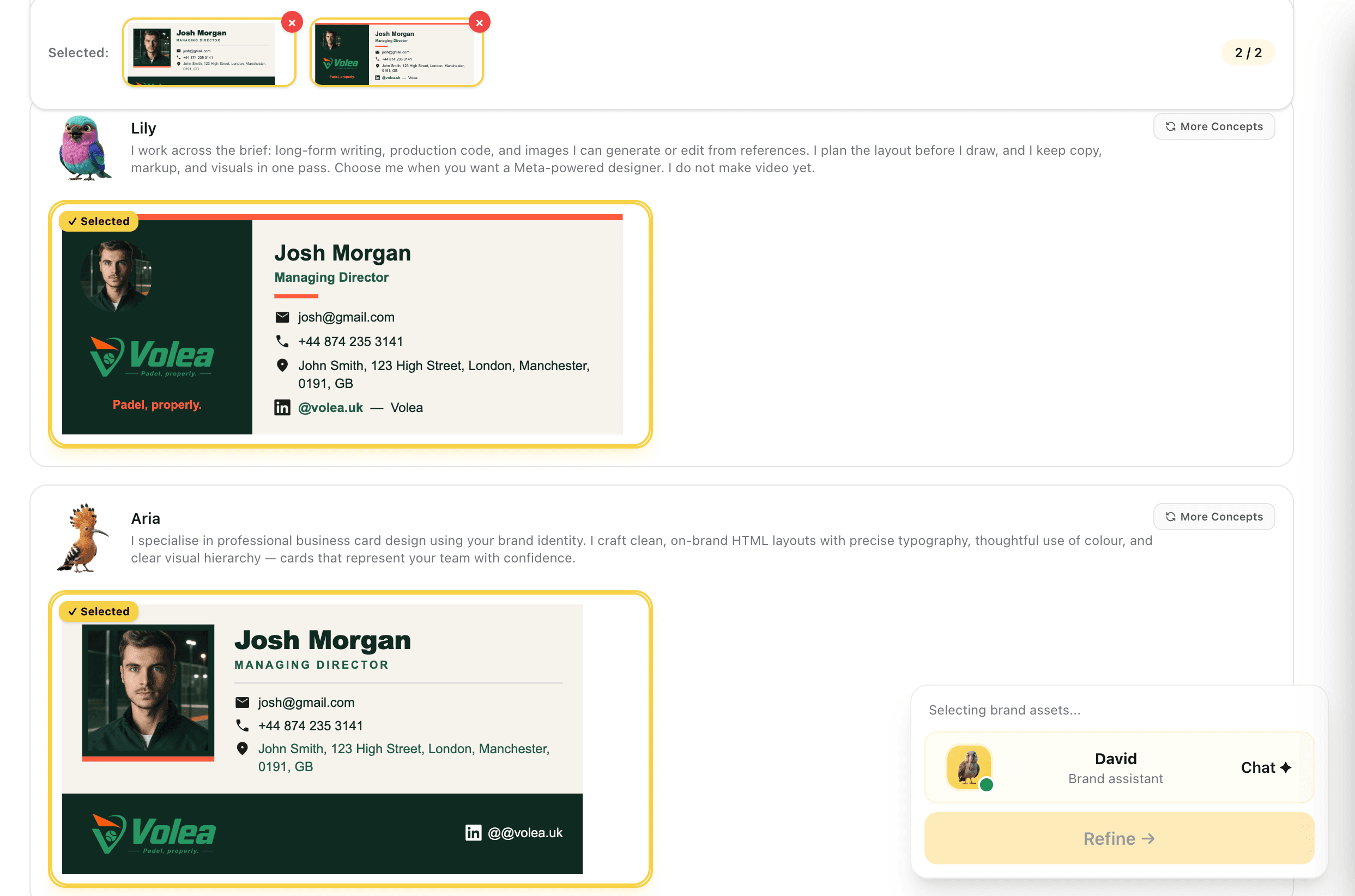
Concepts From Each Designer
Each designer returns a full signature built from the details you chose, not a sketch: headshot, logo, tagline and contact rows laid out as they will actually arrive. Take the ones worth keeping forward. If one of your finished icon sets has an icon for every contact detail shown, the design uses your own icons; otherwise it keeps the standard ones rather than mixing the two.
You are comparing finished signatures, so what you pick is what lands in the inbox.
Captures
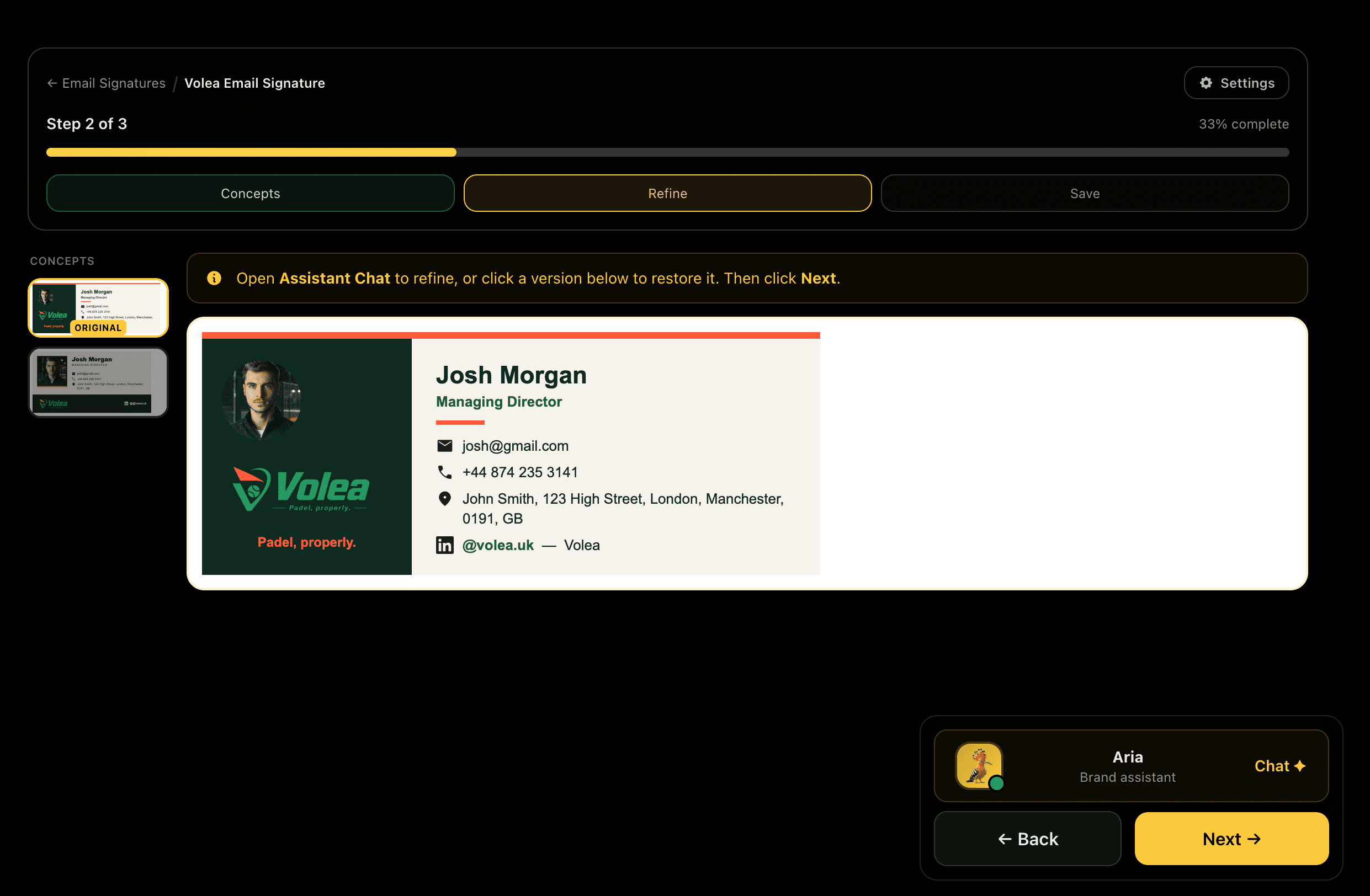
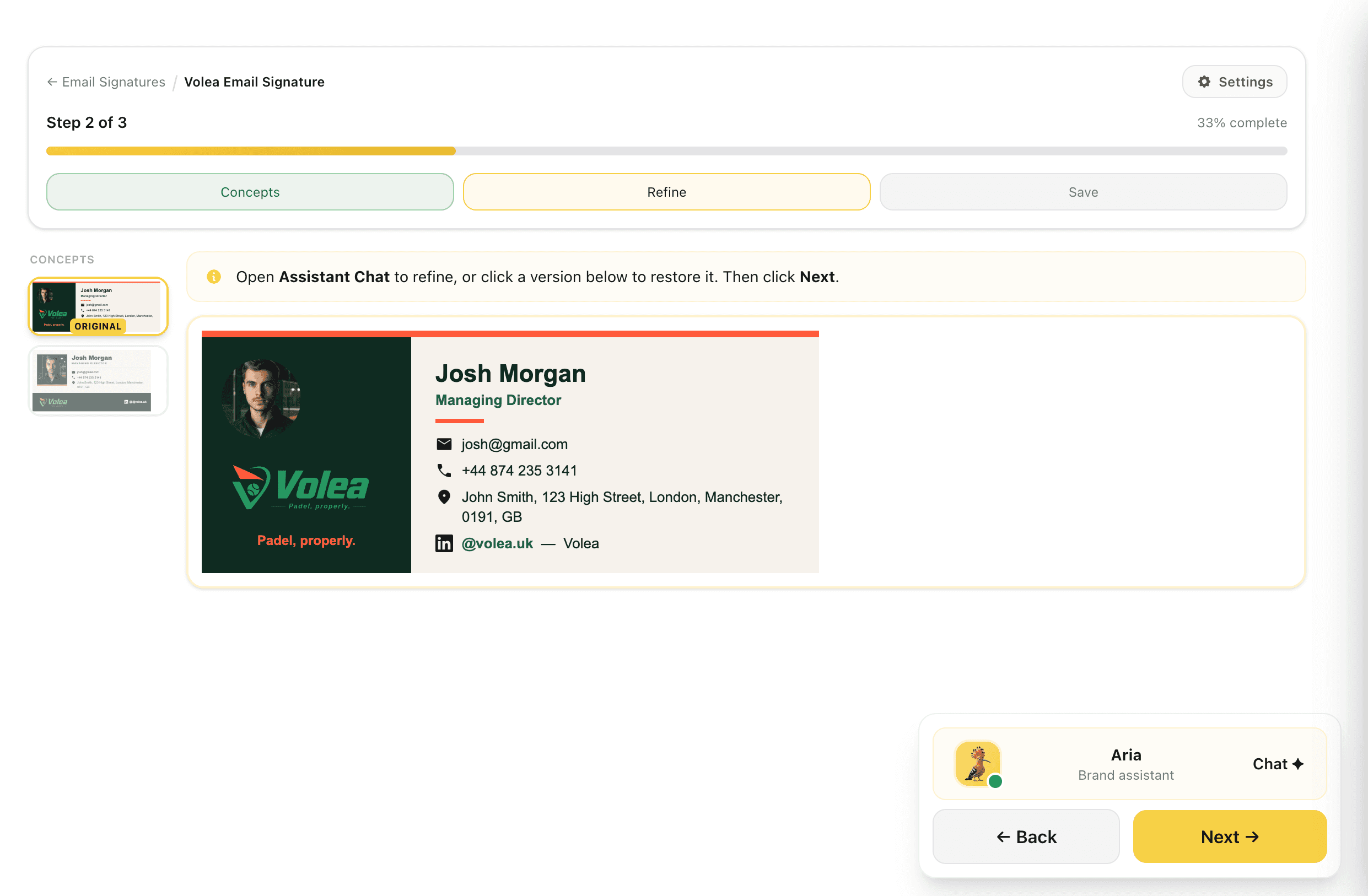
Refine It, and Step Back Any Time
Refine the chosen concept by describing changes in plain language: "smaller headshot", "put the phone above the email", "use the dark logo". Each instruction produces a new version, and every earlier version stays in the rail marked back to the original, so clicking one restores it.
Stepping back from a version means you can push an idea without risking the one you already liked.
Captures
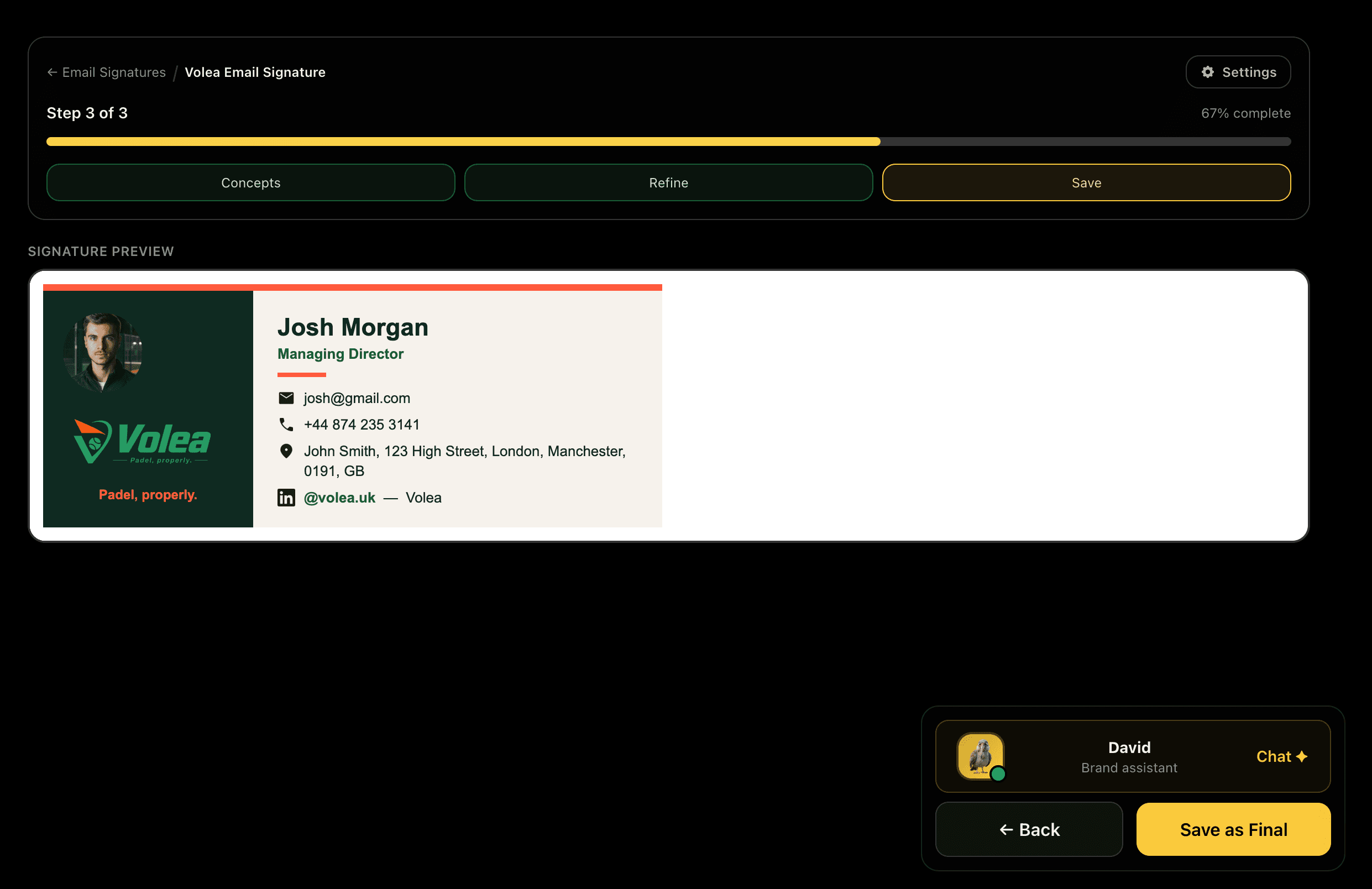
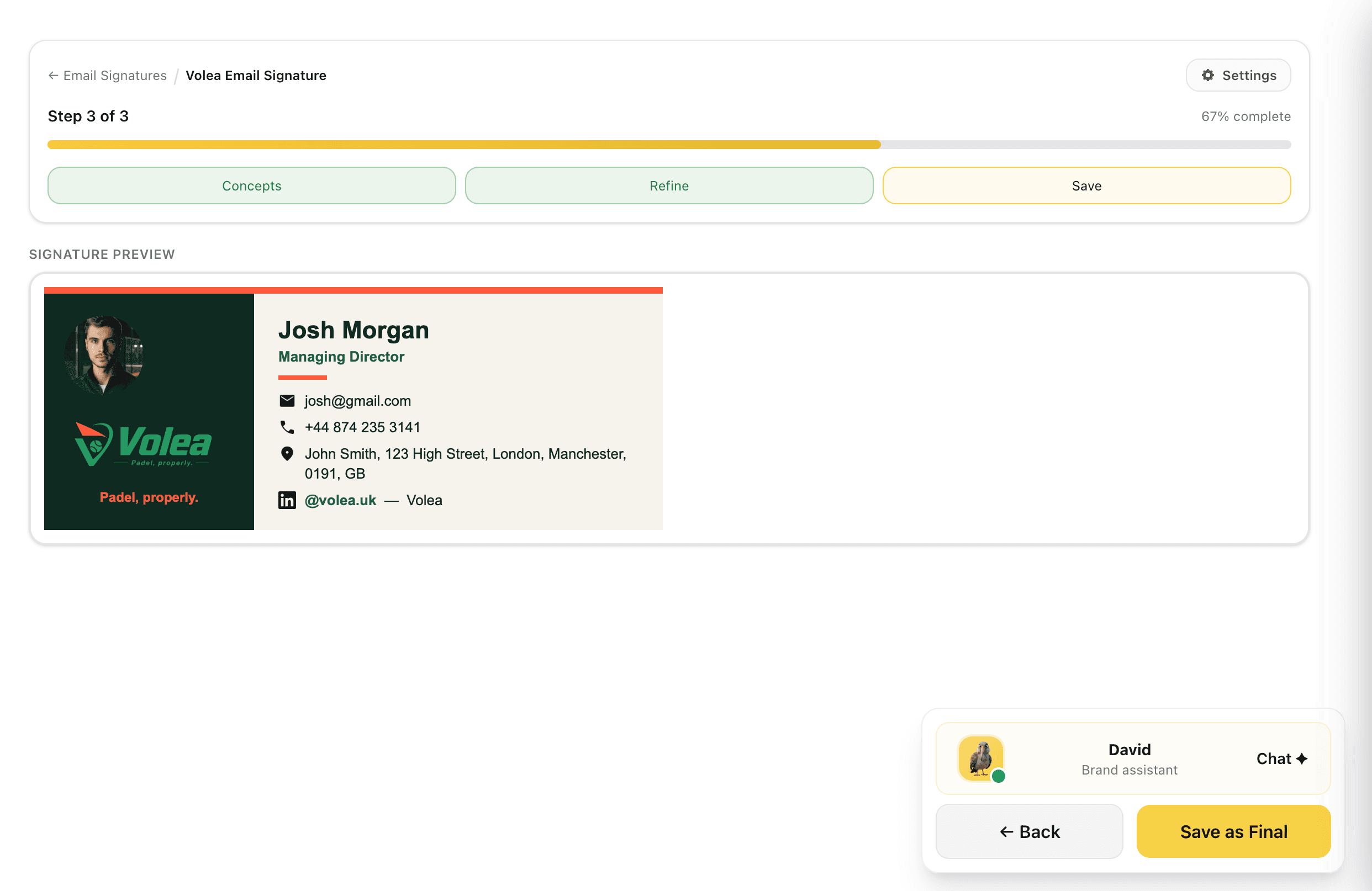
Save as Final, Edit in Place Later
Check the signature at full size and save it as final. A finalised signature can be re-opened and kept working on: it enters an editing state, and you can either keep the changes or discard them and get the previous version back exactly as it was. Social profiles keep their official platform logos throughout.
Editing a live signature is reversible, so improving one never risks the version people are already using.
Captures
Send It to the Whole Team
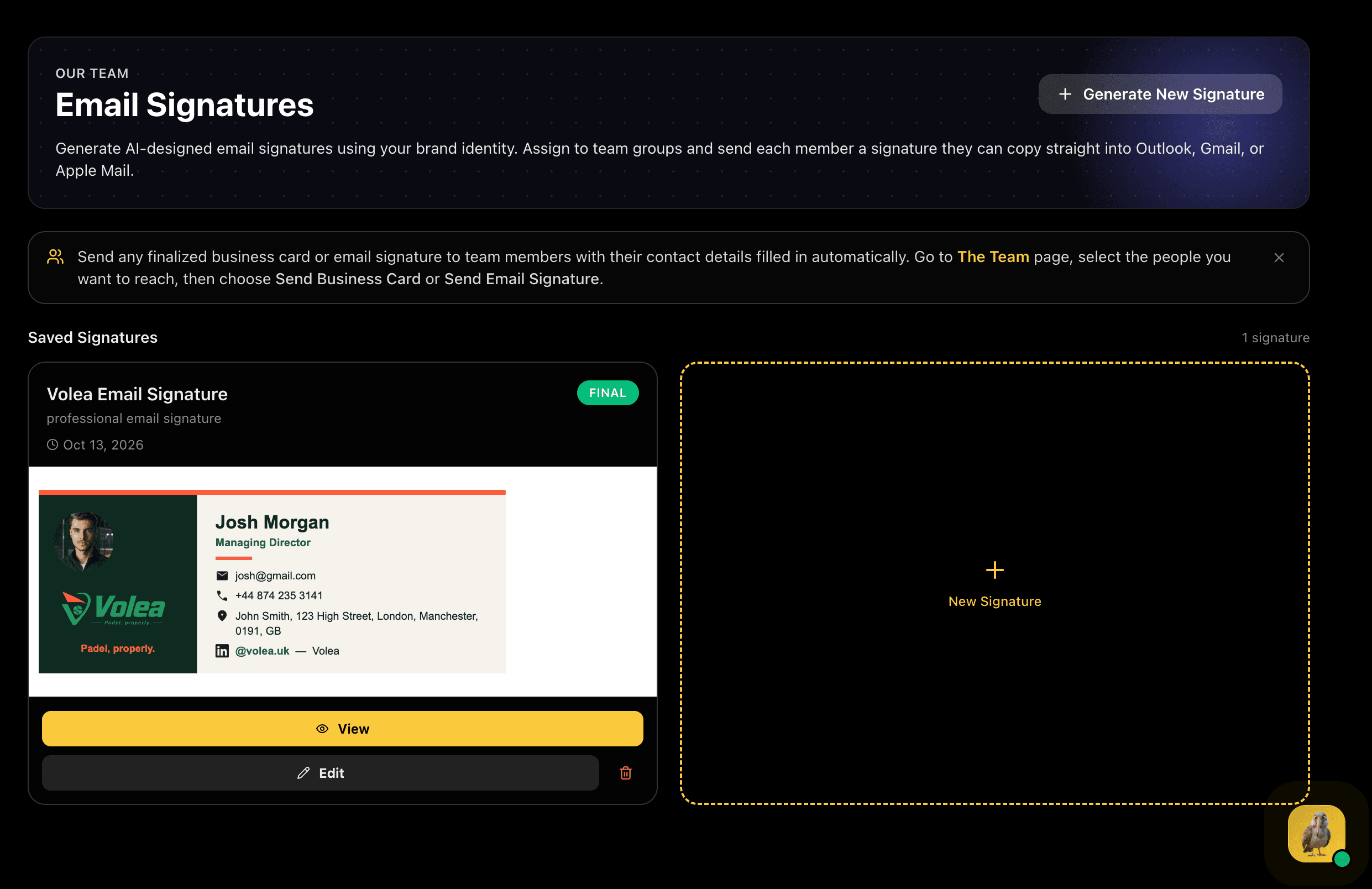
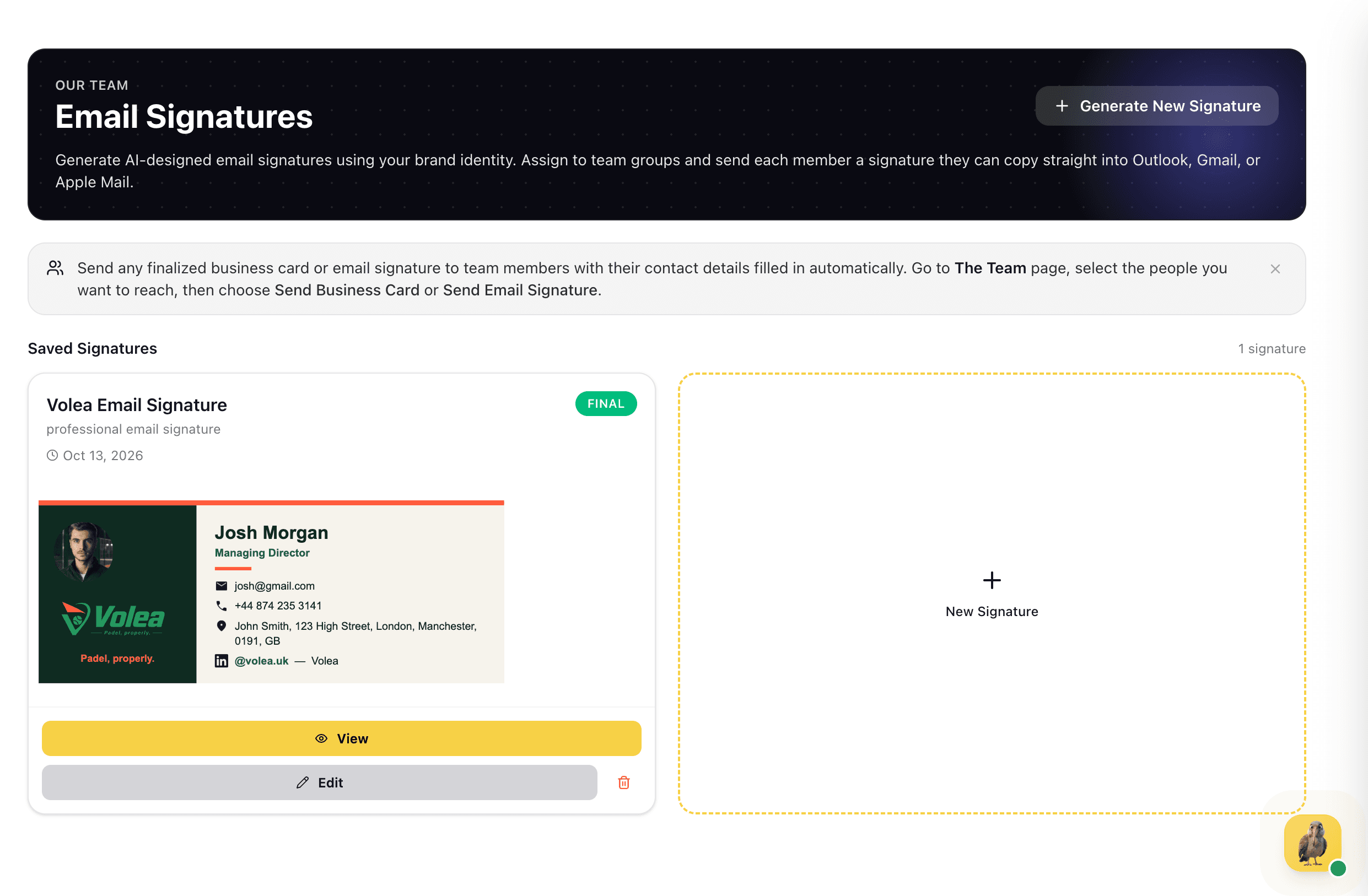
Saved signatures sit on one page, ready to view, edit or reuse. Send a finalised signature from The Team page: pick the people you want to reach and their own contact details are filled in automatically. Each person gets a link to a page with their signature rendered, a Copy button, and step-by-step instructions for Outlook, Gmail and Apple Mail. There is nothing to log into, so it works for someone who has never opened BrandWeave.