BrandWeave
BrandWeave
Back home
Log in
Get Started
Theme
Log in
Feature Tour
BrandWeave

Pages

HomeFeatures TourPersona Journeys

Use Cases

Founder JourneySmall Business JourneyEnterprise Journey

Explore

PricingCompareFAQ

© 2026 BrandWeave. All rights reserved.

Ide8 Technologies
A proud product of Ide8 Technologies (Pty) Ltd
Privacy PolicyTerms of ServiceRefund Policy
Business Cards

From brief to print-ready business cards, aligned to your brand from the first concept.

Business Cards takes you from a written brief through concept selection, Assistant refinement, and final generation. Every card is linked to your approved logo set so the output is always on-brand. Once finalised, assign the template to team groups and send personalised cards to every member in one batch.
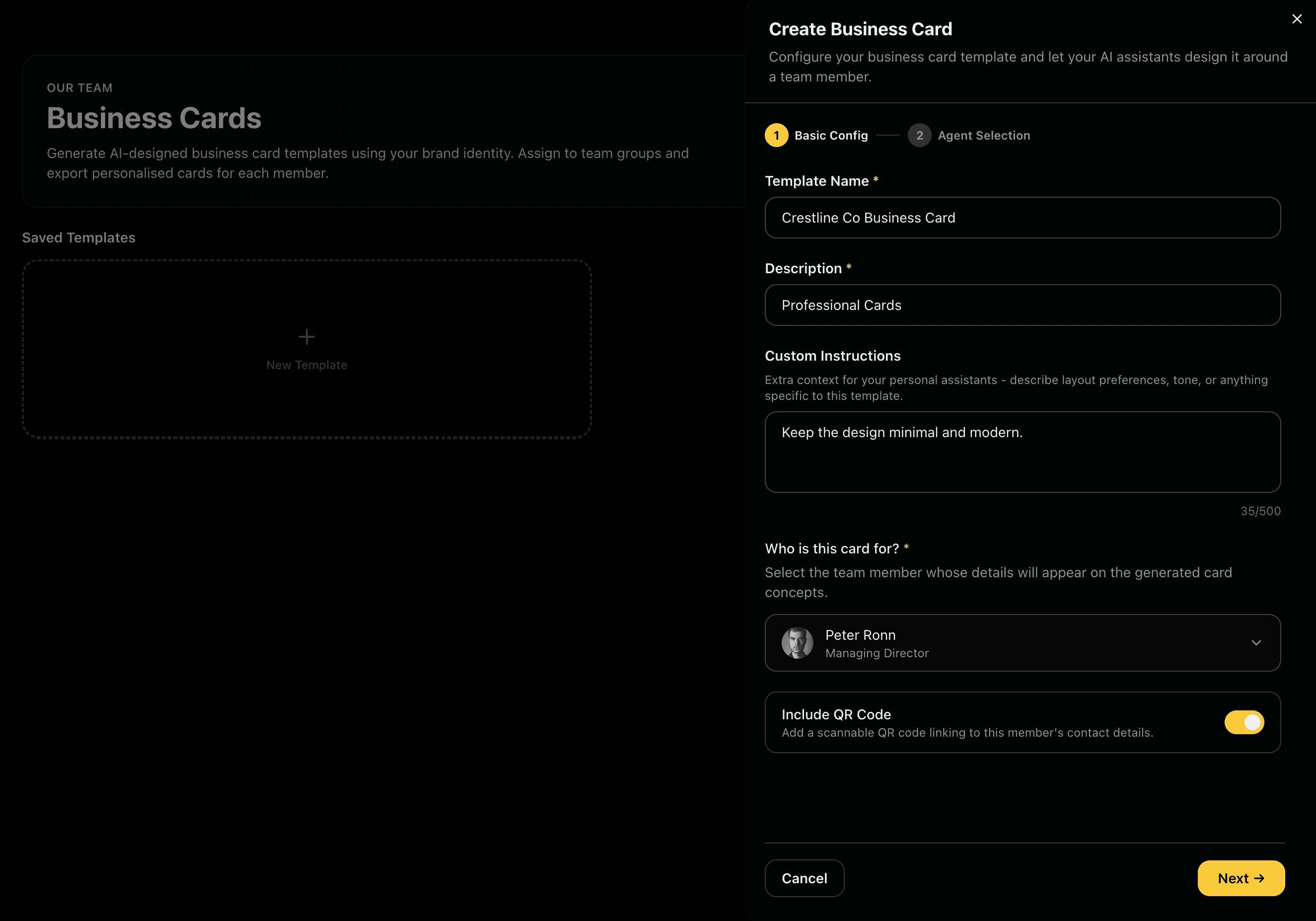
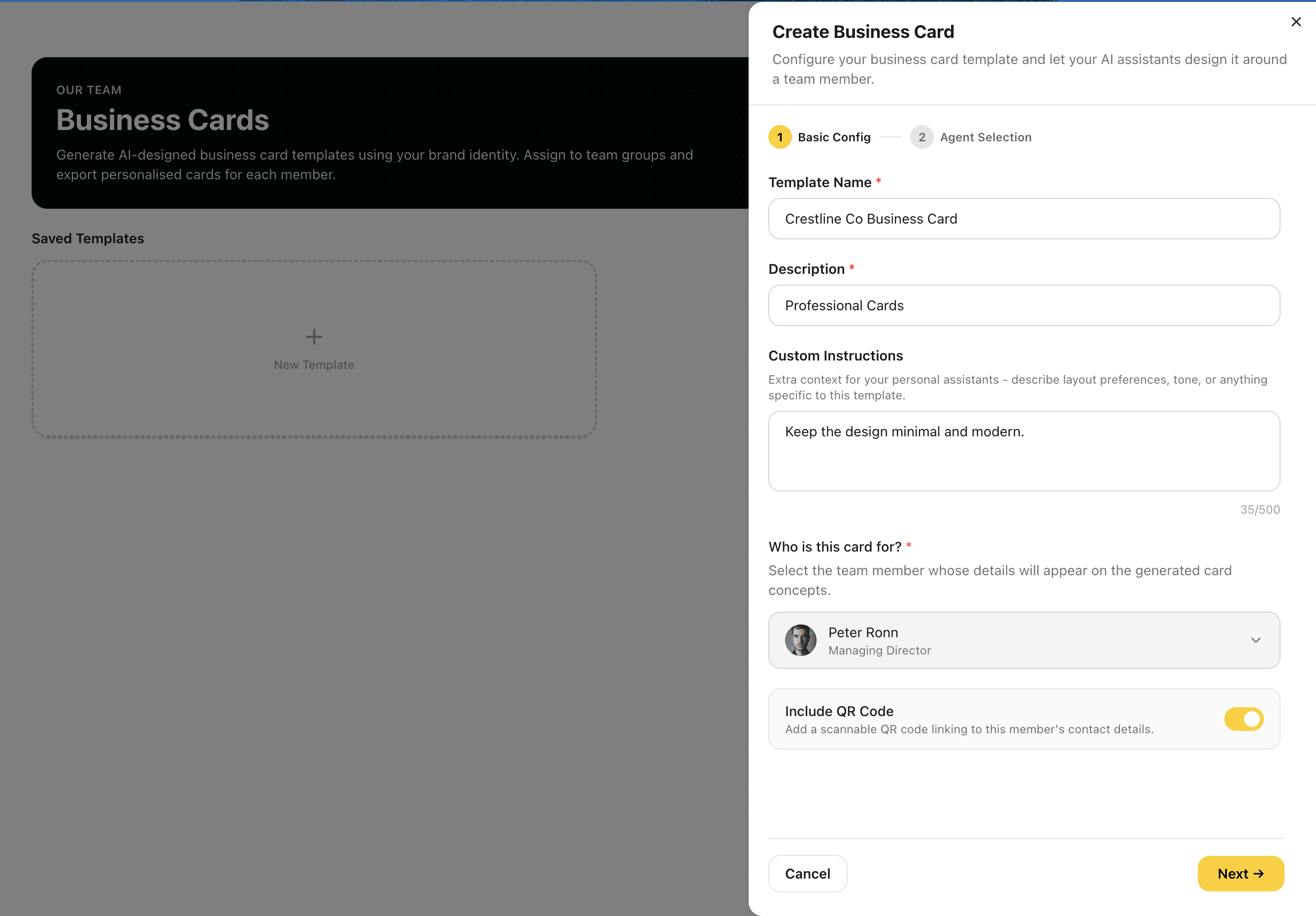
Create Your Business Card SetCreate Your Business Card Set
CREATE·Step 1

Create Your Business Card Set

Create Your Business Card Set

Name your card set and write your brief: layout style, information hierarchy, design feel, and any specific copy or design constraints. Then link the set to your approved logo set and choose exactly which variant gets placed on the card, Primary Light, Primary Dark, Icon Only, or Wordmark. The logo link ensures every concept is already working from the right brand asset.

Feature Preview

Create Your Business Card Set

01
CREATE·Step 1

Create Your Business Card Set

Name your card set and write your brief: layout style, information hierarchy, design feel, and any specific copy or design constraints. Then link the set to your approved logo set and choose exactly which variant gets placed on the card, Primary Light, Primary Dark, Icon Only, or Wordmark. The logo link ensures every concept is already working from the right brand asset.

A clear brief with a linked logo variant narrows every agent's creative range toward an output you can actually use, not a generic template.

Captures
Set nameCard briefLogo setLogo variantDesign constraints
Concepts from Assistant DesignersConcepts from Assistant Designers
CONCEPTS·Step 2

Concepts from Assistant Designers

Concepts from Assistant Designers

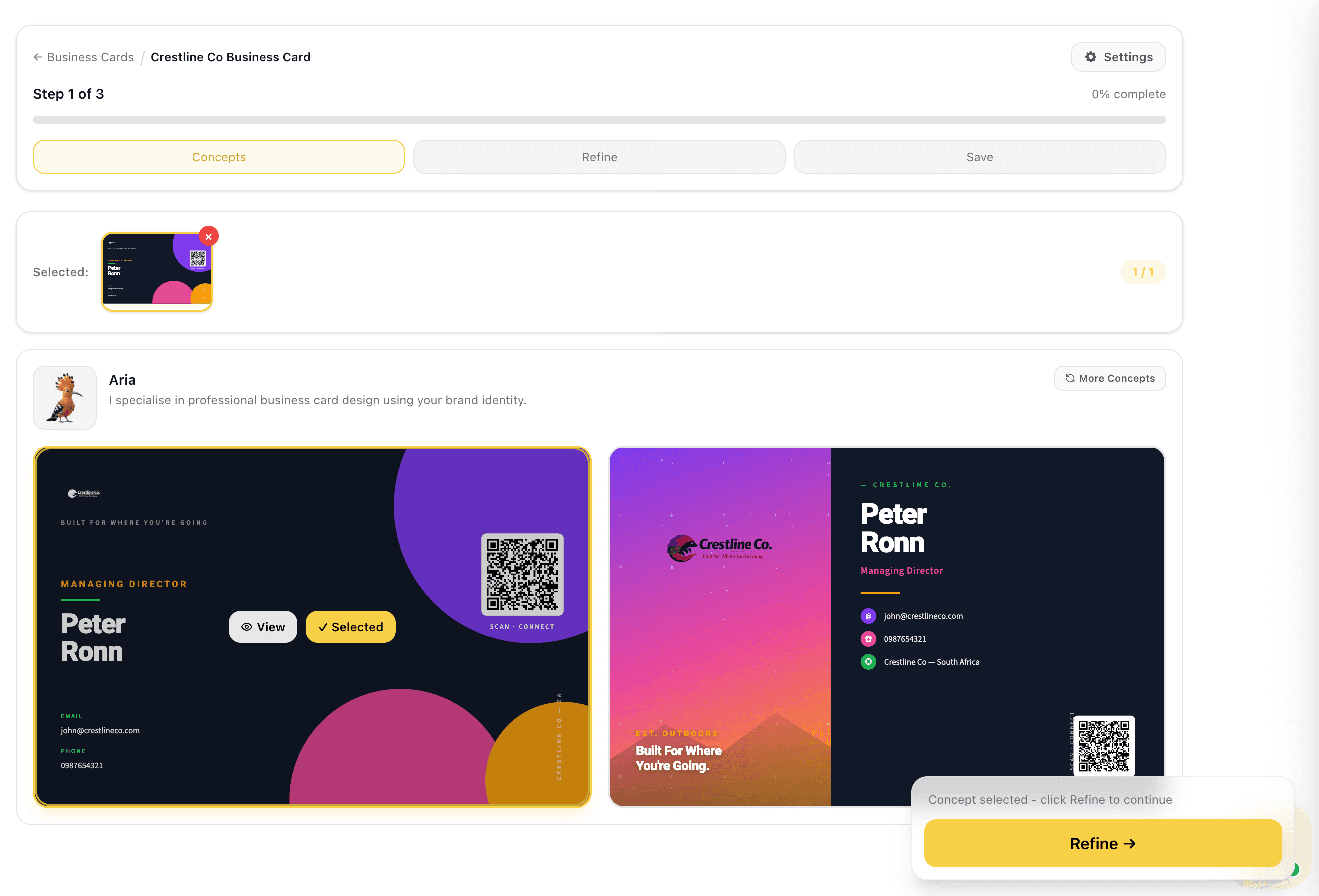
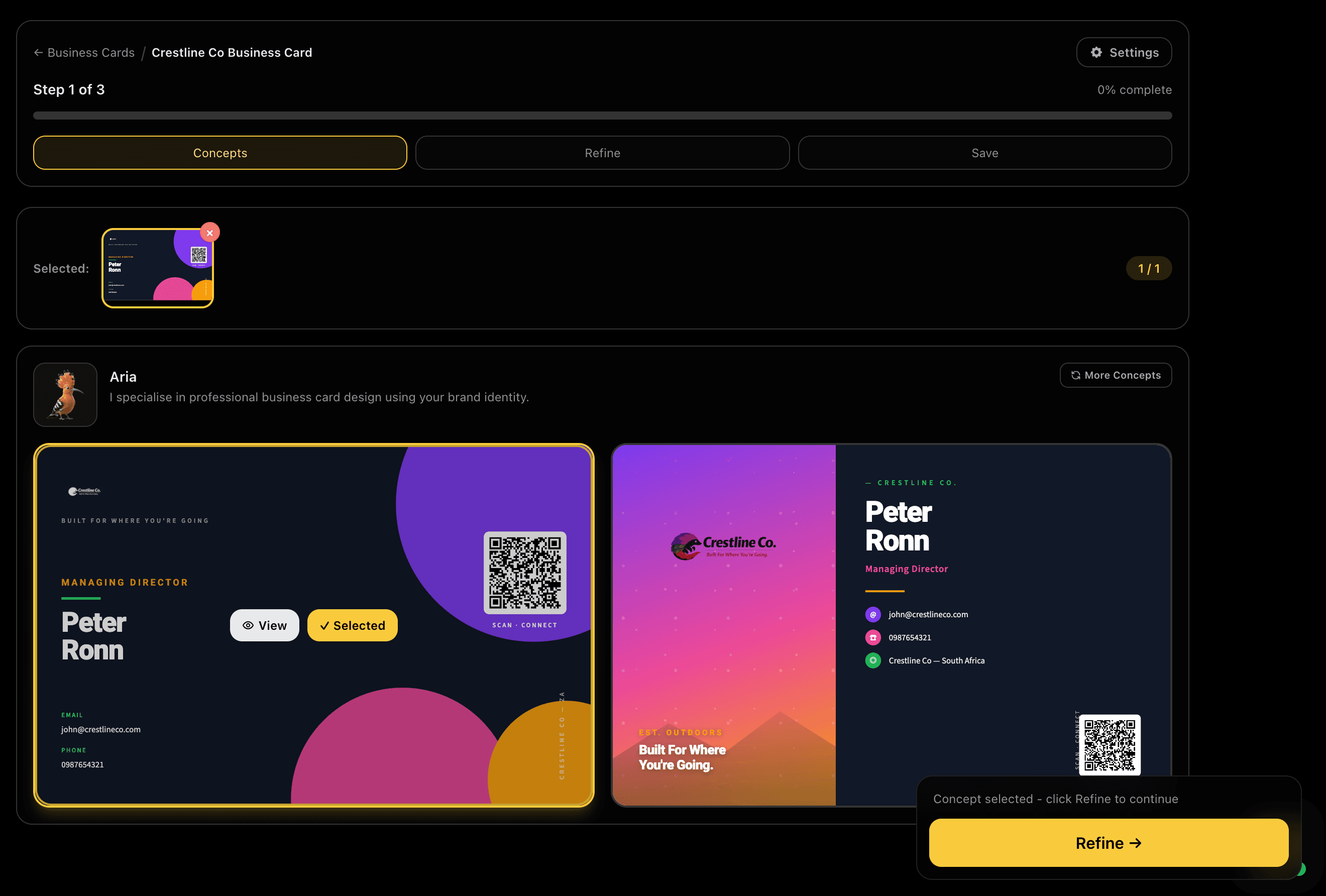
Multiple Assistant design agents each interpret your brief and generate their own business card concept. Each brings a different approach to layout, typography, colour use, and how the logo and contact information sit together. Review all directions side by side and select the concept that best fits your brand and use case.

Feature Preview

Concepts from Assistant Designers

02
CONCEPTS·Step 2

Concepts from Assistant Designers

Multiple Assistant design agents each interpret your brief and generate their own business card concept. Each brings a different approach to layout, typography, colour use, and how the logo and contact information sit together. Review all directions side by side and select the concept that best fits your brand and use case.

Different agents produce genuinely different card directions so you have real options before committing to a base, not just slight variations of the same layout.

Captures
Multiple designersLive generationLayout diversityLogo placementTypography variety
Pick Your Base and RefinePick Your Base and Refine
REFINE·Step 3

Pick Your Base and Refine

Pick Your Base and Refine

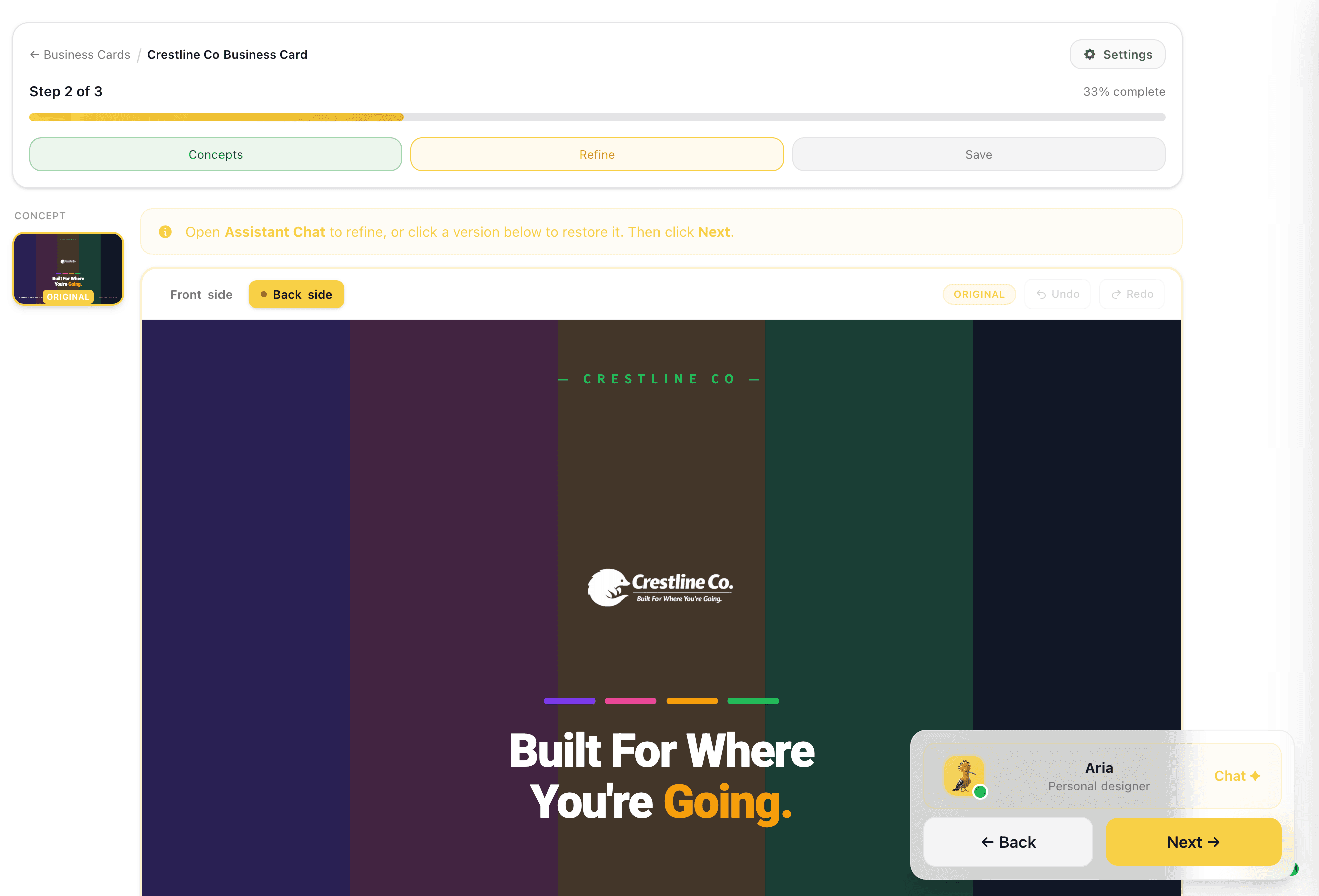
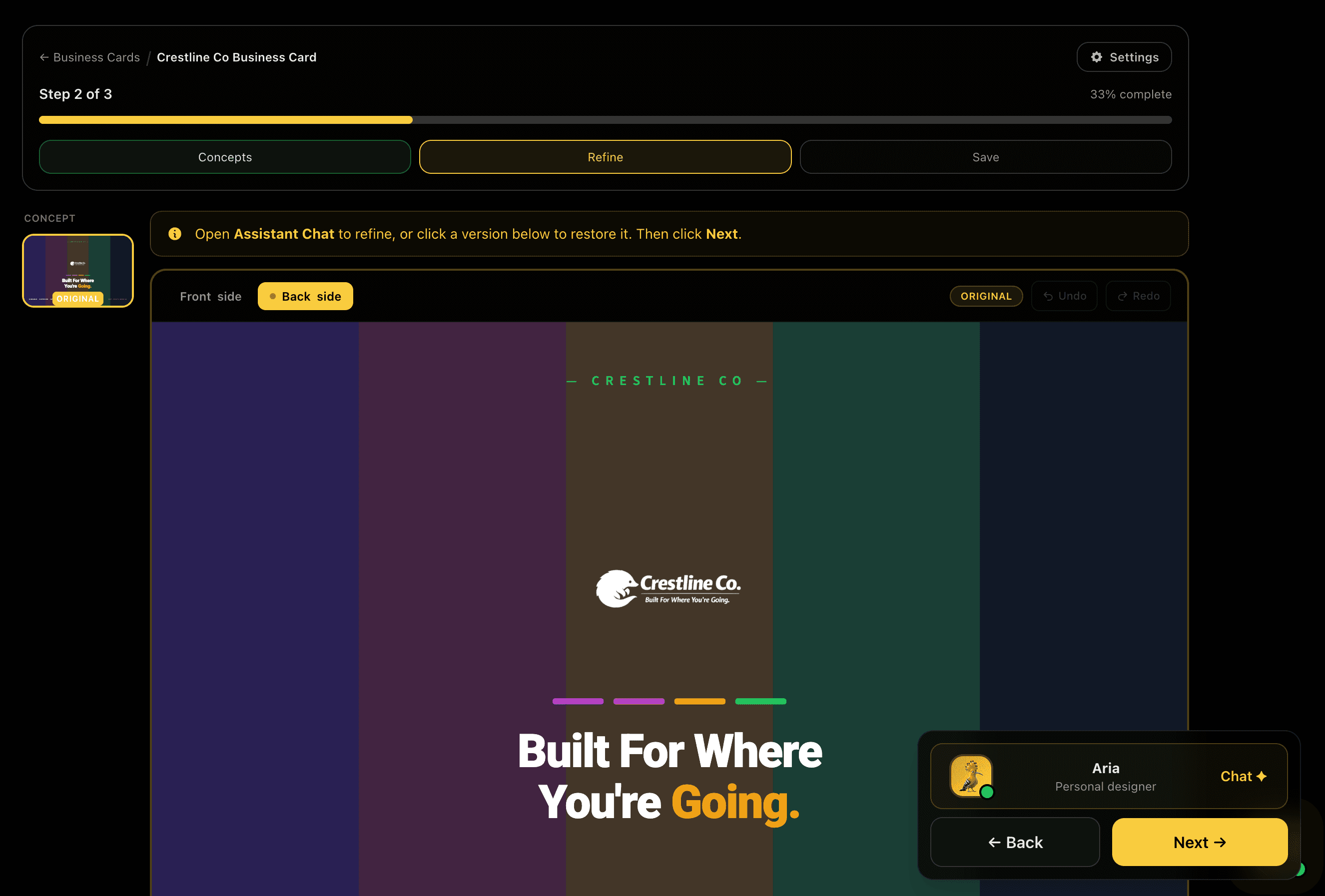
Choose one concept as your base and view it at full size. Assess the layout, typography, how the logo sits, and whether the information hierarchy matches your brief. Open the Assistant chat to adjust before generating: shift the colour palette, reposition the logo, update the contact layout, or change the background treatment. When it looks right, advance to generation.

Feature Preview

Pick Your Base and Refine

03
REFINE·Step 3

Pick Your Base and Refine

Choose one concept as your base and view it at full size. Assess the layout, typography, how the logo sits, and whether the information hierarchy matches your brief. Open the Assistant chat to adjust before generating: shift the colour palette, reposition the logo, update the contact layout, or change the background treatment. When it looks right, advance to generation.

Refining before generation means every final card starts from an approved and tested direction, fewer regenerations and lower credit spend.

Captures
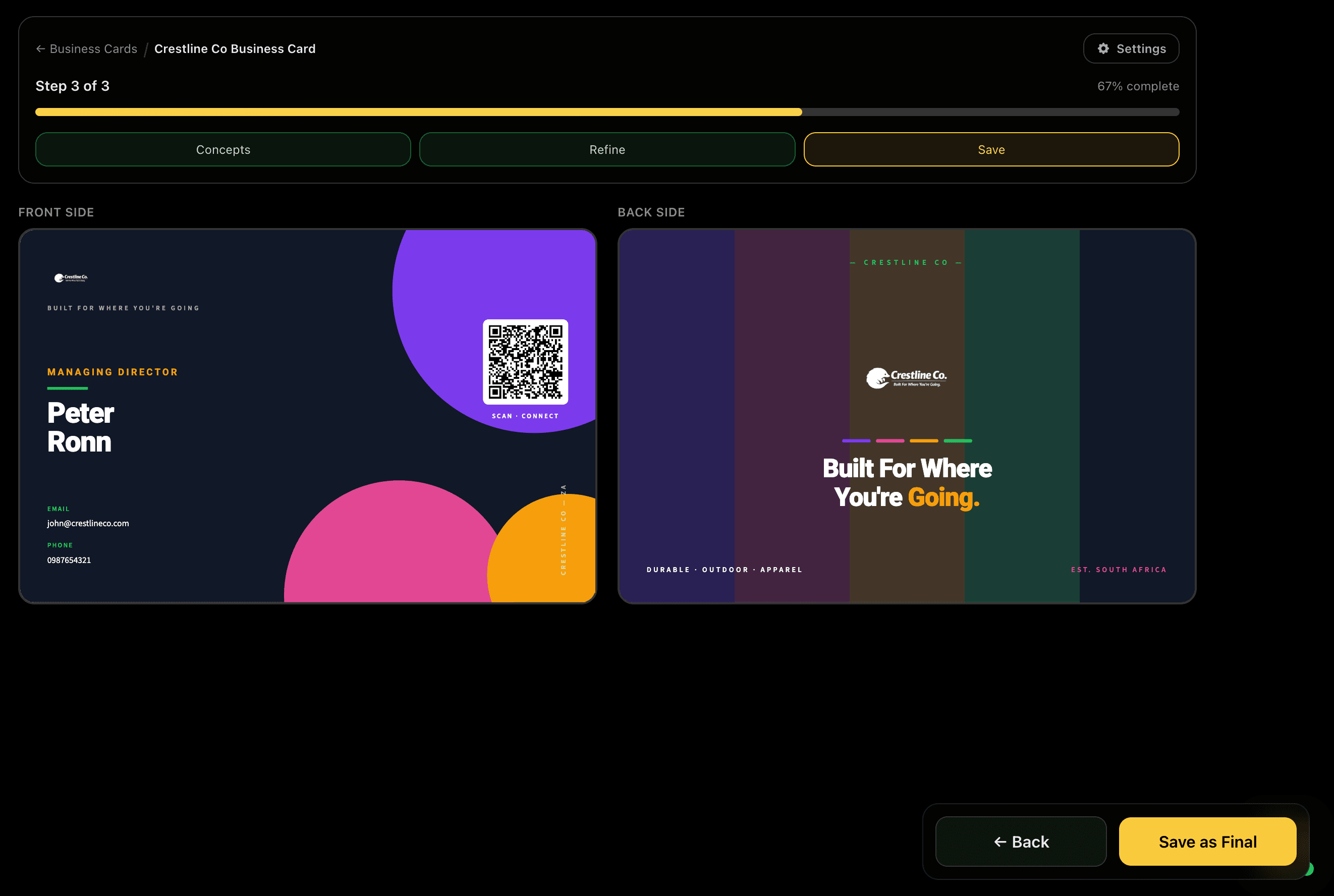
Full-size previewAssistant chatColour editsLayout tweaksLogo repositioning
Generated CardsGenerated Cards
GENERATE·Step 4

Generated Cards

Generated Cards

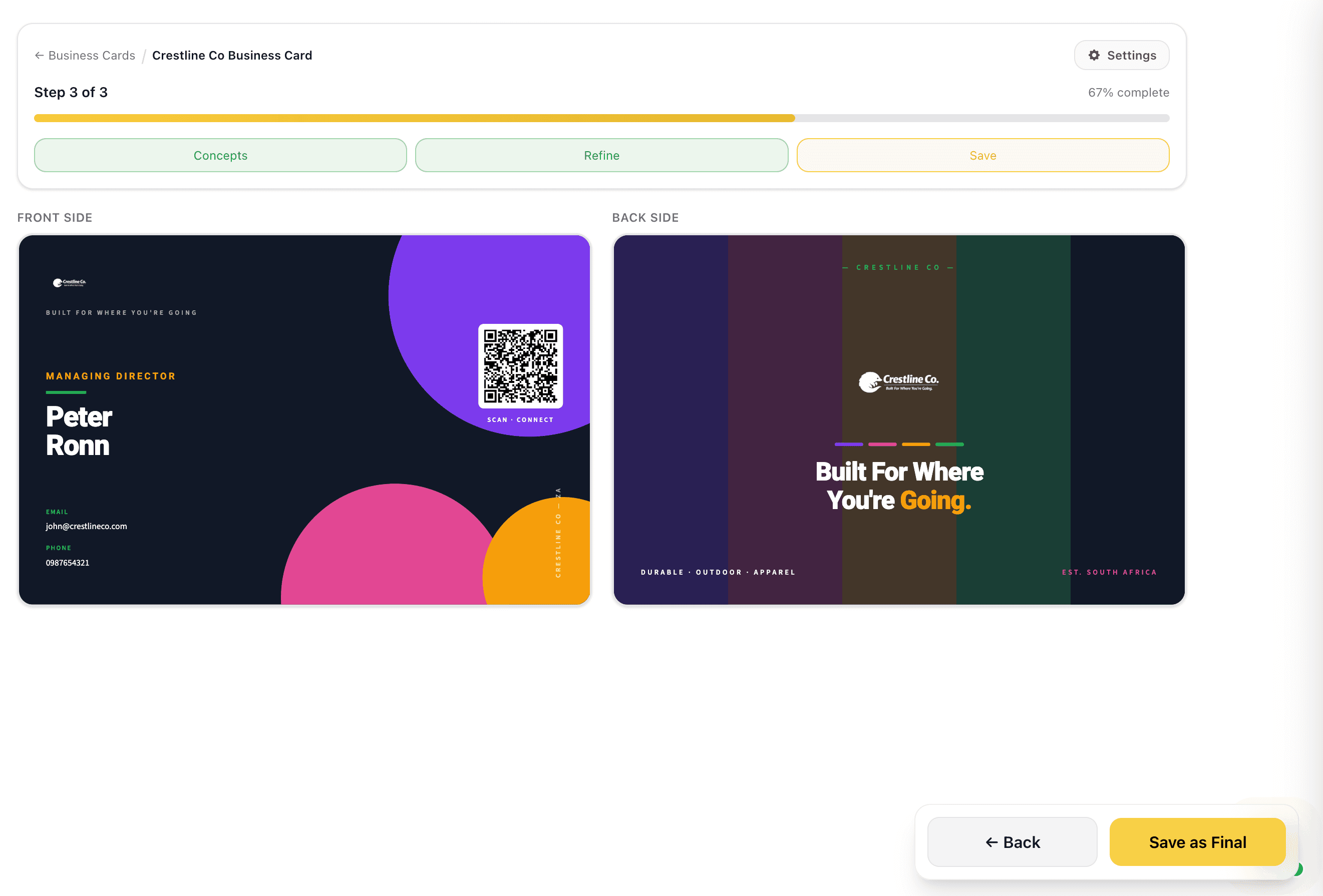
Your business card set is generated from the approved base concept. Review the output at full size before advancing. If any element missed the mark, you can regenerate from here without restarting the flow. The generated card is automatically saved to your Business Cards library under this set.

Feature Preview

Generated Cards

04
GENERATE·Step 4

Generated Cards

Your business card set is generated from the approved base concept. Review the output at full size before advancing. If any element missed the mark, you can regenerate from here without restarting the flow. The generated card is automatically saved to your Business Cards library under this set.

Generating from a refined and approved base means the output is close to production-ready from the first run, less time fixing, more time shipping.

Captures
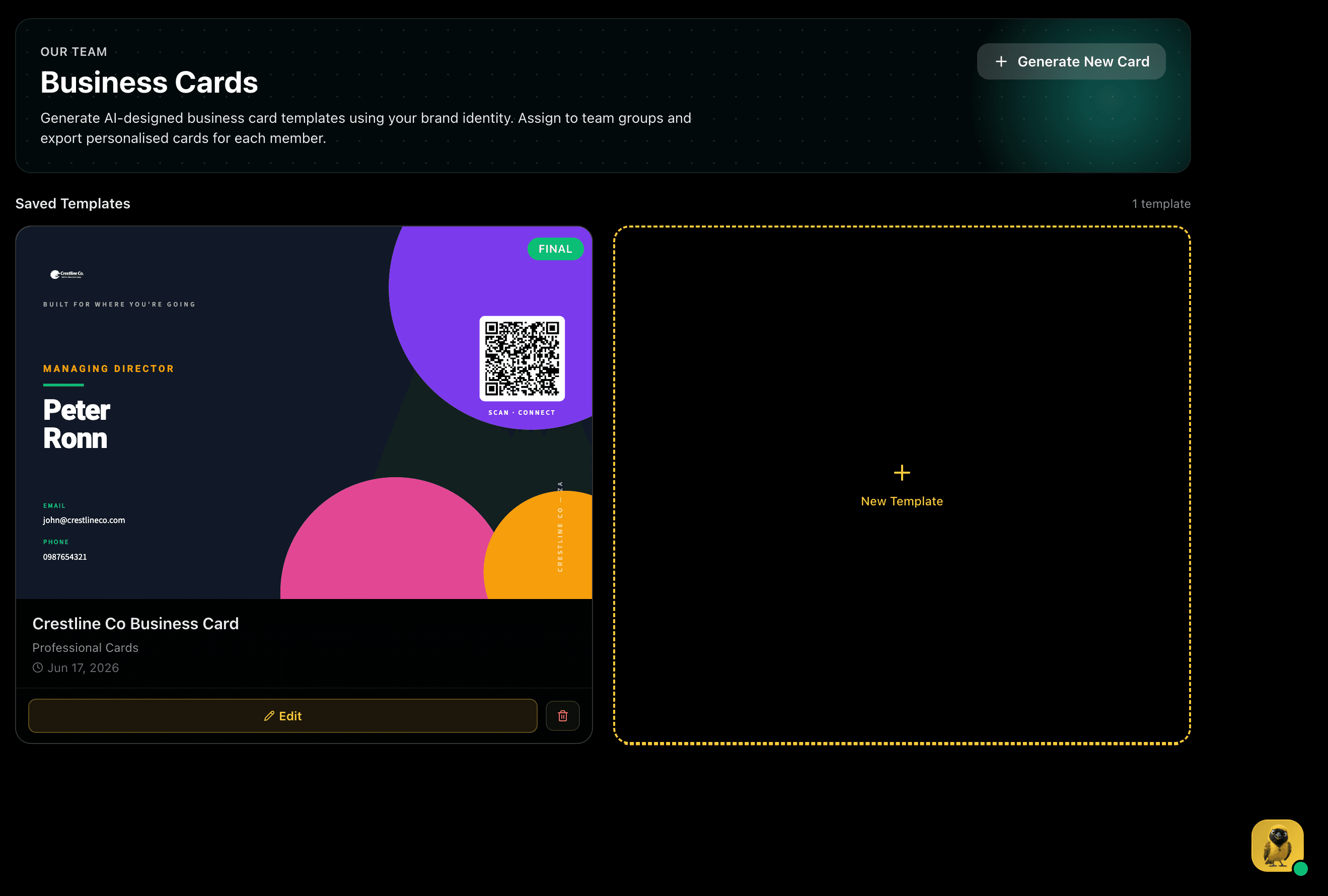
Front designBack designAuto-savedSelective regeneration
Business Cards LibraryBusiness Cards Library
COMPLETE·Step 5 of 5

Business Cards Library

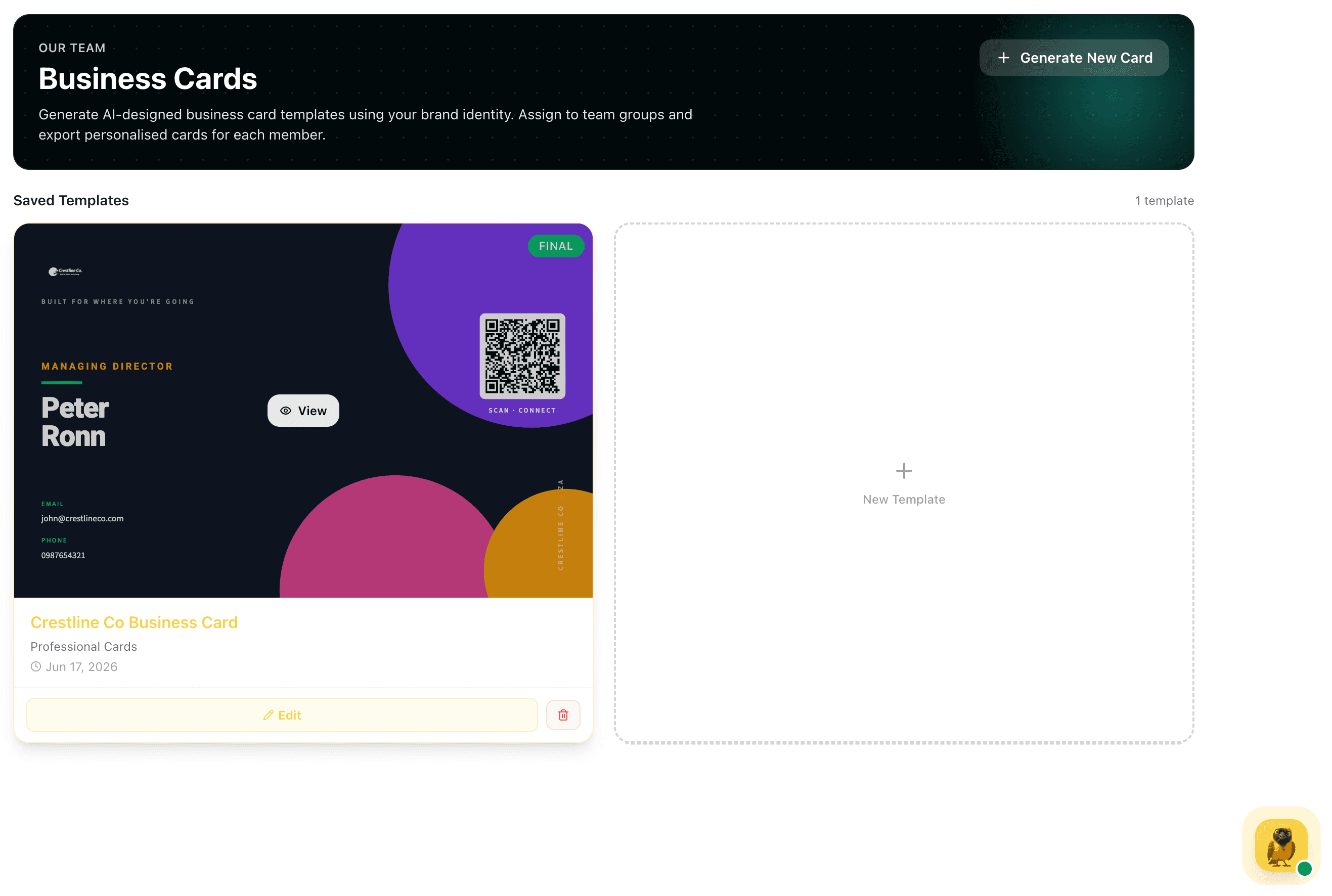
Your finalised card set lives in the Business Cards library, marked Final, with the design displayed and ready for download. Assign the template to team groups and export personalised cards for every member in one batch.

Final badgeAssign to groupsBatch exportDownload anytime