

Give your brand a face, a character that shows up consistently across every touchpoint.
Brand Mascot lets you describe a character, have Assistant designers interpret it, pick a base concept, then generate poses and animated clips from one approved source. The result is a consistent mascot set ready for social, campaigns, onboarding, and more.
Create Your Mascot
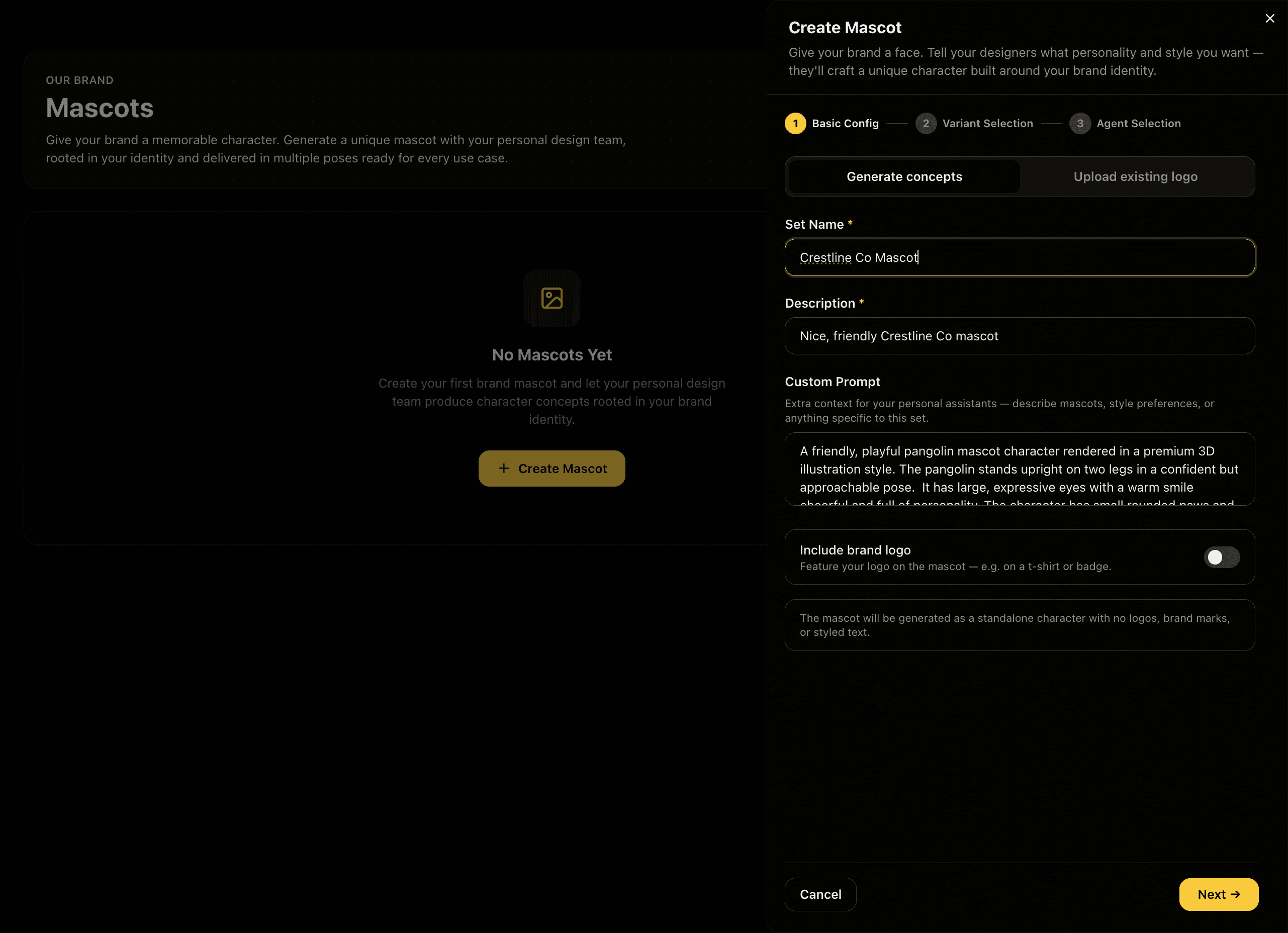
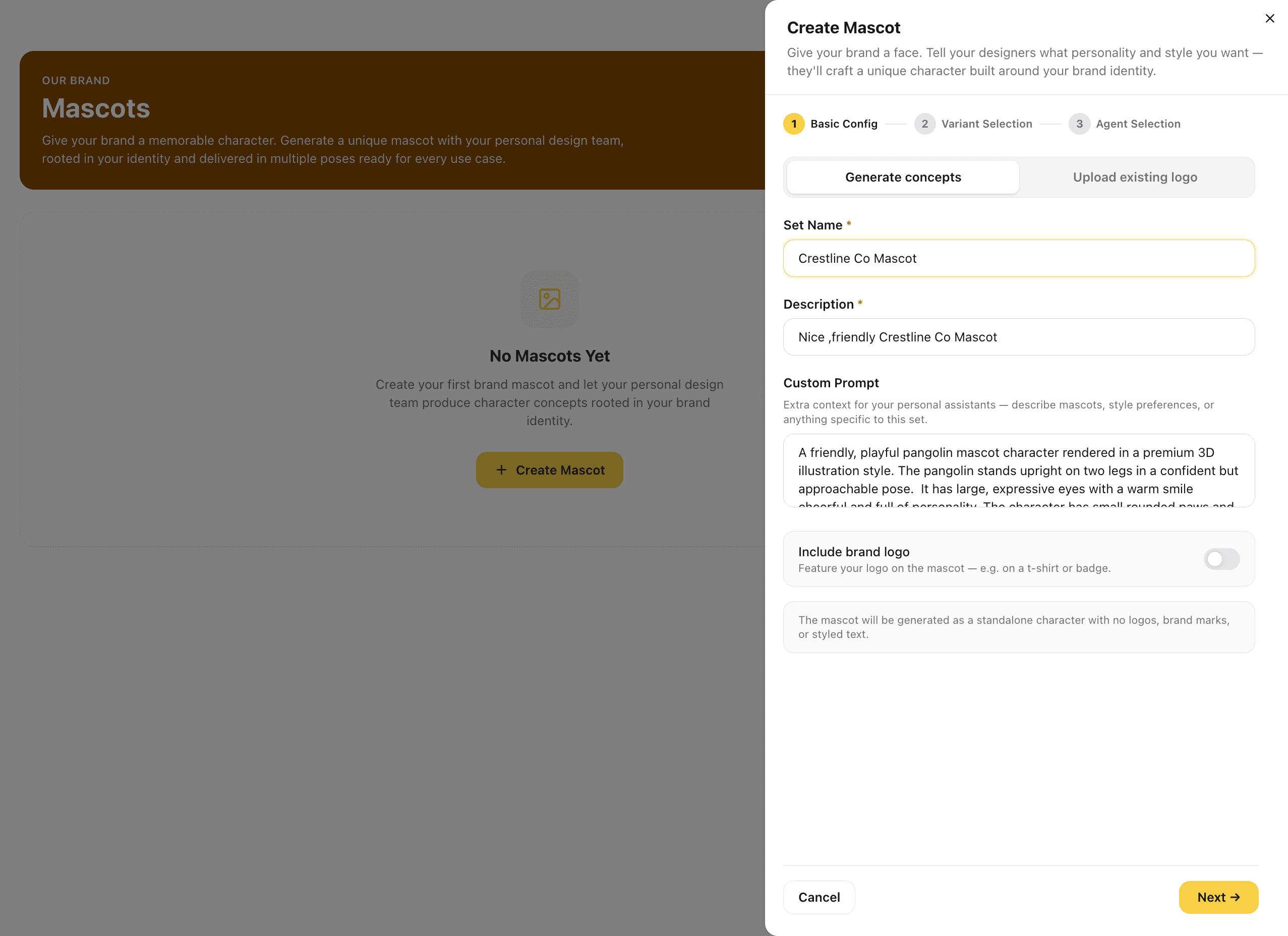
Open Create Mascot and configure your character brief in three steps: name the set, write a custom prompt describing your mascot, character type, personality, style, and any brand-specific details, and then select which Assistant agents will generate concepts and how many each will produce. The more specific your prompt, the more grounded the interpretations will be.
A detailed character description gives each agent something concrete to interpret, you get genuine creative range rather than vague variations on the same generic character.
Captures
Assistant Agents Generate Character Concepts
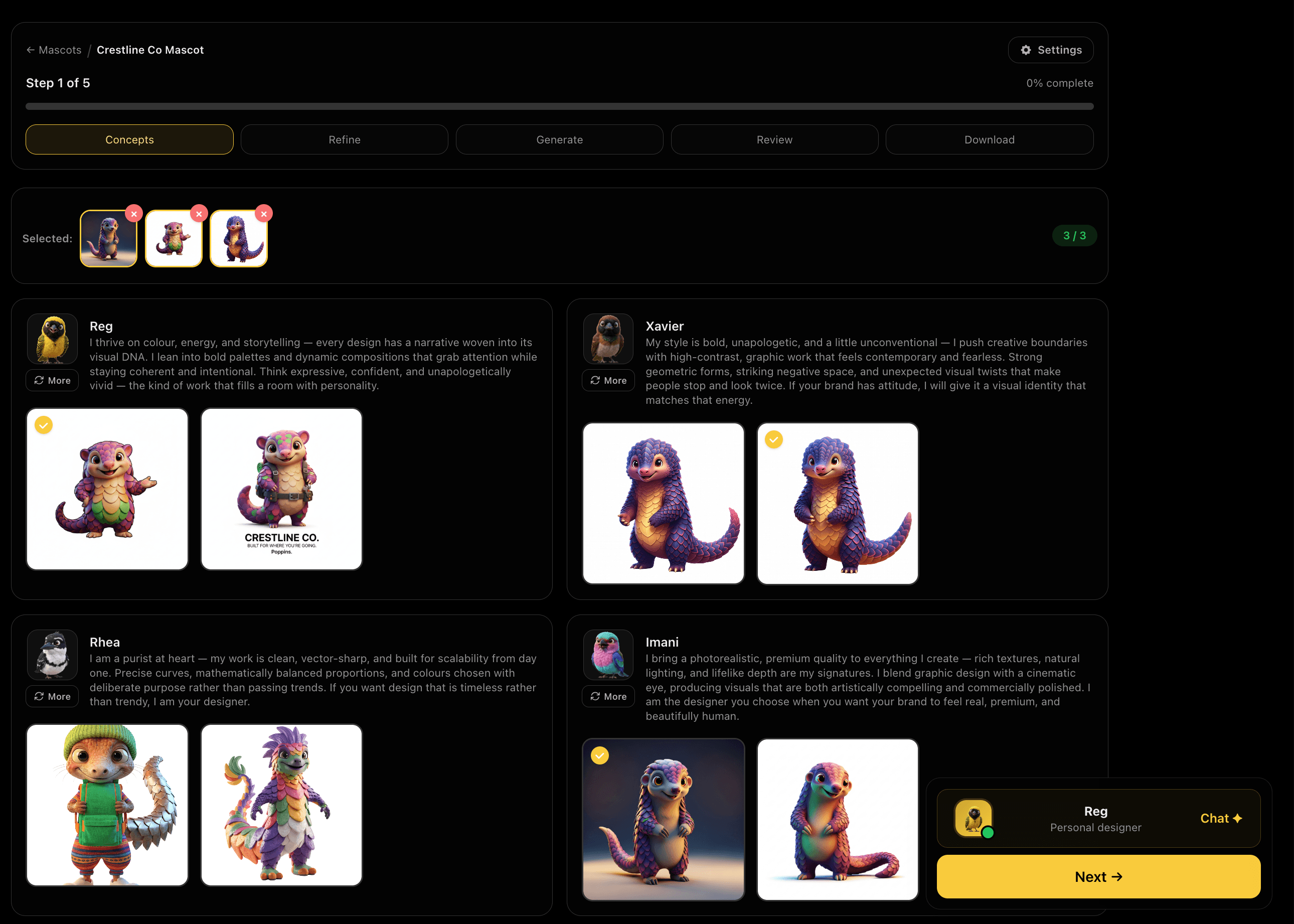
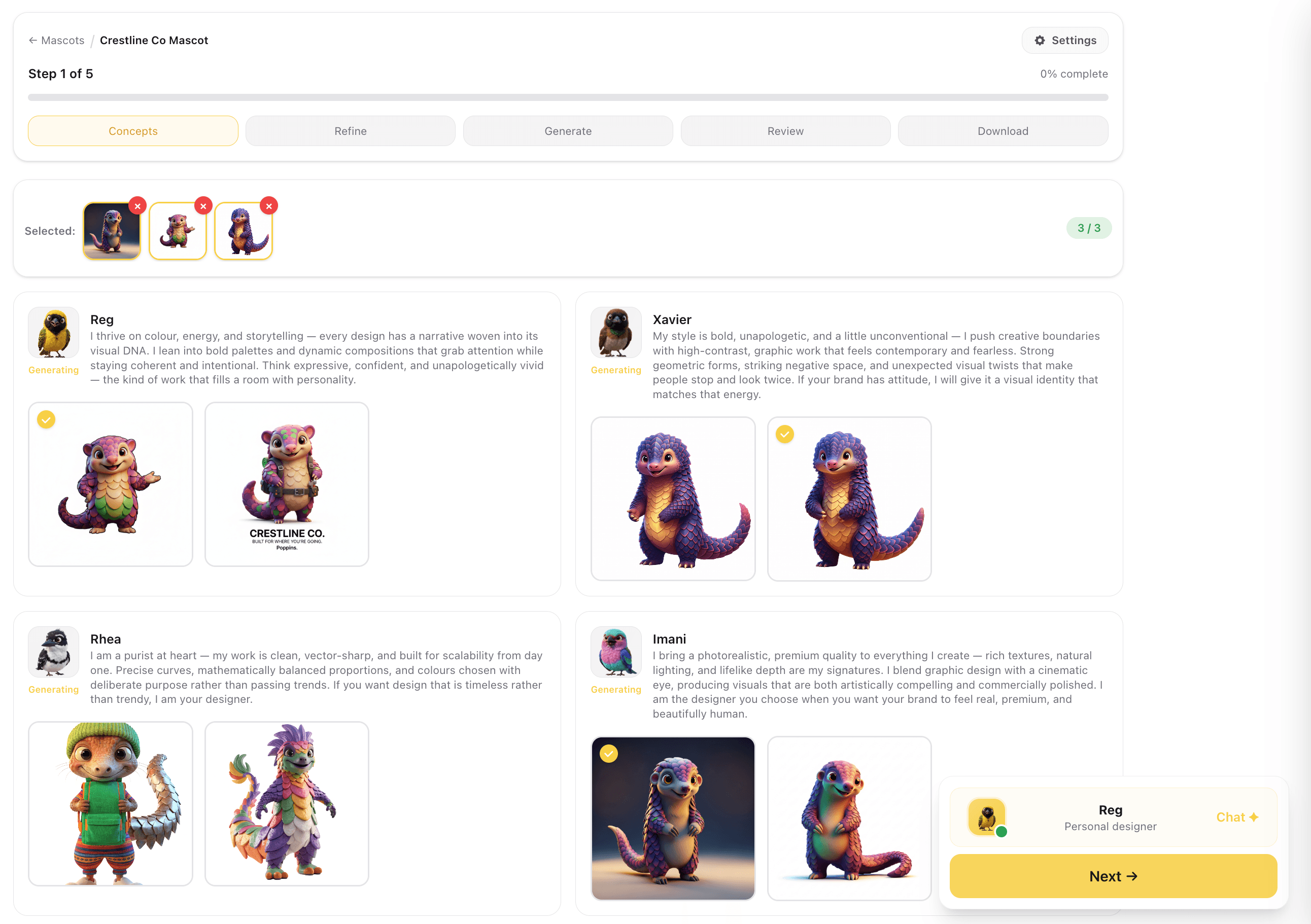
Your selected Assistant design agents each interpret your character brief and generate their own mascot concepts in real time. Each agent brings a different approach to character style, proportions, colour treatment, and how the brand mark integrates with the character. Review all results side by side and select up to 3 concepts to carry into refinement.
Different agents produce genuinely different character directions, not just colour swaps, so you have real options before committing to a base.
Captures
Review Variant Settings Before Generating
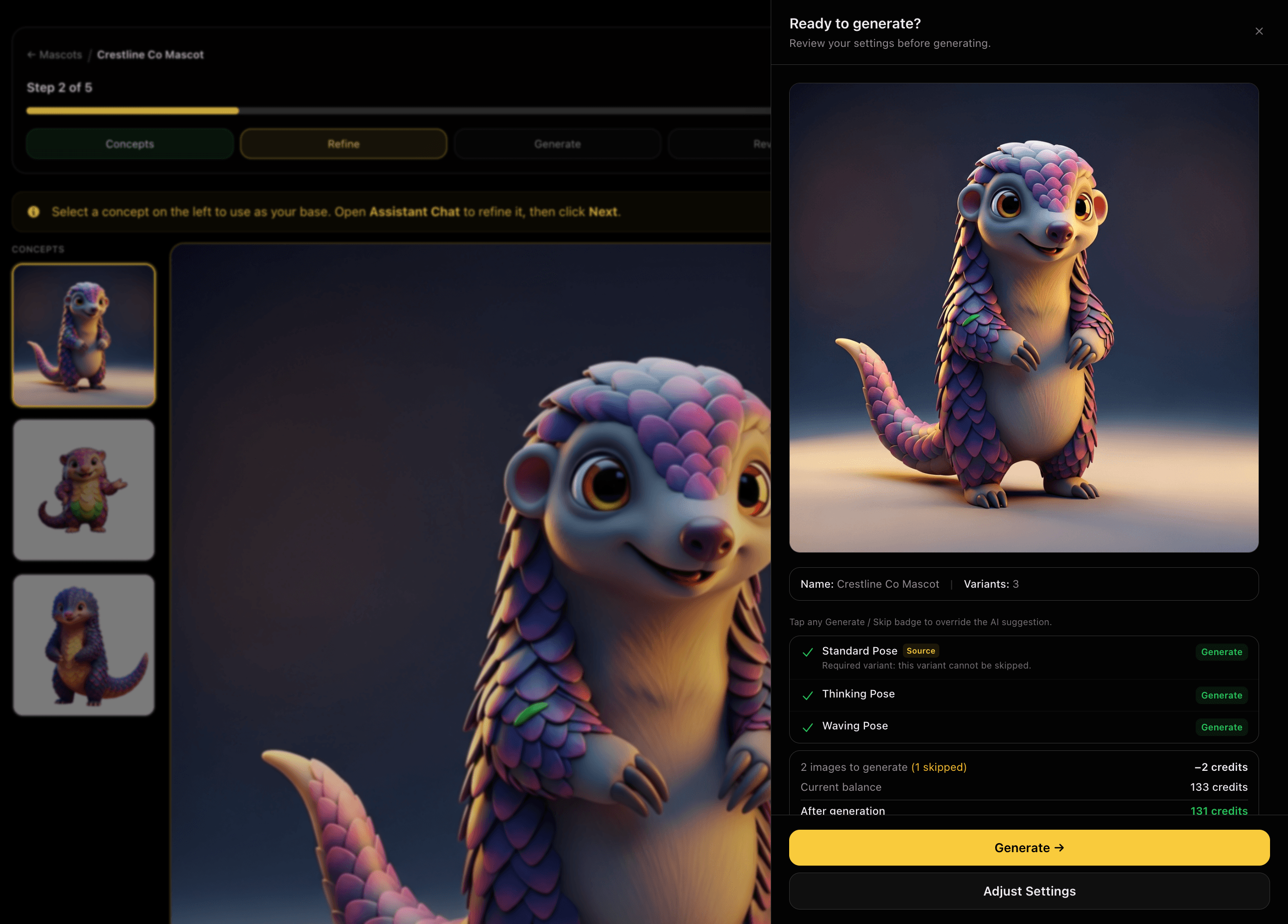
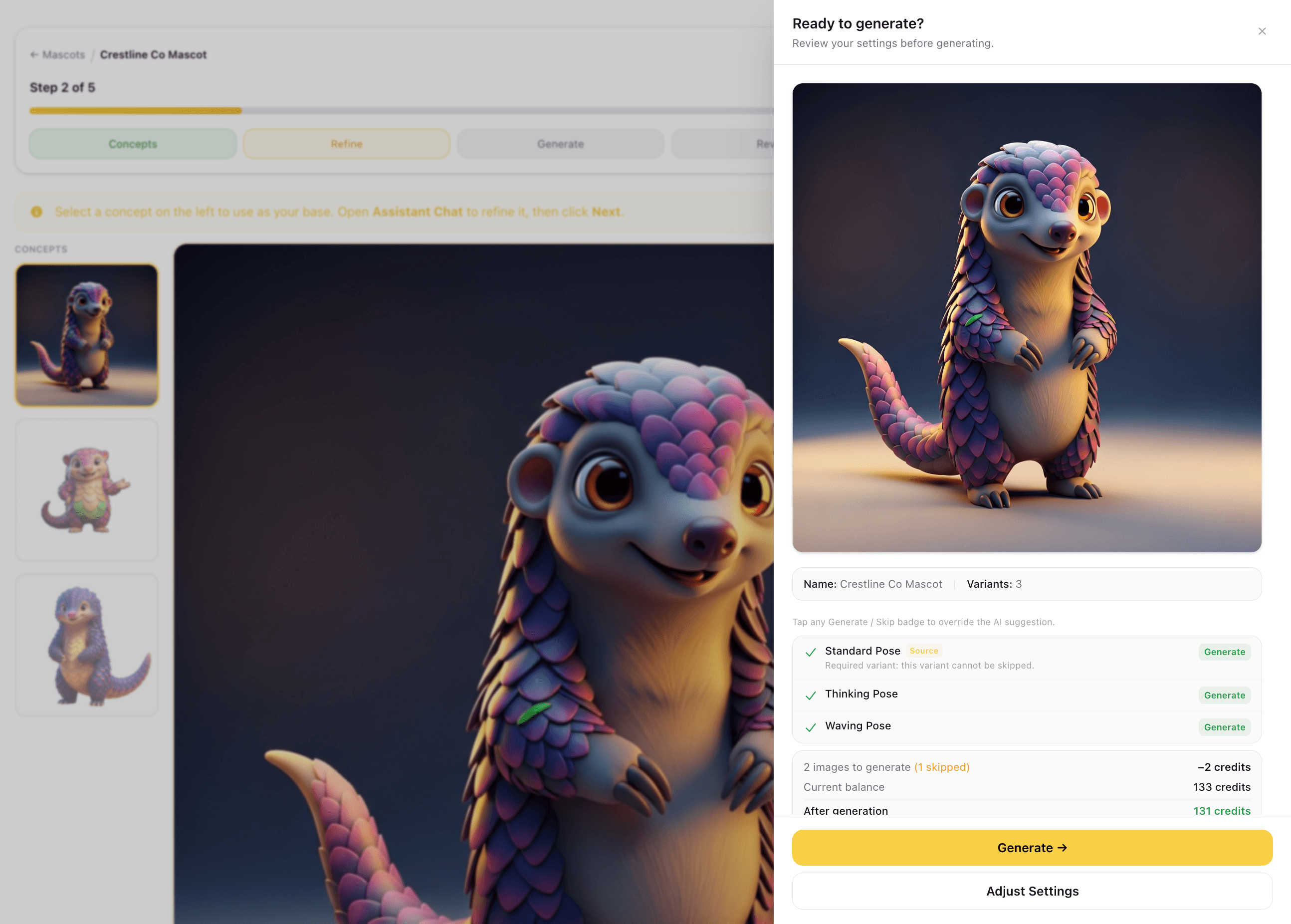
Before any poses are generated, a settings panel shows you the full picture: the selected base concept at full size, the three pose variants that will be produced, Standard, Thinking, and Waving, and the exact credit cost. The Standard Pose is your source concept and already counts as one variant, so only the remaining poses consume credits. Adjust settings or generate when ready.
Seeing the variant list and credit cost before committing means no surprises, you know exactly what will be produced and what it costs before the run starts.
Captures
Poses Generated in One Run
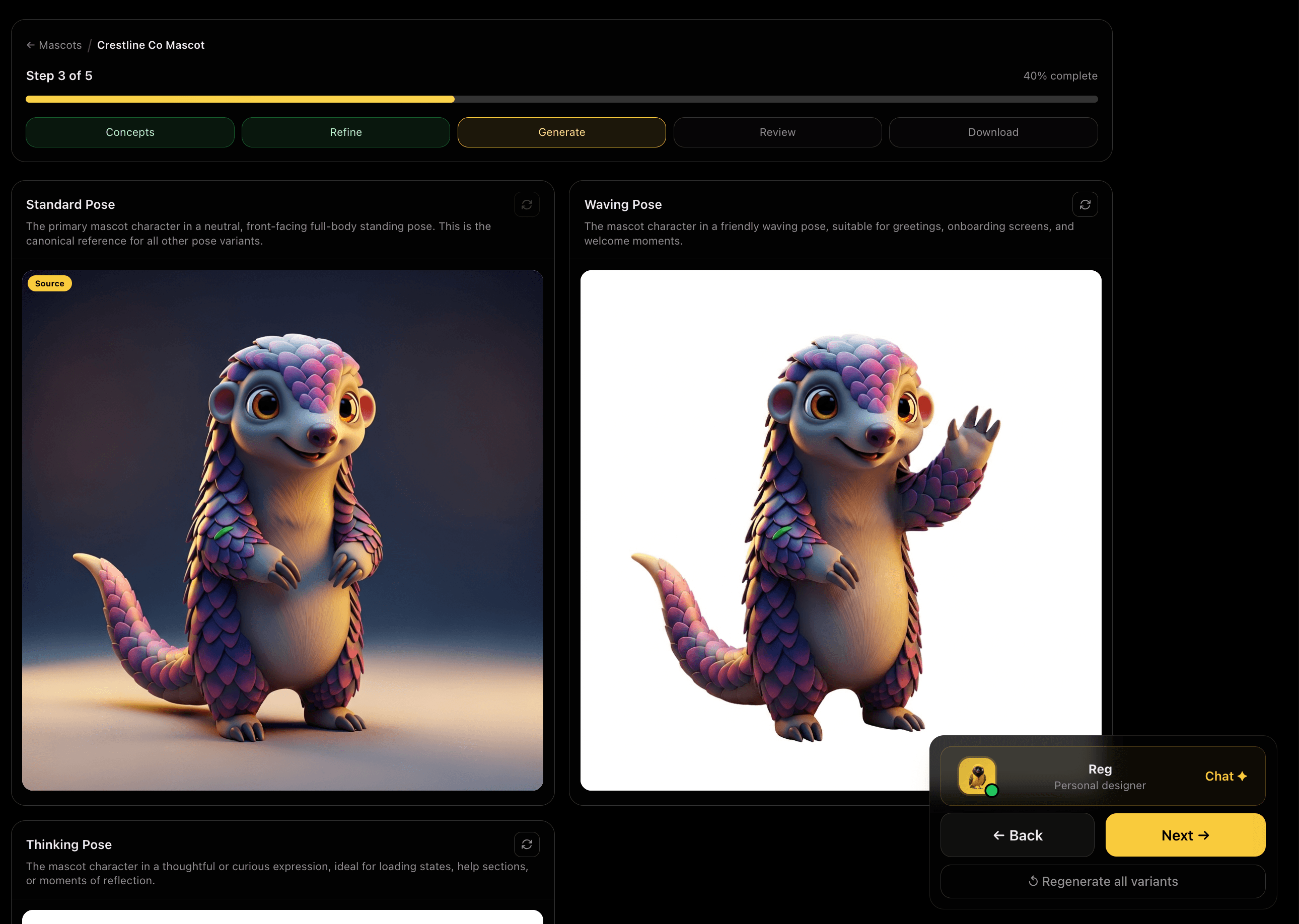
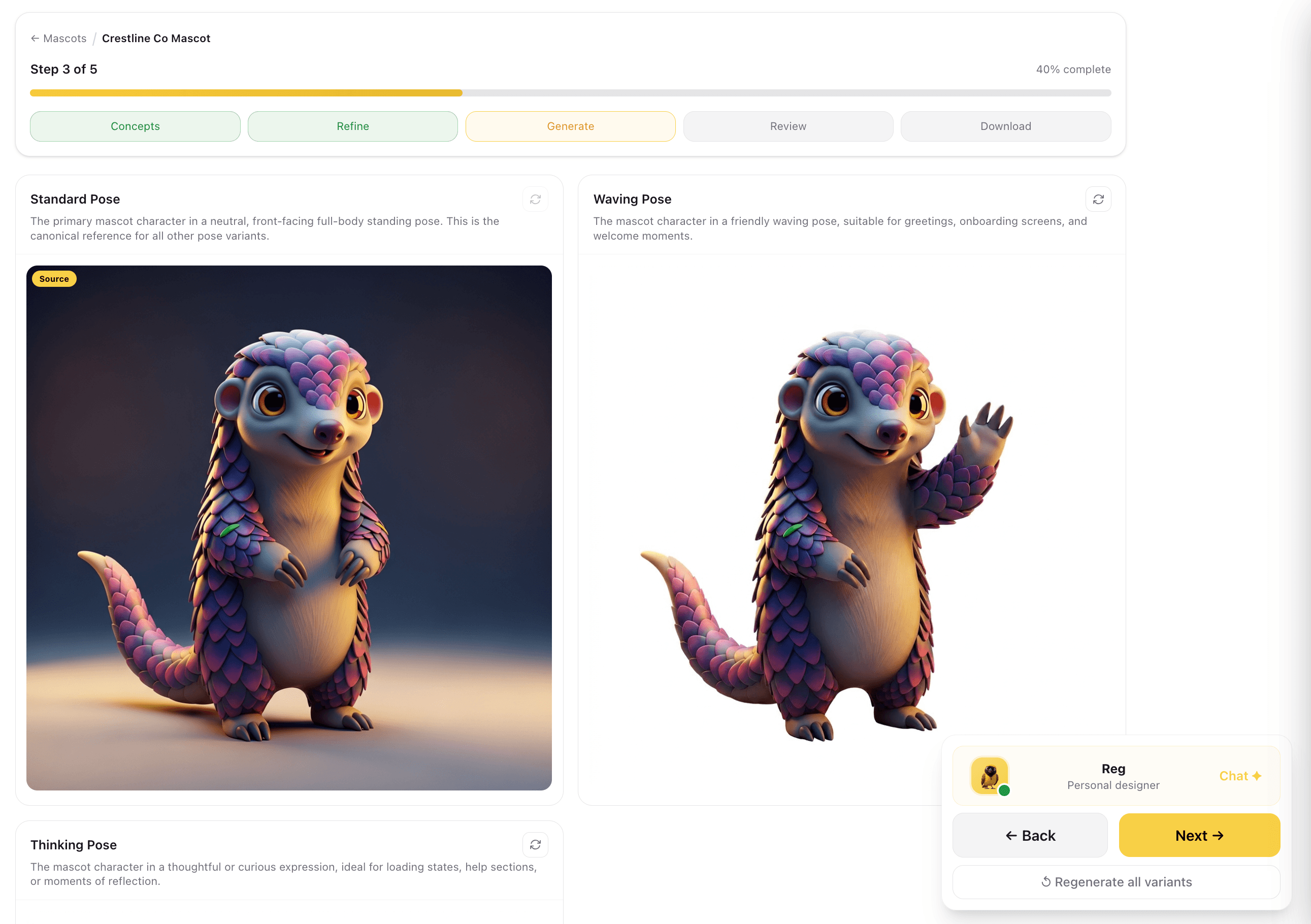
All pose variants generate from the approved base concept in a single run. Standard Pose, the canonical front-facing standing character, is the reference point for every other pose. Waving Pose produces a friendly raised-wing gesture for greetings and onboarding screens. Thinking Pose renders the character in a contemplative posture for storytelling moments.
Three distinct poses from one generation run covers the most common mascot use cases: profile, onboarding, and campaign storytelling.
Captures
Animate the Mascot
The same approved character can be generated as an animated clip, not just a still. The background is keyed out during processing, so the clip arrives with real transparency rather than a coloured rectangle behind the character. It is delivered in both a WebM and a transparent MOV, because no single format plays with alpha everywhere.
A mascot with true transparency drops onto any background, in a deck, a site hero or a video, without being cut out by hand.
Captures
Review All Poses Before Download
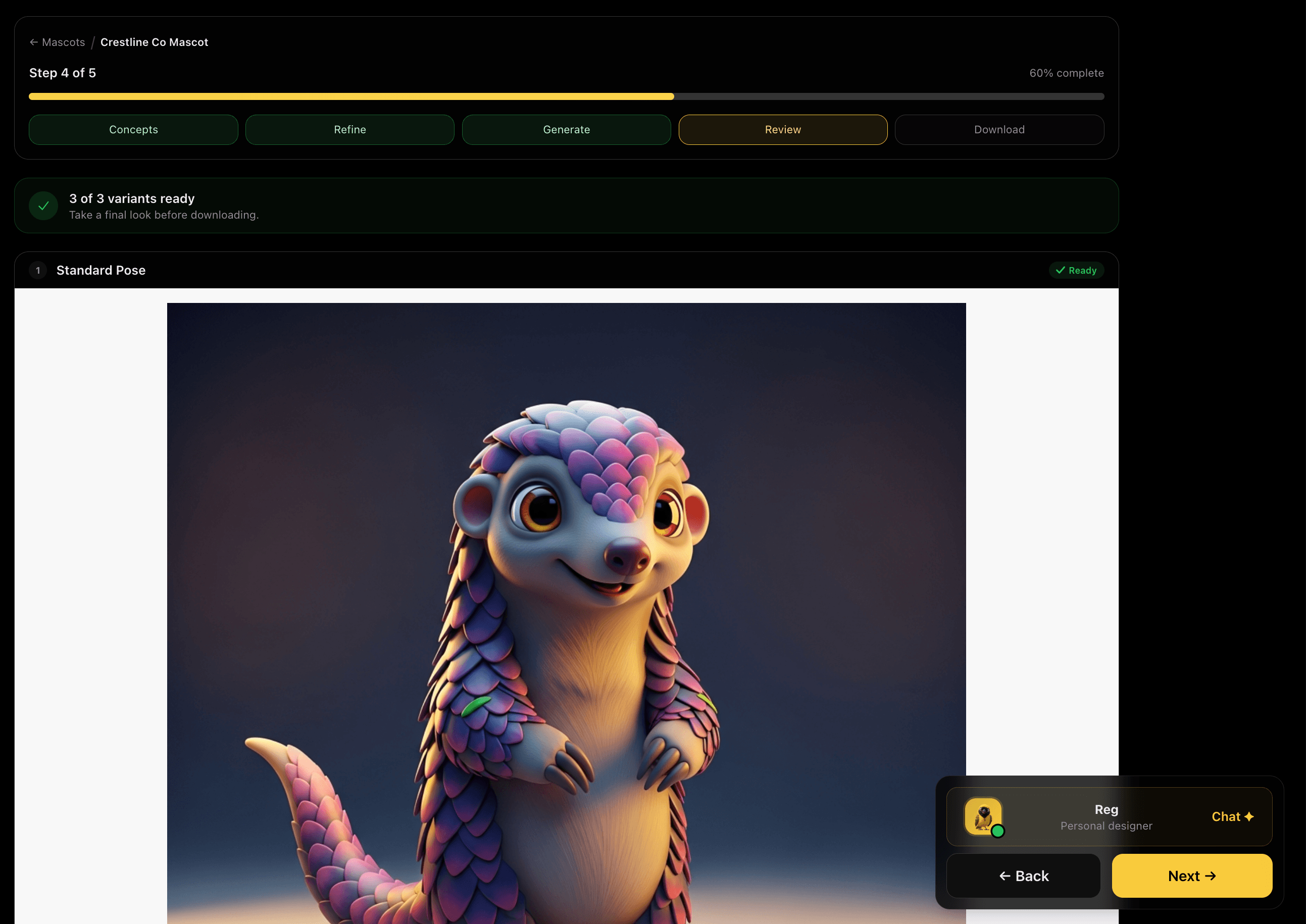
All three pose variants are presented for a final review, each marked Ready. View each pose at full size to check that the character sits correctly, the brand mark integrates cleanly, and the style is consistent across all three. If any pose missed the mark, regenerate it individually without rerunning the full set.
Reviewing all poses together reveals style inconsistencies you would miss looking at each one in isolation, before they end up in production.
Captures
Download and Save to Library
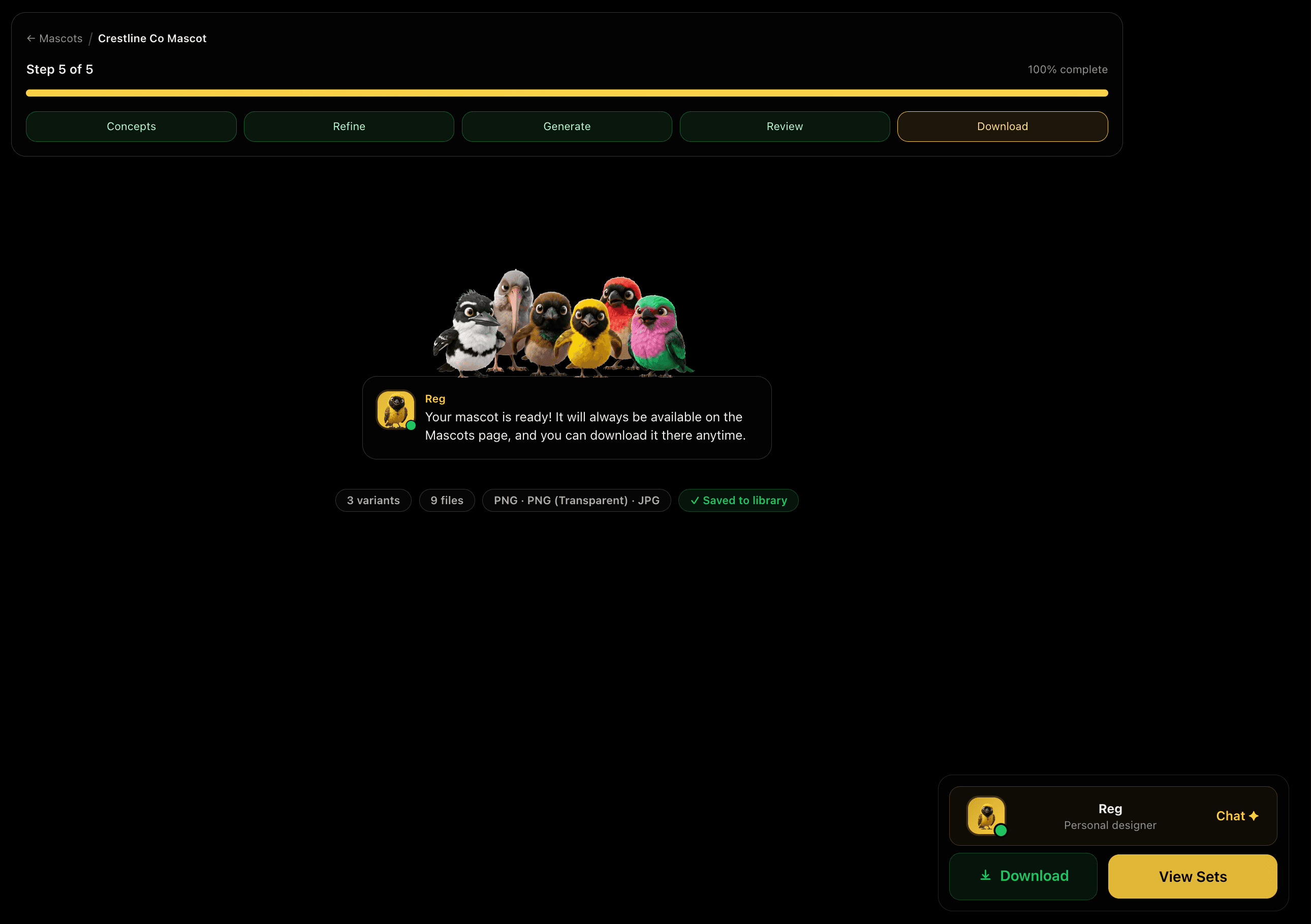
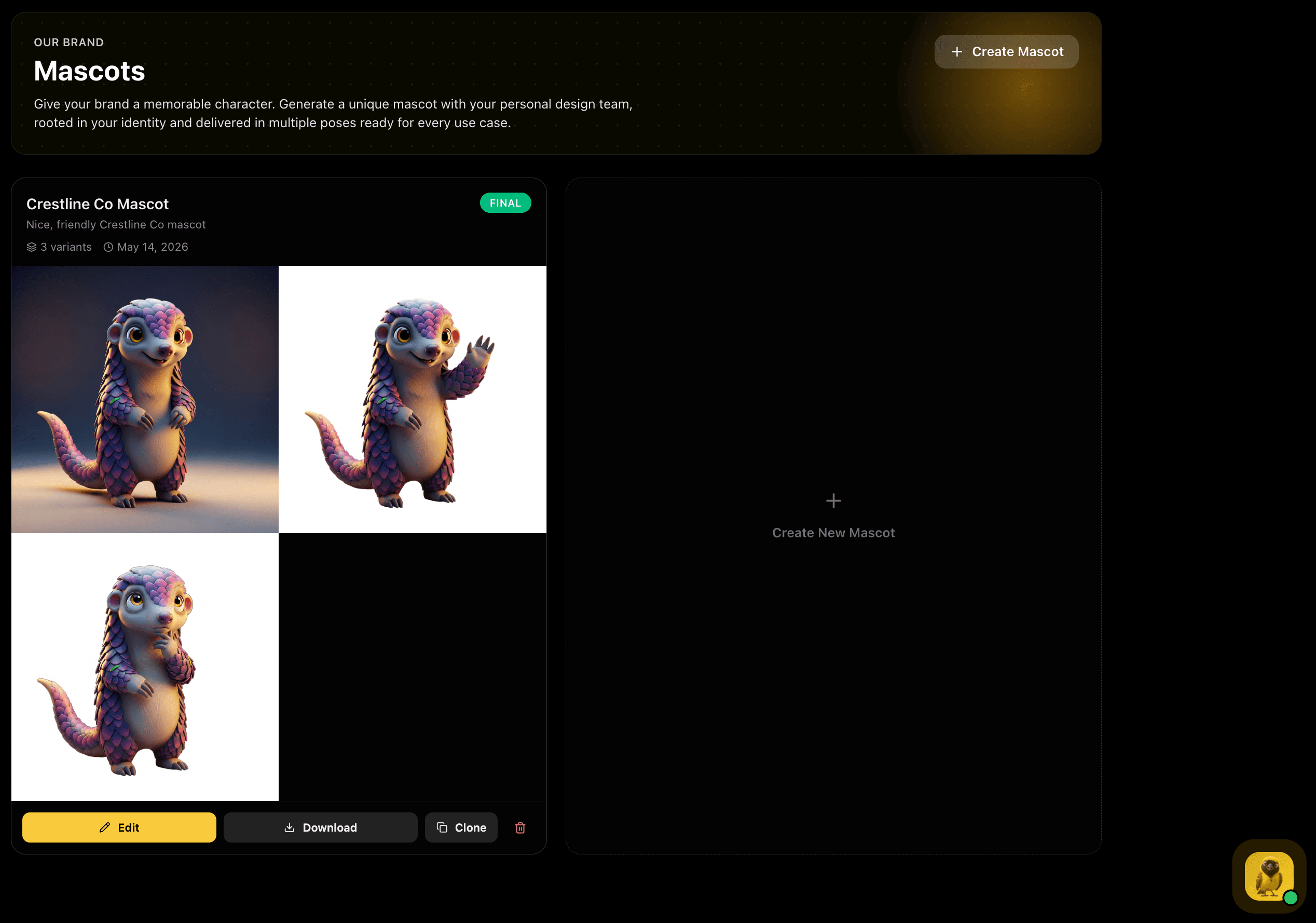
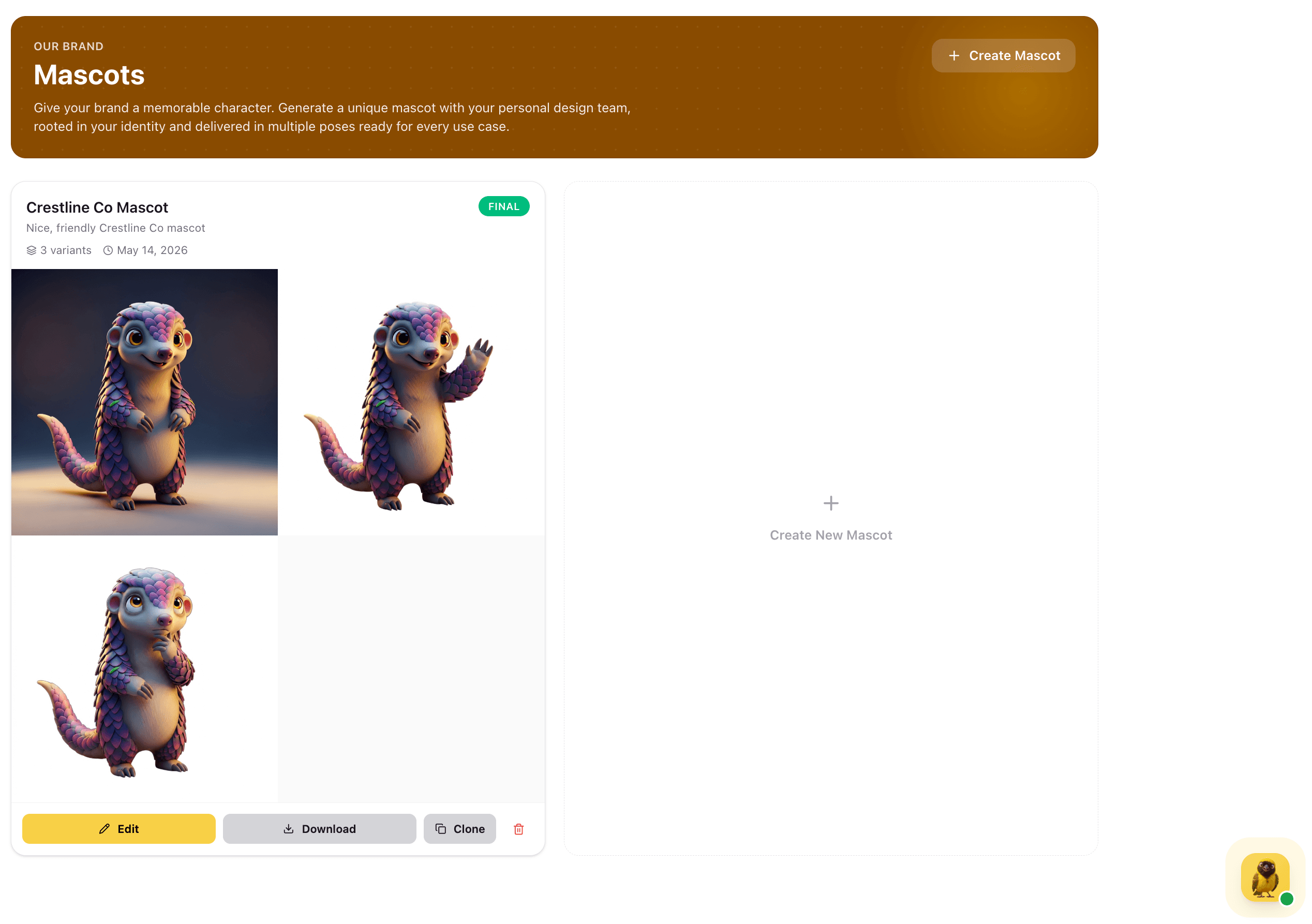
Your mascot set is complete. Download all pose files and the set is automatically saved to the Mascots library, 3 variants, 4 files, marked Final. The set is always available to download again, clone for a new direction, or edit to trigger a fresh generation run.
Saved to the library means the mascot is always accessible for any team member, campaign, or channel, without hunting through downloads or cloud folders.
Captures
Mascots Library
Your finalised mascot set lives in the Mascots library, marked Final, with all three poses displayed as a visual grid, Standard, Waving, and Thinking, each showing the character with your brand name and tagline.